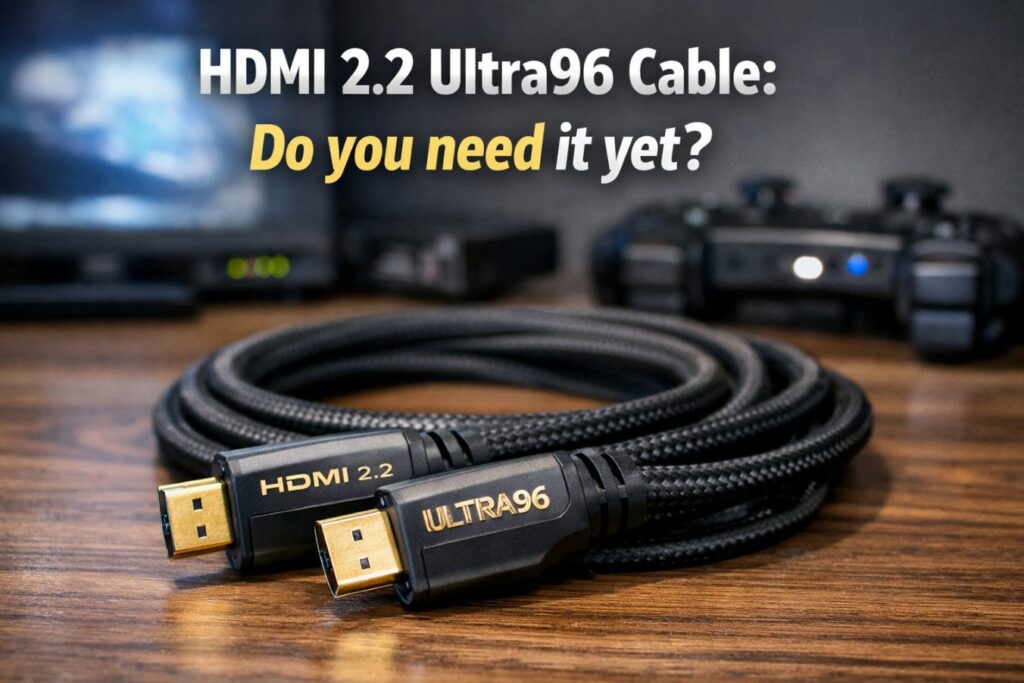

The HDMI 2.2 Ultra96 cable sounds like a “must-buy” because the name implies a leap forward. In reality, it’s a very specific tool: it exists to carry up to 96Gbps reliably for next-gen bandwidth modes—while most living-room setups still top out far below what an Ultra High Speed (48Gbps) cable already handles. 🔌
So the real question isn’t “Is Ultra96 better?”
It’s: Do you have (or plan to buy) gear that can actually use it—without paying for bragging rights?
Quick Takeaways
- If you watch TV, stream movies, or game at 4K120, you usually do not need an HDMI 2.2 Ultra96 cable.
- The HDMI 2.2 Ultra96 cable matters when you’re chasing extreme PC modes (think very high refresh at high resolution and full chroma) or professional display workflows.
- Ultra96 only “unlocks” anything if both devices have HDMI 2.2-class capability—otherwise it behaves like a normal cable.
- Buy Ultra96 for future-proofing only if you’re certain your next TV/monitor and GPU will target these modes soon.
The fast decision table (buying guide in 20 seconds)
| Use case | Do you need an HDMI 2.2 Ultra96 cable? | What to buy now |
|---|---|---|
| PS5 / Xbox gaming (4K120, VRR) | No | Certified Ultra High Speed (48Gbps) |
| PC gaming (4K144 / 4K165) | Usually no | Certified Ultra High Speed (48Gbps) |
| PC gaming (4K240+ with full chroma / high bit depth) | Maybe (setup dependent) | Consider Ultra96 only if your GPU + display explicitly support HDMI 2.2 bandwidth modes |
| 8K TV use (typical consumer content) | Usually no | Certified Ultra High Speed (48Gbps) |
| Long run to a projector (10m+) | Not about Ultra96 first | Use the right cable type (active/fiber) and verified certification for your distance |
| You’re buying a “next-gen” TV/monitor specifically for bleeding-edge bandwidth | Possibly | Ultra96 can make sense—after you confirm port capability |
What HDMI 2.2 actually changes
HDMI 2.2 raises the maximum link bandwidth to 96Gbps and introduces a new cable label—Ultra96—so consumers can identify cables certified to carry that bandwidth.
Two important clarifications:
- The connector shape does not change. You’re not buying a new plug.
- The HDMI 2.2 Ultra96 cable does not magically upgrade old ports. It simply ensures the cable won’t be the bottleneck when you do have next-gen ports.
The HDMI 2.2 Ultra96 cable is positioned for combinations like 4K240 (full chroma) and 8K60 (full chroma) at higher bit depth, plus even higher-resolution modes that are more “future display” than “2026 living room.”
Where the HDMI 2.2 Ultra96 cable is genuinely useful
This is where Ultra96 stops being marketing and becomes practical.
1) High-end PC setups chasing extreme refresh
If you’re building a PC setup meant to push very high refresh rates at very high resolution, cable integrity starts to matter more. At that point, the HDMI 2.2 Ultra96 cable is about keeping the signal stable—less negotiation drama, fewer random dropouts, and fewer “it works at 120Hz but not 240Hz” headaches. 🎮
2) Full-chroma workflows (text clarity / desktop use)
For people using a big display like a monitor, full chroma (4:4:4) can matter for text edges and UI sharpness. HDMI 2.2 talks directly to those “uncompressed full chroma” scenarios. The HDMI 2.2 Ultra96 cable is the cable category designed to carry that cleanly when bandwidth demands rise.
3) Pro AV and specialty displays
If you’re in signage, production, or unusual display chains, certification and EMI control matter. The HDMI 2.2 Ultra96 cable is part of a stricter certification program designed to reduce the “mystery cable” problem.
Where you probably don’t need it (most people)
Let’s be blunt: for most households, the HDMI 2.2 Ultra96 cable is overkill today.
Consoles (PS5 / Xbox)
Consoles are fantastic, but they’re not demanding 96Gbps in typical home use. If your setup is 4K120 + VRR, a certified Ultra High Speed (48Gbps) cable is the sensible buy.
Streaming and movies
Streaming apps and most movie playback don’t require anything close to Ultra96. If you’re buying the HDMI 2.2 Ultra96 cable “for Netflix,” you’re paying for a ceiling you won’t touch.
Typical 4K gaming on PC (144Hz / 165Hz)
Even many high-refresh PC-to-TV scenarios are already handled by good 48Gbps cables, assuming your ports, settings, and HDMI chain are clean. If your goal is stable 4K144/165, start by fixing the basics (ports, certified cable, HDMI input format, and handshake order) before you assume “you need 96Gbps.”
The real trap: ports and labels (how people waste money)
The most common Ultra96 mistake is buying the HDMI 2.2 Ultra96 cable before confirming your devices can actually use HDMI 2.2 bandwidth modes.
Here’s the safe reality check:
- If your TV/monitor doesn’t explicitly support HDMI 2.2 bandwidth modes, the HDMI 2.2 Ultra96 cable won’t unlock anything.
- If your GPU/device doesn’t output those modes over HDMI, same story.
- You’ll still get compatibility (it should work), but you won’t get the “why did I pay extra?” payoff.
Think of the HDMI 2.2 Ultra96 cable like premium fuel: great when the engine is designed for it, pointless when it isn’t.
How to buy an HDMI 2.2 Ultra96 cable without getting scammed
If you decide you actually need it, buy it like an adult: certification first, hype second. 🧩
Look for certification and verification
Ultra cables are tied to a certification program, including anti-counterfeit labeling and verification methods. If a cable screams “Ultra96” but has no credible certification/verification story, treat it as a red flag.
Choose the shortest length that fits your setup
High bandwidth is less forgiving at longer lengths. If you need a long run (projector, in-wall), cable type matters as much as the label. Don’t assume “Ultra96” alone solves physics.
Avoid “future-proof” bundles
Retailers love bundling expensive cables with new TVs. If you’re not buying HDMI 2.2-class gear right now, buy a top-tier certified 48Gbps cable and revisit Ultra96 when the ports truly arrive.
Common mistakes to avoid
- Buying an HDMI 2.2 Ultra96 cable to fix eARC dropouts when the real issue is CEC/handshake order or a flaky AVR chain.
- Upgrading the cable but keeping the same broken chain: bad port, bent connector, cheap coupler, long run through a wall plate.
- Assuming “Ultra96 = better picture” for movies. Picture quality is primarily the TV’s processing and panel—not the cable—once you’re already meeting the bandwidth requirement.
FAQ
1) What is an HDMI 2.2 Ultra96 cable?
An HDMI 2.2 Ultra96 cable is a certified HDMI cable category designed to support up to 96Gbps bandwidth for HDMI 2.2 features and extreme resolution/refresh combinations.
2) Do I need an HDMI 2.2 Ultra96 cable for PS5 or Xbox?
Almost always, no. For 4K120 gaming and VRR, a certified Ultra High Speed (48Gbps) cable is typically the right choice.
3) Will an HDMI 2.2 Ultra96 cable improve picture quality on Netflix?
No, not in normal conditions. If your current certified cable already supports the signal format, the cable won’t improve the image. It only prevents bandwidth/handshake issues when you’re near the limit.
4) Can I use an HDMI 2.2 Ultra96 cable with HDMI 2.1 devices?
Yes. It should work backward. You just won’t benefit from 96Gbps modes if your ports don’t support them.
5) When should I buy an HDMI 2.2 Ultra96 cable?
Buy it when you have a confirmed HDMI 2.2-capable display and source device and you’re targeting modes that realistically need that headroom (extreme refresh, full chroma at high bit depth, specialty workflows).
6) Why do people still get black screens with “good cables”?
Because black screens are often handshake/HDCP chain problems, not raw bandwidth. Reboot order, port choice, AVR/soundbar pass-through, and HDMI format settings can matter as much as the cable.
7) Is Ultra96 the only label I should trust going forward?
Not necessarily. Ultra High Speed (48Gbps) remains the practical sweet spot for most setups today. Ultra96 is the new ceiling, not the new baseline.
Final Verdict
The HDMI 2.2 Ultra96 cable is real progress—just not for everyone right now. If you’re building a bleeding-edge PC/display chain that will actually push HDMI 2.2 bandwidth modes, Ultra96 is a smart, stability-focused buy. For everyone else, a certified 48Gbps Ultra High Speed cable remains the best-value, least-drama choice—and it will keep delivering long after the CES headlines fade. ✨