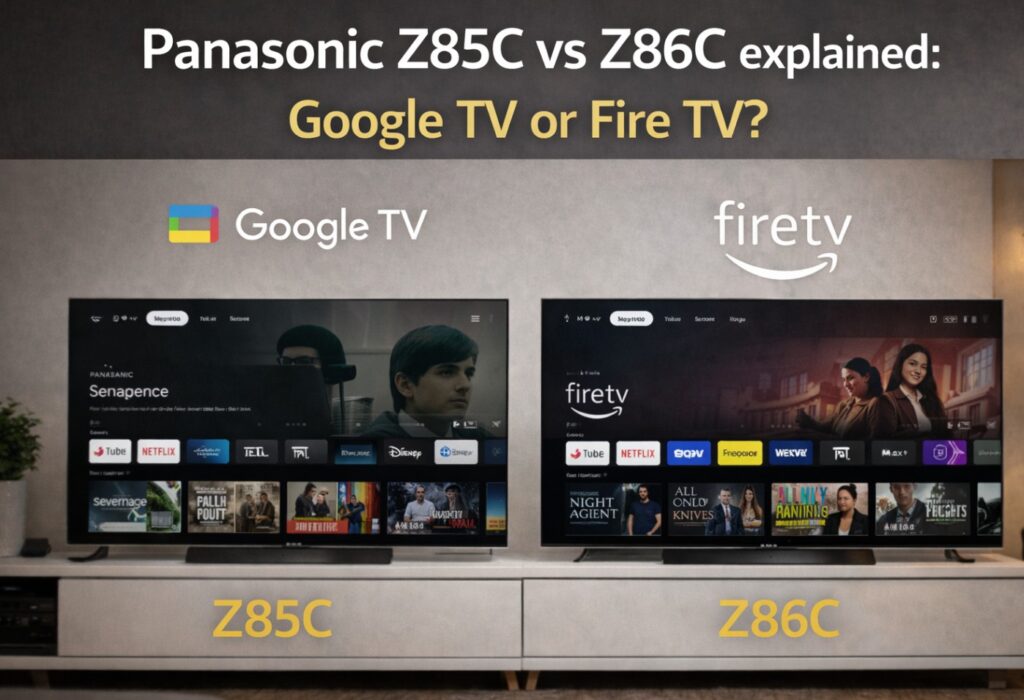

Panasonic Z85C vs Z86C explained is the question buyers should ask before they assume these are two different OLED TVs. On paper, the names look separate enough to suggest real hardware differences. In practice, the story is much simpler and much more useful: these models are effectively the same Panasonic OLED in most of the ways that matter, but they split by smart platform and region rather than by panel class or core feature set.
That matters because buyers often overcomplicate this kind of launch. They compare spec sheets, worry about hidden brightness differences, and assume one model must secretly be “better.” Here, the smarter question is not which one wins on raw picture quality. It is which one fits your region, your app habits, and your preferred TV platform. 📺
If you want the clean answer early: choose the Z85C if you want Panasonic’s new entry OLED in continental Europe with Google TV; choose the Z86C if you are in the UK and want the same idea built around Fire TV.
Panasonic Z85C vs Z86C explained — quick buyer table
| Model | Region positioning | Smart platform | Sizes | Refresh rate | HDR support | Best for |
|---|---|---|---|---|---|---|
| Z85C | Continental Europe | Google TV | 55, 65 inch | 120Hz | Dolby Vision, HDR10+, HLG | Buyers who prefer Google TV and Google ecosystem features |
| Z86C | UK | Fire TV | 55, 65 inch | 120Hz | Dolby Vision, HDR10+, HLG | Buyers who prefer Fire TV, Alexa, and Amazon-style content flow |
The important part is this: if you remove the operating system and regional naming, you are still looking at nearly the same TV.
What is actually the same?
Most buyers should start here, because this is where the confusion clears up.
The Z85C and Z86C appear to share the same overall product role in Panasonic’s 2026 range: they are the new lower-tier OLED entry, sitting below carry-over higher models. The feature story is broadly consistent:
- 4K OLED panel
- 120Hz refresh rate
- VRR and ALLM
- Dolby Vision support
- HDR10+ support
- Dolby Atmos support
- 55-inch and 65-inch sizes only
That means this is not one of those cases where one regional model gets a clearly better panel, more HDMI 2.1 ports, or a major brightness advantage. For most real buyers, the difference is not the display hardware. It is the software layer you live with every day. 🎯
Panasonic Z85C vs Z86C explained for platform-first buyers
This is the real decision point.
Choose Z85C if you want Google TV
Google TV is usually the better fit for buyers who:
- already use Android phones, Google Home, or Google Assistant
- want a strong recommendations layer that pulls from multiple services
- prefer the broader Google app ecosystem
- use Chromecast-style casting habits
Google TV also tends to feel more natural if you already live inside YouTube, Google Photos, Google account syncing, and voice search tied to Google services.
Choose Z86C if you want Fire TV
Fire TV makes more sense if you:
- already use Alexa heavily
- prefer Amazon’s streaming ecosystem
- want tighter integration with Fire TV-style navigation and Amazon services
- already have Fire TV devices elsewhere in the house
This is one of those comparisons where the “best” model depends less on test-bench obsession and more on daily behavior. The screen may be nearly the same, but the home screen absolutely is not.
Picture quality: should you expect any real difference?
For most buyers, no meaningful day-one difference should be assumed.
The safer interpretation is that Z85C and Z86C are picture twins with a platform split. So if someone tells you one is dramatically better for HDR movies or gaming just because of the name, that is the wrong read.
What can vary in practice is:
- regional firmware behavior
- app availability
- app optimization
- menu logic
- feature exposure inside the smart platform
That last point matters. Sometimes two TVs with very similar hardware feel slightly different because the smart platform changes how quickly settings are exposed, how content is surfaced, or how certain HDMI and playback paths behave.
So this is not a “panel difference” article. It is a user experience difference article.
Manufacturer claims vs rounded real-world expectations
| Area | Manufacturer / launch positioning | Rounded real-world expectation |
|---|---|---|
| Panel and motion | 4K OLED, 120Hz gaming-ready positioning | Expect a clearly premium step over cheaper LCDs, with strong motion clarity for movies and gaming |
| HDR format support | Dolby Vision, HDR10+, HLG | Flexible HDR compatibility is a real strength here, especially compared with brands that force only one premium HDR path |
| Gaming support | VRR, ALLM, 120Hz | Strong console-ready basics, but still not a replacement for checking exact HDMI port behavior in your setup |
| Smart platform | Google TV or Fire TV depending on region | This is the main differentiator and probably the real buying trigger |
| Range positioning | Entry OLED for 2026 | More about accessibility and platform choice than about replacing Panasonic’s higher-end OLED image hierarchy |
That is the key nuance. These sets are “entry OLED” in lineup structure, but that still means a lot of buyers will get genuinely premium picture quality compared with mid-range LCD options.
Gaming support is good, but read the port map carefully
Panasonic is clearly positioning these models as capable for modern console use. 120Hz support, VRR, and ALLM are the right features to have here. But as always, the practical question is not just “does it support HDMI 2.1?” It is how many ports, which ports, and what else is sharing the chain.
Hands-on coverage points to two HDMI 2.1 sockets with support for up to 4K/120Hz signals, VRR, and ALLM. That is good enough for a PS5 or Xbox Series X setup, but it is not the same flexibility as four full-fat gaming ports. If you also run a soundbar through eARC, your real free-port flexibility becomes more important. 🎮
Port-by-port I/O map
| Port / connection | Expected role | What it means in real use |
|---|---|---|
| HDMI 1 | Standard HDMI input | Good for streamer, cable box, or secondary source |
| HDMI 2 | HDMI 2.1 input | Best candidate for console or high-bandwidth source |
| HDMI 3 | HDMI 2.1 / eARC likely use case | Often the key port if you use a soundbar or AVR |
| HDMI 4 | Standard HDMI input | Useful for additional media gear |
| Total HDMI | 4 inputs | Enough for most homes, but plan carefully if you game and use eARC |
| USB | USB ports available | Media playback and basic accessory support |
| Ethernet | Wired networking | Better stability than Wi-Fi for heavy streaming homes |
| Optical audio | Legacy audio fallback | Still useful for older sound systems |
| Wireless | Wi-Fi + Bluetooth | Standard smart TV flexibility |
Menu names and exact port labels may vary by region or firmware.
The practical takeaway is simple: this is a usable, sane connectivity layout, but not one that lets you ignore your HDMI chain. If you use two next-gen consoles and eARC at the same time, planning matters.
Panasonic Z85C vs Z86C explained for movie fans
If movies matter more than menus, these sets still look appealing.
Why? Because Panasonic continues to support both Dolby Vision and HDR10+, which is still one of the cleanest quality-of-life advantages in the TV market. Some brands push you toward one HDR camp or the other. Panasonic usually tries to keep both doors open, and that is genuinely useful for mixed app libraries and disc playback.
That means the buying conversation does not need to become dramatic:
- no, you are not choosing between “cinema TV” and “casual TV”
- yes, both should still appeal to movie-first buyers
- the platform difference matters more for navigation than for core film compatibility
So if your main concern is movie support rather than home-screen preference, either model can make sense.
Common mistakes buyers could make here
Assuming Z85C and Z86C are different picture tiers
That is the biggest misunderstanding.
Buying by model name instead of by region
These names are regional signposts as much as product identities.
Ignoring the smart platform
On this pair, the OS is not a side note. It is the main reason to choose one over the other.
Expecting flagship audio or flagship OLED brightness
These are important new OLEDs, but they still sit in Panasonic’s more accessible part of the OLED range.
Forgetting the HDMI plan
Two HDMI 2.1 inputs are fine, but only fine if your setup matches them.
Who should buy which one?
Buy the Z85C if…
You are in continental Europe, prefer Google TV, and want a modern Panasonic OLED without moving into the higher Panasonic OLED tiers.
Buy the Z86C if…
You are in the UK, prefer Fire TV, already use Alexa, or simply want a Panasonic OLED that behaves more like other Fire TV devices in your home.
Wait or spend more if…
You want Panasonic’s higher OLED image hierarchy, stronger built-in audio ambitions, or a model above the “accessible OLED” layer.
Final Verdict
Panasonic Z85C vs Z86C explained becomes very simple once you stop reading the names as a battle. This is not really a war between two different TVs. It is Panasonic offering nearly the same OLED idea through two different software doors.
That is why the right choice is refreshingly human. Pick the platform you actually want to live with. Pick the region-correct model. Check your HDMI needs honestly. Then enjoy the fact that Panasonic is still doing something many buyers quietly appreciate: giving you broad HDR format support, sensible gaming features, and a cleaner cinema-first identity than the average mass-market smart TV.
Sometimes the best buying advice is not “this one crushes the other.” Sometimes it is simply this: they are closer than they look, and the difference that matters most is the one you will touch every day. ✨