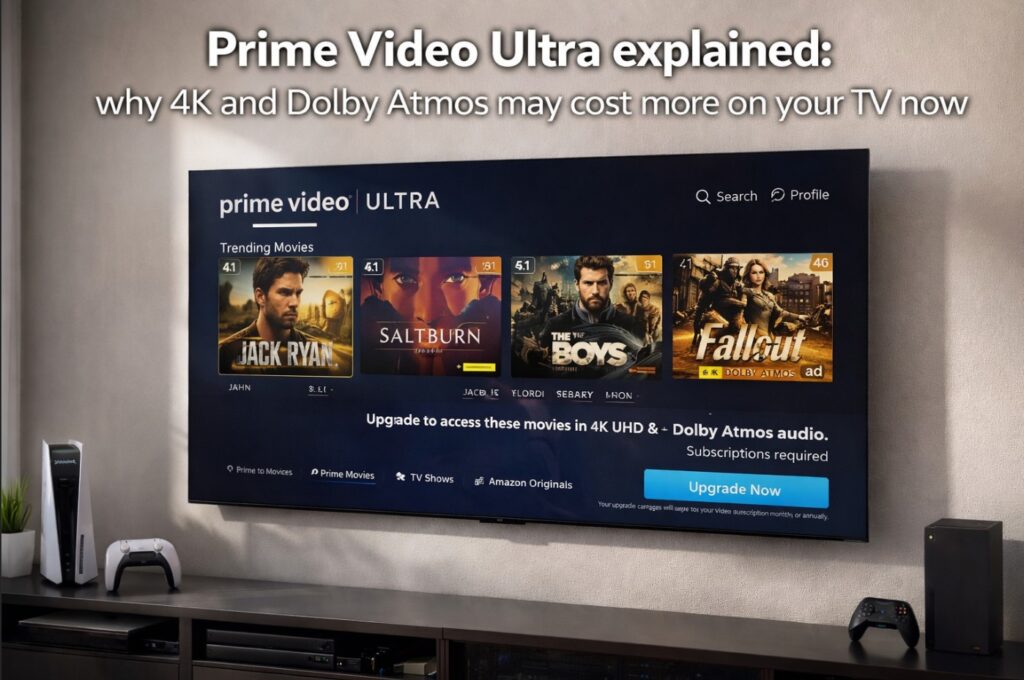

Prime Video Ultra explained is suddenly a very practical article, not just a pricing story. If Prime Video suddenly looks less impressive on your TV, if 4K is missing, or if Dolby Atmos no longer shows up the way you expected, the problem may not be your television at all. The bigger change is on Amazon’s side: in the U.S., Prime Video Ultra is now the premium add-on that unlocks 4K/UHD, Dolby Atmos, ad-free viewing, up to five concurrent streams, and up to 100 downloads.
That changes the way people troubleshoot Prime Video on TVs. Before, many users assumed missing 4K or missing Atmos meant an HDMI problem, a weak app, or a TV limitation. Now there is one more layer to check first: your Prime Video plan. And that makes this one of the most important streaming explainers to publish right now.
Prime Video Ultra explained — quick feature table
| Feature | Prime Video benefit included with Prime | Prime Video Ultra |
|---|---|---|
| HD playback | Yes | Yes |
| HDR10 / HDR10+ | Yes | Yes |
| Dolby Vision | Yes | Yes |
| 4K / UHD | No | Yes |
| Dolby Atmos | No | Yes |
| Ad-free streaming | No | Yes |
| Concurrent streams | Up to 4 | Up to 5 |
| Downloads | Up to 50 | Up to 100 |
| Availability | Included with Prime membership | U.S. add-on |
The biggest change is simple: 4K/UHD and Dolby Atmos are now paywalled behind Ultra in the U.S. That is the part many TV owners will miss at first, especially if they are used to diagnosing everything as a device issue.
What Prime Video Ultra actually changed
The easiest way to understand this shift is to stop thinking of it as “just ad-free with a new name.”
It is not.
Prime Video Ultra replaced the old Ad Free add-on in the U.S. and added a clearer premium feature stack. That stack now includes:
- ad-free streaming
- exclusive access to 4K/UHD
- exclusive access to Dolby Atmos
- up to five simultaneous streams
- up to 100 downloads
At the same time, regular Prime Video access did not become useless. It still includes HD, HDR10, HDR10+, and Dolby Vision, plus improved download and stream limits versus the older structure. That nuance matters, because it means some viewers will still see a premium-looking image and assume nothing changed, even though the top video/audio tier is now separate.
Prime Video Ultra explained for TV owners who think 4K is broken
This is the most important buyer-facing angle.
If Prime Video suddenly stops showing 4K/UHD quality on a compatible TV, that does not automatically mean:
- your TV app is failing
- your HDMI cable is bad
- your soundbar broke Atmos
- your picture settings are wrong
It may simply mean your account no longer includes the required streaming tier for those features.
That changes the troubleshooting order dramatically.
Check your plan before you touch your TV
Before you reset apps, change HDMI inputs, or start blaming your television, confirm:
- whether you are in a market where Ultra applies
- whether your account has Prime Video Ultra
- whether the title itself supports the format you expect
- whether your device supports that format
That sounds obvious, but it is exactly the kind of change that causes wasted troubleshooting. A user sees “not 4K,” assumes “TV problem,” and starts changing settings that were never the cause.
Why this will confuse so many TV buyers
Because the change is not total.
If Amazon had stripped everything premium from the base Prime Video experience, the difference would be easier to notice. But the base Prime Video benefit still keeps:
- HDR10
- HDR10+
- Dolby Vision
- more downloads than before
- more simultaneous streams than before
That means the app can still look “good enough” on many TVs, especially in casual viewing. A user may still see HDR, may still see a clean image, and may not immediately realize that 4K/UHD or Dolby Atmos is the missing layer. That is exactly why the new structure will generate confusion.
Prime Video Ultra explained for Dolby Atmos users
Atmos is where the confusion gets sharper.
Many people already struggle to separate:
- app support
- title support
- TV support
- soundbar / AVR support
- HDMI eARC behavior
Now there is an additional gate: the subscription tier.
So if you are troubleshooting Prime Video and Atmos is missing, you now need to check the chain in this order:
- Does your plan include Ultra?
- Does this title actually have Atmos?
- Does your TV app or external streamer support Atmos on Prime Video?
- Is your audio chain set correctly through eARC or passthrough?
That is a much smarter order than jumping straight into audio menus.
Why this is not just another price hike story
Because it changes user behavior on TVs.
Streaming price hikes are common now, but this one matters more for TV owners because it directly affects the formats people use to judge whether their setup is “working properly.” If Netflix gets more expensive, users notice the bill. If Prime Video changes which plan gets 4K and Atmos, users may first notice it as a missing-feature problem on the TV.
That makes this a better topic for TVComparePro than a generic streaming-news recap. It lives right at the intersection of:
- streaming plans
- TV compatibility
- app troubleshooting
- buyer confusion
And that is exactly where your site performs best.
Manufacturer / service positioning vs real-world expectation
| Area | Official positioning | Real-world expectation |
|---|---|---|
| Base Prime Video benefit | HD, HDR10, HDR10+, Dolby Vision, 4 streams, 50 downloads | Still looks premium enough that some users may not realize 4K is missing |
| Prime Video Ultra | Ad-free, 4K/UHD, Dolby Atmos, 5 streams, 100 downloads | This is now the real “full-fat” Prime Video tier for many TV owners |
| Upgrade logic | Premium features cost extra | Many users will first treat this like a TV/app issue, not a subscription issue |
| Troubleshooting impact | Plan + device + title all matter | The account tier now belongs at the top of the checklist |
Prime Video Ultra is not just “better Prime Video.” It is now the tier that restores the most complete home-theater version of Prime Video in the U.S.
What to check if Prime Video suddenly does not look right
1. Confirm the plan
If you are in the U.S., verify whether you actually have Prime Video Ultra.
2. Confirm the title
Not every title supports every format. A missing logo on one movie is not enough evidence.
3. Confirm the device
Even with the right plan, formats still depend on device capability and app support.
4. Confirm the chain
If you use a streamer, soundbar, or AVR, 4K and Atmos still depend on the HDMI/eARC chain behaving correctly.
This matters because Amazon’s own rollout notes also remind users that these premium features still depend on device capabilities, internet bandwidth, and content availability.
Prime Video Ultra explained for buyers deciding whether it is worth it
This depends on how you watch.
It is more worth it if…
- you care about 4K/UHD
- you care about Dolby Atmos
- you already own a premium TV and sound system
- you use Prime Video often enough that ad-free viewing matters
- multiple people stream from the same account
It is less urgent if…
- you mainly watch casually in HD
- you do not use Atmos
- Prime Video is not one of your main apps
- you mostly value the included Prime benefit and do not care about top formats
That is the cleanest consumer answer. The new tier is not automatically a must-buy. It is mostly for viewers who actually use Prime Video like part of a home-theater setup.
Common mistakes users will make
Blaming the TV first
This is the biggest trap.
Assuming Dolby Vision means “nothing changed”
The base benefit can still show HDR formats, which makes the change easier to miss.
Testing one title and drawing the wrong conclusion
Different titles expose different formats.
Ignoring the audio chain
Atmos problems can still be a device or HDMI issue, even with Ultra.
Treating this like a global rule everywhere
The rollout is explicitly described as U.S.-only right now.
Final Verdict
Prime Video Ultra explained comes down to one simple truth: this is no longer just a streaming add-on. It is now the switch that decides whether many U.S. viewers get the most complete Prime Video experience on their TVs.
That is why this matters more than it looks. If 4K disappears, if Atmos is gone, or if Prime Video suddenly feels less “premium” than before, the smartest first question is no longer “what did my TV do?” It is “what does my plan include now?”
And that small change in troubleshooting order will save a lot of people a lot of wasted time. ✅

Pingback: HDR10+ Advanced vs Dolby Vision 2: Which Matters More?