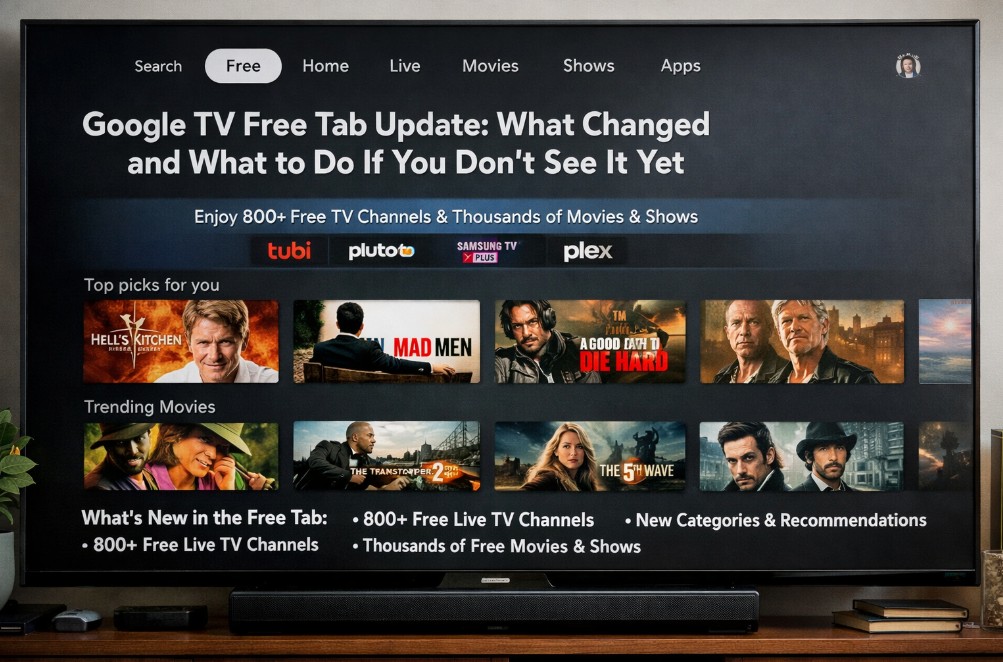

The Google TV Free tab update is a home-screen navigation change that surfaces Free content more directly (and, on some devices/regions, adds or reshuffles Shop and Live destinations). The confusing part is that it often arrives quietly—sometimes without a visible firmware update—so two people can have the same TV model and still see different tabs.
This guide is written for real-world use on TCL Google TV first, but the logic applies across Google TV devices: confirm what changed, diagnose why you don’t see it, and fix what you actually can control. 🙂
Quick Takeaways
- The Google TV Free tab update is frequently a server-side rollout, so “no update available” doesn’t mean “no change coming.” 🔄
- If Free isn’t showing, the highest-success path is: update Google TV system components → cold reboot → stick to one profile → wait for the rollout wave.
- On some devices/regions, “Free” viewing is surfaced mainly inside Live, so you may have the experience without the exact tab label.
- Don’t factory reset just for missing tabs—most cases are rollout timing, not a broken TV. ✅
Fast diagnosis table (use this first)
| What you see | Most likely reason | What to do next (fastest) |
|---|---|---|
| Friend has Free/Shop, you don’t | Staged rollout / account targeting | Update system components → cold reboot → check again later |
| You have Live but no Free | UI variant (device/region) | Open Live and look for free channels/content |
| Tabs appear, then disappear | Launcher refresh / profile switch | Reboot, avoid changing profiles repeatedly |
| Home screen feels slower after the change | Cached launcher state | Cold reboot, reduce background apps, give it 24h |
| Free tab shows but content looks “wrong” | Personalization signals | Clean up Watch Next / continue watching |
What changed with the Google TV Free tab update
This update is about navigation clarity more than “new apps.” Google is pushing a layout where the home screen feels less like one endless feed and more like a set of doors:
- Free: a hub for free, ad-supported content (availability varies)
- Live: channel-style browsing (often where free channels live, depending on market)
- Shop: rent/buy discovery (where supported)
- Apps: your installed apps and shortcuts
The key detail: on Google TV, these UI changes can be driven by launcher/services updates and server toggles. That’s why the update can feel “random” even when your TV firmware didn’t change.
Why you might not see it yet (and why it’s not your fault)
If you’re thinking “my TCL is updated… why don’t I have Free?”, here’s the reality behind most rollouts:
- Region gates: features can appear first in one market and later elsewhere.
- Account cohorts: Google can enable UI changes per account group.
- Device families: some models get UI changes earlier than others.
So yes—your neighbor can get the Free tab first. It’s annoying, but it’s normal platform behavior.
Google TV Free tab update: what to do if you don’t see it yet
Step 1: Update the components that actually control the home screen
Even when “System update” shows nothing, Google TV’s UI can depend on background components (launcher/services). The simplest practical move:
- Open your app update area and ensure system components are up to date.
- If you see pending updates, install them, then reboot.
This removes the “eligible but outdated” scenario.
Step 2: Do a true cold reboot (not just standby)
A standby/off press doesn’t always reset the launcher state.
Best reset method:
- Unplug the TV from power
- Wait ~60 seconds
- Plug back in and power on
It’s boring. It works. 🔌
Step 3: Stay on one Google profile while testing
Rapid profile switching can trigger different targeting and layout refreshes. For 24 hours, keep it simple:
- one profile
- one home screen
- check once or twice, then leave it alone
Step 4: Check the Live experience (you may have “Free” without the label)
On some devices/regions, free channels and free content are emphasized inside Live rather than via a dedicated Free tab. If you see Live, open it and browse—your free hub might already be there in practice.
Step 5: If all of the above checks out, wait for the rollout wave
If you updated components, cold rebooted, and confirmed profile consistency, the remaining piece is often out of your hands: the server-side rollout window.
If the Free tab appears: what it means (and what it doesn’t)
When it shows up, Free typically aggregates free viewing options (ad-supported). But it does not guarantee:
- the same catalog in every country
- the same set of tabs on every device
- that Free equals Live on your exact model
Treat it as a signpost. The destination behind it varies.
Make the home screen calmer after the update (without breaking things)
If your home screen looks louder after the change, do “small cleanup,” not “scorched earth.”
Safe moves that don’t usually break anything:
- Remove junk from “Continue Watching / Watch Next”
- Reduce personalization signals gradually (one change, then observe)
- Avoid factory reset unless you have real stability issues (crashes/boot loops)
After rollouts, the UI often settles once caches refresh. 🌙✨
FAQ
1) What is the Google TV Free tab update?
The Google TV Free tab update is a navigation rollout that adds or reshuffles home tabs to surface free viewing options more directly (and, on some devices, also highlights Shop/Live).
2) Why is the Google TV Free tab update not showing on my TV?
Most often: staged rollout + server-side enablement. Update system components, cold reboot, keep one profile, then wait for the rollout wave.
3) Is the Free tab the same as the Live tab?
Not always. Some regions/devices surface free channels mainly inside Live, while others show a dedicated Free destination.
4) Can I force the Free tab to appear?
Not reliably. You can do legitimate nudges (update system components + cold reboot), but you can’t truly force a server rollout.
5) Should I factory reset to fix missing tabs?
Usually no. Missing tabs are rarely corruption. Reset is for genuine stability problems (boot loops, repeated crashes, broken networking).
6) My home screen changed and feels slower—what’s the safest fix?
Cold reboot, then reduce background apps and give it a day. Rollout caching can temporarily make the UI feel heavier.
7) Will this affect picture quality or HDMI settings?
No—this is primarily UI/navigation. If your TV started acting weird after the update, that’s typically app/cache/CEC chain timing, not picture settings.
8) Will everyone get the same tabs?
No. Tabs and order can vary by region, device family, and account cohort.
Final Verdict
The Google TV Free tab update is a slow, uneven tide—quietly rolling in across devices and regions. If you don’t see it yet, you likely didn’t miss a magic setting. You’re waiting for a server switch. Keep your system components updated, do one proper cold reboot, and let the rollout land when it lands—then clean up the home screen gently so it stays calm and usable. 🌊
Recommended internal reads
https://tvcomparepro.com/speed-up-tcl-google-tv-2025/
https://tvcomparepro.com/how-to-fix-tcl-tv-wi-fi-not-connecting-2025-guide/
https://tvcomparepro.com/tcl-tv-hdmi-is-not-working-heres-how-to-fix-it/