
Panasonic BT.2020 vs DCI-P3 is the practical color-space question most owners hit the first time HDR looks “too flat” or “overcooked.” This guide shows exactly when to choose BT.2020 and when to choose DCI-P3 on Panasonic TVs—for HDR movies, bright-room streaming, and PC/console gaming—plus the precise menu paths on My Home Screen and Fire TV models. You’ll also get a small port map, so your HDMI chain doesn’t sabotage color before it reaches the panel. 🌈🎬🎮
What BT.2020 and DCI-P3 actually mean (plain English)
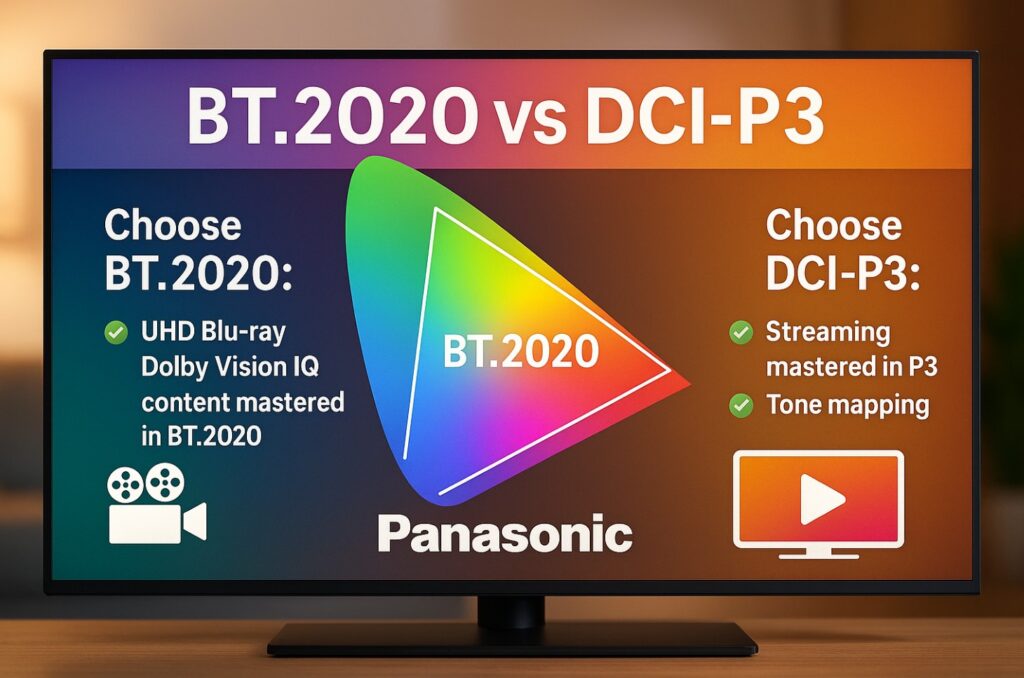
- DCI-P3 is the cinema color space used for most modern theatrical mastering and a huge chunk of streaming HDR.
- BT.2020 is the wider UHD standard container used for HDR distribution; most consumer TVs don’t fully cover BT.2020, but map content gracefully inside it.
Quick answer — which one should you pick?
- Use DCI-P3 when you need the most predictable, saturated yet natural color for films and general streaming in a dim room.
- Use BT.2020 when a title is explicitly graded wide (many HDR titles ship in a BT.2020 container), or when you want to keep the full UHD container and let the TV’s color management map it correctly—especially in bright rooms where you might need a touch more headroom.
- For gaming: if your console/PC outputs HDR10 using BT.2020 signaling (common), keep BT.2020; if a game looks oversaturated, try P3 to pull colors into a more cinema-like range. 🙂
Table: “what you watch” → “what you set”
| Scenario | Best starting point | Why |
|---|---|---|
| Night movies (UHD Blu-ray / premium streaming) | DCI-P3 in Filmmaker/True Cinema | Most titles align closely with P3; darker room favors accuracy |
| Bright-room streaming (DV IQ / HDR10+ Adaptive) | BT.2020 with adaptive mode | Wider container + sensor helps retain pop without neon overshoot |
| PC/console HDR gaming (HDR10 output) | BT.2020 in Game Mode | Matches common game output flags; adjust only if oversaturation appears |
| SDR desktop/console UI | Auto/Native (SDR) | Avoid forcing wide gamut on SDR UI (prevents cartoonish colors) |
Panasonic menus — where to change color space
Menu paths can vary by model; check Settings > Picture / Sound / General. Panasonic ships TVs with My Home Screen (many regions) and with Fire TV (select 2024/2025 models).
My Home Screen (Panasonic)
- Picture → choose a base mode: Filmmaker/True Cinema (movies), Game (gaming).
- Color Space / Gamut → DCI-P3 for dark-room films; BT.2020 for wide-container HDR or gaming.
- Intelligent Sensing (if present) → Off in a dark room; On for day viewing (or use HDR10+ Adaptive/DV IQ presets).
- Noise Reduction/Sharpness → Low/Off for 4K to keep texture clean.
Panasonic with Fire TV OS
- Fire TV: Settings > Display & Audio > Display → Dynamic Range = Adaptive/Always HDR (for native HDR apps).
- TV Picture: choose base mode (Filmmaker/True Cinema / Game).
- Color Space/Gamut: DCI-P3 (dark-room accuracy) or BT.2020 (wide-container HDR/gaming); keep Adaptive DV/HDR10+ only for streaming—not desktop.
- eARC users: audio on HDMI 2 (eARC); keep video sources to HDMI 1 for 2.1 bandwidth.
Why HDR can look “washed out” or “too neon”—and how color space fixes it
| Symptom | Likely cause | Fix |
|---|---|---|
| Faces look grey/desaturated at night | Too wide a space for the scene + raised gamma | Switch to DCI-P3 and use Filmmaker/True Cinema |
| Colors look neon in daylight | Wide container + aggressive tone mapping | Keep BT.2020 but reduce Color a notch; use DV IQ/HDR10+ Adaptive |
| Game HUDs look cartoonish | Game flags BT.2020, TV boosts saturation | Try DCI-P3 in Game Mode or reduce Color by −5 |
| SDR looks off after HDR session | SDR forced into wide gamut | For SDR, set Auto/Native or switch back to an SDR picture mode |
Small I/O map (so bandwidth doesn’t bite your colors) 🔌
| Port | What it’s best for | Notes |
|---|---|---|
| HDMI 1 (2.1) | PC/PS5/XSX at 4K120 | Full bandwidth; ideal for clean 10-bit HDR without forced subsampling |
| HDMI 2 (eARC, 2.1) | AVR/Soundbar | Keep return audio here; don’t daisy-chain high-refresh sources through limited bars |
| HDMI 3/4 (4K60 class) | Apple TV 4K / Blu-ray / set-top box | Fine for movies/streaming; leave gaming to HDMI 1 |
Use Ultra High Speed HDMI cables; marginal cables force 8-bit or heavy chroma subsampling that can distort color.
“Manufacturer claims vs rounded independent measurements” (color coverage)
Numbers vary by size/firmware and measurement method. Below are rounded ranges you can expect on modern Panasonic OLEDs.
| Metric | Manufacturer positioning | Rounded independent coverage* | What it means |
|---|---|---|---|
| DCI-P3 coverage | “Near-complete cinema coverage” | ≈ 98–100% P3 | P3 is well-covered; great for accurate movie color |
| BT.2020 coverage | “Wide color for UHD HDR” | ≈ 73–77% 2020 | TV maps content in a 2020 container to its native gamut |
* Rounded from multiple reputable publications; exact figures depend on panel generation and size.
If a title is graded in a BT.2020 container (common), your Panasonic will tone-map color into its native gamut cleanly; picking P3 simply constrains it to a cinema-like range that can look more natural in a dark room.
Real-world presets you can copy (fast)
Movies at night (disc/streaming) 🌙
- Mode: Filmmaker/True Cinema
- Color Space: DCI-P3
- Ambient/Adaptive: Off (use DV Dark or non-adaptive HDR10 where applicable)
- NR/Sharpness: Off/Low
Daytime streaming (DV IQ / HDR10+ Adaptive) ☀️
- Mode: Filmmaker/True Cinema (adaptive variant)
- Color Space: BT.2020
- Ambient/Adaptive: On (keeps detail under glare)
- Color: −2 to prevent neon push in some scenes
HDR gaming (console/PC) 🎮
- Mode: Game
- Color Space: BT.2020 (most HDR10 games)
- Tone-mapping: Reference/HGIG-style if available; reduce Color if the game looks oversaturated
- VRR/120 Hz: On as needed
Common mistakes to avoid ⚠️
- Forcing Vivid with BT.2020 at night—skin tones go nuclear.
- Using adaptive (IQ/HDR10+ Adaptive) modes in a fully dark room—blacks can lift.
- Leaving wide gamut on SDR desktops or menus—UI looks toy-like.
- Chaining consoles through soundbars without 2.1—bandwidth drops, color suffers.
FAQ
What is the best setting for Panasonic BT.2020 vs DCI-P3 in a dark room?
Choose DCI-P3 in Filmmaker/True Cinema and disable adaptive ambient features. It aligns well with most HDR film color.
Does HDR content actually use BT.2020?
Many HDR titles are delivered in a BT.2020 container, but practical color often sits closer to DCI-P3. Your TV maps it appropriately either way.
Should I use BT.2020 for gaming on Panasonic?
Usually yes—most HDR10 games assume BT.2020 signaling. If it looks too punchy, try DCI-P3 or reduce overall Color slightly.
Why does streaming look washed out on BT.2020 in daylight?
Because glare reduces perceived contrast. Keep BT.2020 but use Dolby Vision IQ/HDR10+ Adaptive and consider Color −2.
Can I break anything by switching between Panasonic BT.2020 vs DCI-P3?
No. They’re just gamut targets. Match the mode to your room and content; the TV’s color management handles the mapping.
Where do I change color space on Panasonic?
In Picture settings: look for Color Space/Gamut (labels can vary). On Fire TV models, you still change it in the TV’s picture menu, not the Fire UI.
Does eARC affect color?
No. Keep video on HDMI 1 (2.1) and use HDMI 2 (eARC) only for return audio to avoid bandwidth compromises.
Is it okay to leave everything on Auto?
Auto works, but manual DCI-P3 for dark-room films and BT.2020 for wide-container HDR/gaming usually looks better.
Final Verdict
If you remember just one rule for Panasonic BT.2020 vs DCI-P3:
- DCI-P3 for dark-room movies (natural skin tones, filmic color).
- BT.2020 for bright-room streaming and most HDR gaming (container-correct, more headroom).
Tweak Color a notch if needed, keep adaptive modes for daylight only, and give SDR its own neutral mode. That’s it—accurate, punchy color without guesswork. ✨
Applies to Panasonic models
This guide applies to the following Panasonic TVs:
- Fire TV models (2024–2025):
Z95B (55/65/77″), Z95A (55/65″), Z93A (77″), Z85A (55/65″), W95A Mini-LED (55–85″).
Notes: These run Fire TV OS. Color-space controls are in the TV’s Picture menu (not in Fire TV settings). Some picture presets expose Color Space / Gamut as BT.2020 or DCI-P3; others default to Auto. Use Filmmaker/True Cinema (movies) or Game (gaming) as your base and adjust gamut there. - My Home Screen models (2017+ 4K):
Panasonic 4K TVs on My Home Screen, typically with model prefixes EZ/EX, FZ/FX, GZ/GX (and later).
Notes: Labeling may vary (e.g., Color Space, Gamut, or Color Remaster). Many models allow manual selection between BT.2020 and DCI-P3 in accurate modes; entry models may expose Auto/Native only. Start from Filmmaker/True Cinema (movies) or Game (gaming), then choose DCI-P3 for dark-room films or BT.2020 for wide-container HDR/gaming.
Model & Firmware Variations (Names Can Differ)
Menu paths and labels can vary by model/year/firmware. If a label differs, match the function (e.g., Color Space/Gamut). Update TV firmware first, then verify the setting inside the active Picture Mode (some options only appear while playing HDR content).
Internal links
- Panasonic Z95B best settings — day/night presets, HDR formats, and gaming tips.
https://tvcomparepro.com/panasonic-z95b-best-settings/ - Disney Plus on Panasonic TV: install & fixes — app availability, DV/Atmos, and login errors.
https://tvcomparepro.com/disney-plus-on-panasonic-tv/ - Fix VRR Flicker on TV — Proven Settings — reduce near-black pulsation in games.
https://tvcomparepro.com/fix-vrr-flicker-on-tv/