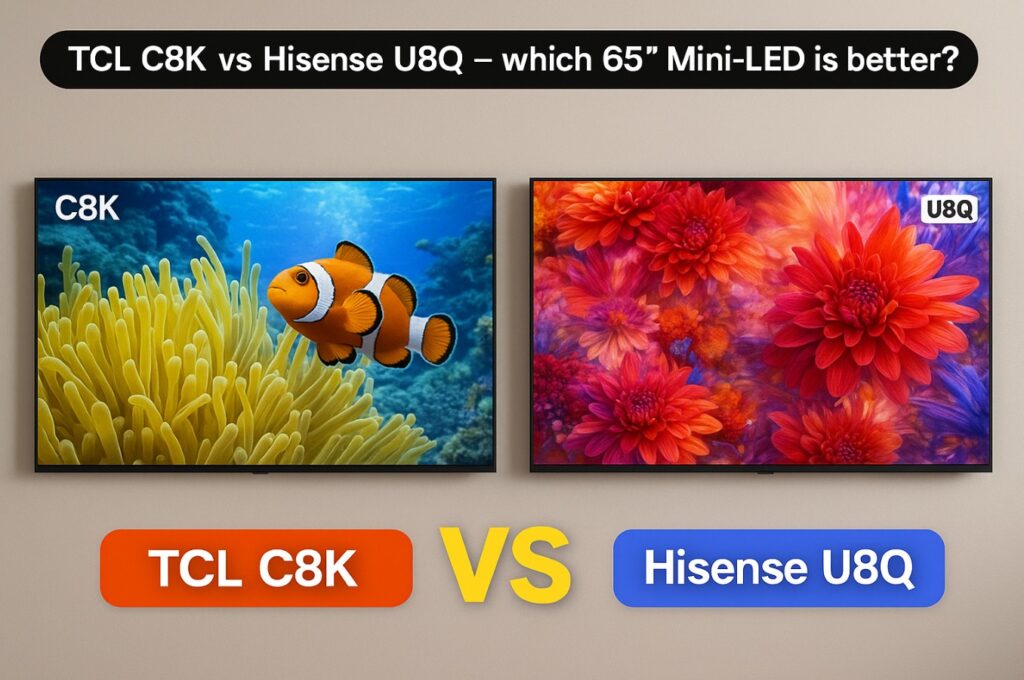

If you’re torn between TCL C8K vs Hisense U8Q in the 65-inch size, this guide gives you the precise specs, the “claims vs rounded” picture of real performance, and a simple verdict by room type, gaming needs, and app ecosystem. The goal: buy once, enjoy for years. ✅
65″ Core Specs — manufacturer claims vs rounded independent behavior
| Category | TCL C8K (65″) | Hisense U8Q (65″) |
|---|---|---|
| Panel / Backlight | VA LCD + Quantum Dot, Mini-LED | VA LCD + Quantum Dot, Mini-LED Pro |
| Local dimming zones (65″) | 1,680 zones (65″) | 2,048 zones (65″) |
| Peak HDR (10% window, rounded real-world) | ≈3,100+ nits in accurate HDR presets | ≈2,700 nits in accurate HDR presets |
| Peak HDR (marketing) | Up to ~4,500 nits across series | Up to ~5,000 nits across series |
| Refresh / VRR | 4K144 (PC), 4K120 (console), VRR/ALLM | 4K165 (PC), 4K120 (console), VRR/ALLM |
| HDMI 2.1 (48 Gbps) | 2 ports (4 HDMI total) | 3 ports (4 HDMI total) |
| HDR formats | HDR10, HDR10+, HLG, Dolby Vision (IQ) | HDR10, HDR10+ (Adaptive), HLG, Dolby Vision (IQ) |
| OS | Google TV | VIDAA U9 |
| Audio (headline) | Multi-speaker array | 4.1.2 with up-firing; DTS/Atmos capable |
| Connectivity notes | Ethernet 100 Mbps, dual-band Wi-Fi, BT | LAN, dual-band Wi-Fi, BT; USB-C (DP 1.4) on many regions |
(Exact names/menus can vary by region/firmware.)
Quick winners by scenario 🏆
| Scenario | Winner | Why |
|---|---|---|
| Bright living room / sports | TCL C8K | Higher real HDR peaks and lively specular highlights |
| Dark room movies | Hisense U8Q | Stricter blooming control on small highlights |
| PC high-refresh (beyond consoles) | Hisense U8Q | 4K165 support for PC enthusiasts |
| App ecosystem & casting | TCL C8K | Google TV depth, updates, and Chromecast built-in |
| Built-in sound, no soundbar (yet) | Hisense U8Q | Integrated 4.1.2 with up-firing channels |
Design & Build Quality
TCL C8K (65″): Sleek cabinet, tight bezel, and a glossy low-reflective finish that preserves OLED-like “pop” in the right lighting. Panel tech focuses on contrast and uniformity while keeping viewing angles decent for a VA base.
Hisense U8Q (65″): A more substantial chassis that houses the Mini-LED Pro array and 4.1.2 speakers. The central stand is stable; visible up-firing grilles hint at the audio punch inside. 😎
Local Dimming & Blooming Control
- TCL C8K: 1,680 zones at 65″ with tight lensing; very clean halos for a value Mini-LED. When pushed into punchy picture modes, small speculars can “blow out,” so accurate presets are the safer baseline.
- Hisense U8Q: 2,048 zones at 65″; aggressively suppresses small-window halos. The trade-off is that some highlight “sparkle” can look a touch restrained compared with C8K’s more vibrant tone.
Takeaway: Both control blooming well. If you want maximum highlight impact, C8K feels a hair more “alive.” If you want minimal halos in a dark room, U8Q is the conservative, clean choice.
Brightness & HDR Tone-Mapping
- C8K: In accurate HDR modes, ≈3,100+ nits on 10% windows is achievable, with strong APL in real scenes. Avoid Contrast Enhancer in dark rooms to preserve detail.
- U8Q: ≈2,700 nits on 10% windows in accurate modes; HDR10+ Adaptive and Dolby Vision IQ help in mixed lighting. Keep tone controls neutral for best texture in highlights.
Daylight verdict: TCL C8K 🌤️
Night-time film verdict: Hisense U8Q for ultra-clean halos on challenging content.
Color Accuracy & Processing
Both TVs are strong out of the box in Filmmaker/Movie-style presets.
- C8K: Set Sharpness 0–5 to remove residual edge halos.
- U8Q: Whites can skew a hair warm; a tiny 2-point correction is usually enough if you calibrate.
Motion & Gaming (4K120/144/165, VRR)
- TCL C8K: 4K144 for PCs, 4K120 for consoles, VRR/ALLM, and low input lag. Motion interpolation is available for sports but keep it low to avoid artifacts.
- Hisense U8Q: 4K165 for PCs, 4K120 for consoles, VRR/ALLM. If you’re chasing the absolute highest refresh on desktop, U8Q has a slight spec edge; for consoles, they’re neck-and-neck. 🎮
eARC tip: Route video → TV (HDMI 2.1) and let audio return via eARC to keep latency predictable and tone-mapping consistent.
Smart Platform & UX
- C8K → Google TV: Huge app library, frequent updates, and native casting. If you live in streaming apps and want maximal choice, this ecosystem is excellent.
- U8Q → VIDAA U9: Lean, fast, and simple with all the major services. It feels snappier in menus, though fewer niche apps are available versus Google TV. 📱
Audio & Connectivity — I/O map (65″)
| Port / Feature | TCL C8K (65″) | Hisense U8Q (65″) |
|---|---|---|
| HDMI | 4 total — 2× HDMI 2.1 (48 Gbps), 2× HDMI 2.0 | 4 total — 3× HDMI 2.1 (48 Gbps), 1× HDMI 2.0 |
| eARC | Yes (check port label per region) | Yes (check port label per region) |
| USB | USB 2.0 | 2× USB 3.0 + USB-C (DP 1.4) |
| Digital audio | Optical out | Optical out |
| Network | Ethernet 100 Mbps, Wi-Fi, BT | LAN, Wi-Fi, BT |
Notes: If you need three high-bandwidth HDMI 2.1 ports (PC + two consoles), U8Q has a connection advantage. If you want the broadest app selection and casting, C8K’s Google TV wins. 🔌
Setup & Calibration (safe, quick wins) ✨
For both TVs (movies/streaming):
- Picture Mode: Filmmaker/Movie
- Local Dimming: High (or Standard on U8Q) — avoid “boost” modes that flatten tone
- Contrast Enhancer/Dynamic Contrast: Off in dim rooms
- Color Temperature: Warm (baseline reference)
- Sharpness: 0–5 on C8K; low on U8Q
- Ambient/Eco: Off while tuning; re-enable lightly if needed
For gaming (PS5/XSX/PC):
- ALLM/Game Mode: On
- Consoles: re-run HDR calibration after TV changes
- PC: choose 4K120/144 (C8K) or 4K165 (U8Q) as you prefer; 10-bit output when available
Real-World Impressions & Room Fit
- Bright family room, blinds open, lots of sports/news: TCL C8K feels more energetic thanks to its higher specular peaks and Google TV app depth.
- Dedicated movie night, lights down, picky about halos: Hisense U8Q restrains blooming more aggressively, giving a “cleaner” frame on tough material.
- Mixed use (streaming, some gaming, occasional PC): Pick by ecosystem and ports—C8K for Google TV, U8Q for the extra HDMI 2.1 and built-in Atmos. 🙂
Common mistakes to avoid
- Enabling Contrast Enhancer at night and wondering why highlights look “blown out.”
- Leaving Sharpness too high on C8K (micro-halos on edges).
- Routing video through a soundbar’s HDMI instead of the TV (adds latency and can confuse tone-mapping).
- Skipping console HDR recalibration after display changes.
FAQ
Is the TCL C8K really brighter than U8Q at 65″?
In accurate HDR presets, C8K typically hits higher 10% peaks than U8Q, so it looks punchier in daylight scenes.
Does the U8Q’s 2,048-zone count guarantee less blooming?
It definitely helps, and the algorithm is tuned to suppress halos. On very small highlights, U8Q tends to look cleaner in a dark room.
Which is better for PC gaming?
If you want 4K165 and three HDMI 2.1 ports, U8Q is attractive. If you prefer Google TV and still want 4K144 (PC) plus 4K120 (consoles), C8K is excellent.
TCL C8K vs Hisense U8Q — which one should I buy for a bright living room?
TCL C8K. Its real-world HDR “pop” and Google TV ecosystem make it the safer pick for daytime use.
Final Verdict
In the head-to-head TCL C8K vs Hisense U8Q at 65″:
- Choose TCL C8K if you watch a lot in bright rooms, want the widest app catalog via Google TV, and value that extra “sparkle” in HDR highlights.
- Choose Hisense U8Q if you prioritize stricter blooming control in dark rooms, need three HDMI 2.1 ports, or appreciate stronger built-in Atmos before adding a soundbar.
Both are excellent Mini-LED values for 2026. Your room and ports decide the winner. 🎬✨
Recommended internal reads (clean, live URLs):
- https://tvcomparepro.com/calibrate-tcl-c8k-c7k-c6k-tvs-2025/
- https://tvcomparepro.com/tcl-c8k-hdr10-clipping-fix
- https://tvcomparepro.com/earc-dropouts-fix-for-ps5-and-xbox-on-tcl-tvs
(Menu names/paths can vary by model/region; update TV and app firmware before testing.)