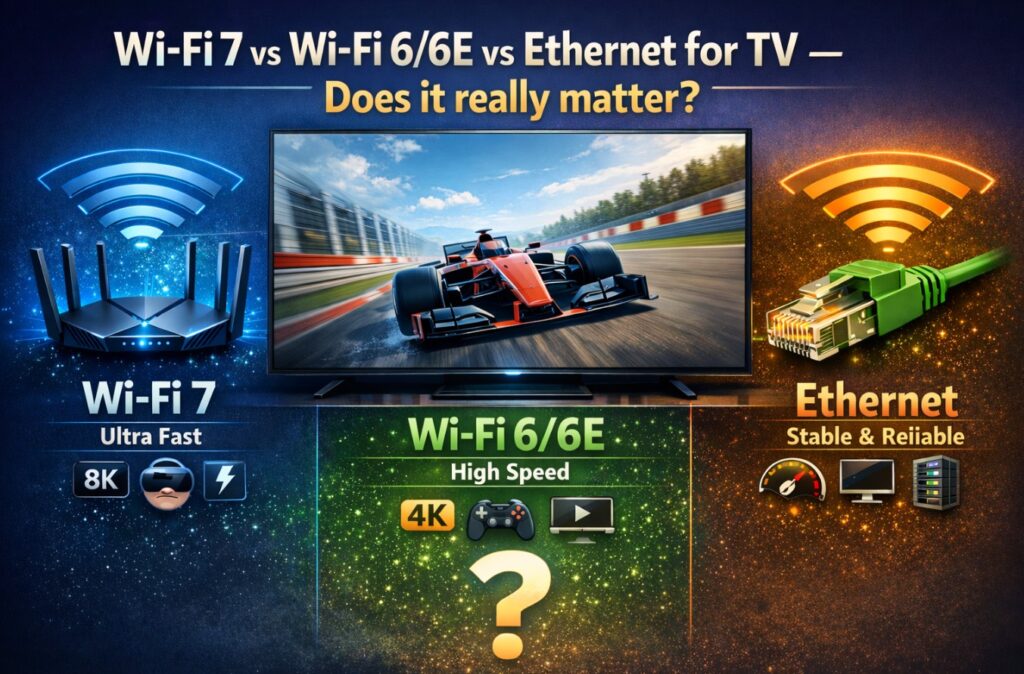

Wi-Fi 7 vs Wi-Fi 6E for TV is one of those questions that sounds like pure “router nerd” territory—until your movie drops to 480p, your sports stream stutters, or your cloud gaming session turns into a slideshow. The truth is simple: a TV doesn’t need huge headline speeds, but it does need stable throughput, low interference, and consistent latency—especially in busy homes.
This guide explains what actually changes with Wi-Fi 7, how Wi-Fi 6E differs from Wi-Fi 6, when Ethernet still wins, and how to choose the best option for your room, your router, and your streaming/gaming habits. 🙂
Quick Takeaways
- If your TV is in the same room as the router and you can run Ethernet, Ethernet is still the stability king. 🔌
- If you can’t run Ethernet and your home is congested, Wi-Fi 6E is often the biggest “real-world” upgrade (because 6 GHz is cleaner when it works).
- Wi-Fi 7 helps most when you have many devices + a modern router + good placement, and you want better consistency, not just “more Mbps.”
- Your biggest performance gains usually come from setup (router placement, band choice, channel width, mesh backhaul, DNS stability), not chasing the newest logo. 📶
Fast Decision Table (Use This First)
| Your Situation | Best Choice | Why It’s Usually Best | What to Watch Out For |
|---|---|---|---|
| TV near router and you can run a cable | Ethernet | Most stable, lowest jitter | Some TVs use 100 Mbps ports—still fine for most streaming |
| TV far from router, many walls, busy Wi-Fi | Wi-Fi 6 (5 GHz) or mesh | 5 GHz penetrates better than 6 GHz, mesh reduces dead zones | Cheap mesh with weak backhaul can be worse than a strong single router |
| You live in an apartment (crowded 5 GHz) and TV is fairly close | Wi-Fi 6E (6 GHz) | Cleaner band = fewer collisions | 6 GHz range drops fast through walls |
| You have many modern devices + a Wi-Fi 7 router + good placement | Wi-Fi 7 | Better efficiency features can improve consistency | Real benefits depend on client support and environment |
| You stream 4K HDR and use cloud gaming | Ethernet or strong Wi-Fi 6E/7 | Less jitter, fewer spikes | Don’t band-steer blindly—stability > top speed |
What a TV Actually Needs (And What It Doesn’t)
A TV is not a gaming PC transferring giant files. In most homes, a TV needs:
- Consistent throughput (not huge peak speed)
- Low packet loss (no micro dropouts)
- Stable latency (especially for cloud gaming and live sports)
- Clean RF conditions (less interference from neighbors and devices)
It does not need:
- 10–40 Gbps “theoretical” Wi-Fi numbers
- bleeding-edge channels if your TV can’t reliably hold them
- maxed channel width if it causes instability
The best setup is the one that doesn’t spike, not the one that benchmarks pretty.
Wi-Fi 6 vs Wi-Fi 6E vs Wi-Fi 7 (In Plain English)
Wi-Fi 6 (802.11ax): The baseline modern upgrade
Wi-Fi 6 improved efficiency in busy homes (more devices, less chaos). For TVs, the big win is often stability under load when phones, laptops, and smart devices are active.
Wi-Fi 6E: Wi-Fi 6, but with 6 GHz access
Wi-Fi 6E is essentially Wi-Fi 6 with a new option: the 6 GHz band. In the real world that means:
- less congestion (fewer older devices)
- more room for wider channels
- potentially lower interference
But 6 GHz is also shorter range and weaker through walls. If your TV is far away or behind thick walls, Wi-Fi 6E can be worse than a well-tuned 5 GHz setup.
Wi-Fi 7 (802.11be): The “consistency” upgrade—when conditions are right
Wi-Fi 7 introduces features that can improve real-world behavior in busy environments:
- Wider channels (up to 320 MHz in 6 GHz, where allowed)
- Multi-Link Operation (MLO) (devices can use multiple links/bands for better reliability)
- Higher modulation (more data per signal in ideal conditions)
For a TV, the point isn’t “gigabit streaming.” It’s fewer dips, less buffering, and more consistent responsiveness when the home network is loaded. ✨
Wi-Fi 7 vs Wi-Fi 6E for TV: The Quick Answer (Most Homes)
If you already have a stable Wi-Fi 6 or Wi-Fi 6E setup:
- Upgrading to Wi-Fi 7 won’t magically improve your TV unless your current network is struggling with congestion or interference.
If your Wi-Fi 5 GHz is congested and your TV is close enough:
- Wi-Fi 6E can feel like an immediate upgrade because 6 GHz can be much cleaner.
If you have a modern household (many devices) and want the “next 3–5 years” router:
- Wi-Fi 7 is a smart buy for the router, even if the TV doesn’t fully exploit it today—because the router also serves phones/laptops/streamers.
Streaming Needs Table (Reality Check)
| What You Do | Typical Requirement | What Matters Most |
|---|---|---|
| HD streaming | “Easy” | Stability |
| 4K streaming | “Moderate” | Consistent throughput + low drops |
| 4K HDR + high-bitrate services | “Moderate–High” | Low interference + strong signal |
| Live sports streaming | “Moderate” | Low jitter (spikes cause stutter) |
| Cloud gaming | “Moderate” | Low latency + low jitter |
| Local streaming (NAS/Plex high bitrate) | “High” | Strong LAN/Wi-Fi + router quality |
Key point: Most streaming doesn’t need insane speed. It needs no drama.
Ethernet for TV: Still the “Set-and-Forget” Option
Ethernet is still unbeatable for:
- stable streaming (less jitter)
- consistent performance during peak household usage
- fewer troubleshooting variables
The one Ethernet caveat: Many TVs use 100 Mbps
A lot of TVs still ship with Fast Ethernet (100 Mbps). That sounds low, but it’s often enough for most streaming. The real advantage is stability, not raw speed.
If your TV has only 100 Mbps Ethernet and you stream very high-bitrate local files:
- a strong Wi-Fi 6/6E/7 link might outperform Ethernet on speed
- but Ethernet often remains more consistent
When Wi-Fi 6E Is the Sweet Spot for TVs
Choose Wi-Fi 6E when:
- your router supports 6 GHz
- your TV (or streamer) supports 6E
- the TV is not too far and not behind multiple walls
- your 5 GHz is congested (apartment buildings are the classic example)
Best practice: 6 GHz is amazing when the signal is strong. If it’s weak, it becomes unstable fast.
When Wi-Fi 7 Is Worth It (For TV + Home)
Wi-Fi 7 vs Wi-Fi 6E for TV is worth it if:
- you have many active devices (streaming, video calls, downloads)
- your current Wi-Fi occasionally dips or spikes
- you’re upgrading the router anyway
- you want better “under load” behavior (not just “speed test bragging”) 📈
When Wi-Fi 7 is not worth it (yet):
- your TV is far away and you don’t have a good mesh/backhaul plan
- you live in a home where the router is stuck in a corner behind furniture
- your main problem is ISP issues, not Wi-Fi
Setup That Matters More Than the Standard (Do This Before Upgrading)
1) Put the router in the “TV’s world”
- center of the home is better than a far corner
- avoid placing it inside a cabinet
- height helps (shelves beat floors)
2) Use the right band for the job
- 2.4 GHz: long range, slower, more interference (good for smart bulbs, not ideal for 4K)
- 5 GHz: best general band for TVs through 1–2 walls
- 6 GHz (6E/7): best when close and clean, worst when far and blocked
3) Split SSIDs (optional but powerful)
If your TV keeps hopping bands or dropping:
- create separate SSIDs:
Home-5GandHome-6G - put the TV/streamer on the most stable one
4) Channel width: don’t max it blindly
Wider channels can be faster, but can also be less stable in real homes. If you see dropouts:
- reduce channel width one step
- favor stability over headline throughput
5) Mesh: prioritize backhaul quality
A mesh system is only great if:
- nodes aren’t too far apart
- backhaul is strong (wired backhaul is best)
- you avoid stacking too many hops
6) DNS stability (the hidden streaming fix)
Sometimes “Wi-Fi is connected but apps won’t load” is DNS trouble, not Wi-Fi strength.
- test another DNS option in the router (or TV if available)
- reboot router after changes
“Best Settings” Table (Router + TV Baseline)
| Area | Best Baseline | Why It Helps |
|---|---|---|
| Router placement | Central, elevated, open | Reduces dead zones |
| Band choice | 5 GHz by default; 6 GHz if close | Best balance of range + speed |
| SSID strategy | Split SSIDs if unstable | Prevents band-hopping issues |
| Channel width | Moderate, not max | Improves reliability |
| Reboot cycle | Occasional router reboot | Clears weird routing/DNS states |
| TV networking | Forget network + reconnect (when needed) | Clears stale credentials/session |
Troubleshooting: “My TV Has Wi-Fi 7 / 6E… But Still Buffers”
This is the common reality check:
- Test in the same room as the router
If it’s perfect close-up and bad in the TV room, it’s RF/environment. - Try 5 GHz vs 6 GHz
If 6 GHz is weaker, 5 GHz may be more stable. - Remove “extra hops” temporarily
Disconnect the soundbar/AVR switchers if your streamer is chaining through multiple devices (for network it’s indirect, but it helps simplify the overall troubleshooting approach). - Check if your streamer is the real Wi-Fi device
If you use Apple TV / Fire TV / Roku box, the box is the Wi-Fi client—not the TV. - If your TV is on a mesh node, move/replace the node
A bad mesh location causes “looks connected” but behaves poorly.
FAQ
1) Does Wi-Fi 7 improve picture quality on a TV?
Not directly. It improves network behavior—fewer dips and buffering—when the network is the bottleneck.
2) Is Wi-Fi 6E better than Wi-Fi 6 for TVs?
It can be—if 6 GHz signal is strong and your environment is congested on 5 GHz. Otherwise, a strong 5 GHz link may be better.
3) Is Ethernet always better for TV streaming?
For stability, often yes. But if your TV has a 100 Mbps port and you stream very high-bitrate local files, a strong modern Wi-Fi link can be faster.
4) What’s the best band for a smart TV?
Most homes do best with 5 GHz. Use 6 GHz if the TV/streamer is close and you want the cleanest air. Use 2.4 GHz only when range is the priority.
5) Should I buy a Wi-Fi 7 router “for my TV”?
If your only goal is TV streaming and your network is stable, probably not. If you’re upgrading anyway—or you have many devices and congestion—then yes, Wi-Fi 7 can be a smart long-term router move.
6) Wi-Fi 7 vs Wi-Fi 6E for TV—what should I do right now?
Start with placement + band choice + SSID stability. If that still fails, choose Ethernet (if possible) or Wi-Fi 6E/7 based on distance and congestion.
Final Verdict
Wi-Fi 7 vs Wi-Fi 6E for TV matters most when your home network is busy and your current setup isn’t consistent. For most people, the biggest upgrade isn’t the spec sheet—it’s a clean, stable signal path: right band, smart placement, and fewer interference traps. When the connection stops wobbling, the TV stops apologizing with buffering circles—and you forget the network exists. 📺✨