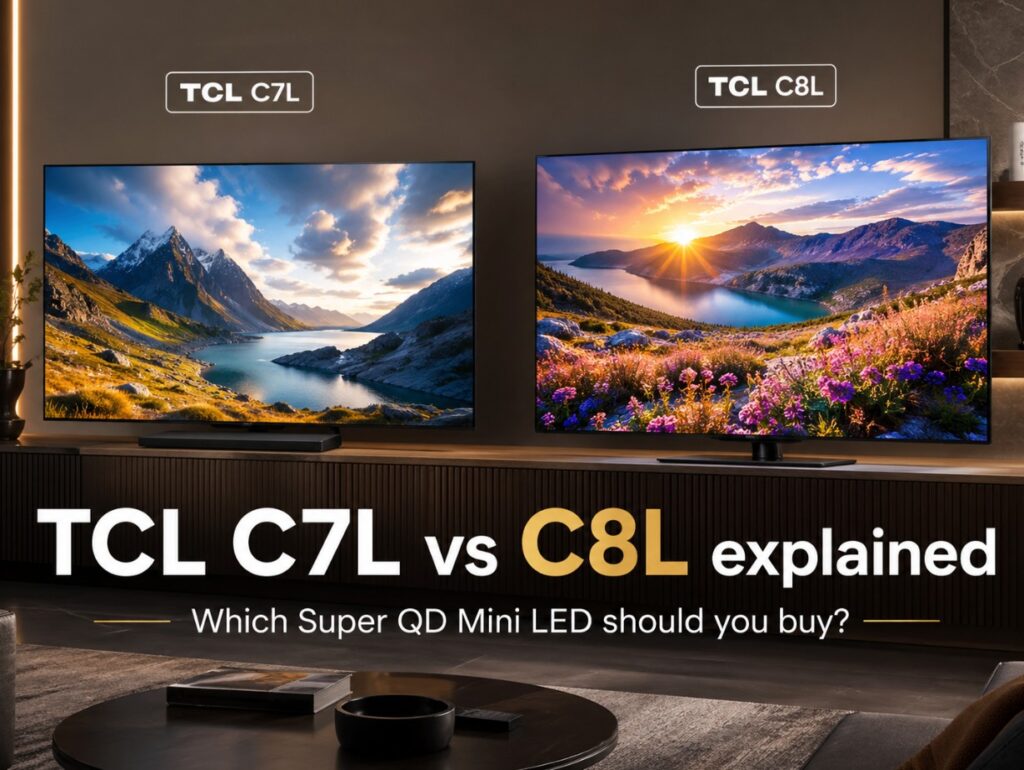

TCL C7L vs C8L explained is the comparison that matters most if you want one of TCL’s new Super QD Mini LED TVs but do not want to overpay for the wrong tier. These two model families sit close enough to confuse buyers, especially because TCL also uses regional names: C7L / C8L in Europe and selected global markets, while QM7L / QM8L are the equivalent U.S. names.
The simple version is this: C8L / QM8L is the stronger premium model, while C7L / QM7L is the more affordable step-down option. Both are part of TCL’s newer SQD-Mini LED direction, both target bright-room HDR and gaming buyers, and both use Google TV. But they are not equal where it matters most: brightness, dimming zones, HDMI flexibility, panel tier, and long-term gaming value.
For most buyers, the right choice depends less on the model name and more on the room. If you watch in a bright living room, play on console or PC, and want stronger HDR impact, the C8L is the safer choice. If you want much of the same TCL 2026 DNA at a lower price, the C7L may be the smarter buy. 📺
TCL C7L vs C8L explained — core comparison table
| Category | TCL C7L / QM7L | TCL C8L / QM8L |
|---|---|---|
| Position in lineup | More affordable Super QD Mini LED model | Higher-tier Super QD Mini LED model |
| Display type | SQD-Mini LED LCD | SQD-Mini LED LCD |
| Resolution | 4K Ultra HD | 4K Ultra HD |
| Smart platform | Google TV | Google TV |
| Processor | TSR AiPQ Processor | TSR AiPQ Processor |
| Panel family | HVA 2.0-type positioning | WHVA 2.0 Ultra / wider-angle panel positioning |
| Native refresh rate | 144Hz class | 144Hz class |
| Game accelerator | Up to 288Hz VRR Game Accelerator in supported scenarios | Up to 288Hz VRR Game Accelerator in supported scenarios |
| HDMI layout | 4 HDMI total, with 2 HDMI 2.1 reported | 4× HDMI 2.1 on C8L / QM8L listings |
| HDR formats | Dolby Vision, HDR10+, HDR10, HLG | Dolby Vision IQ, HDR10+, HDR10, HLG |
| Audio | Bang & Olufsen-tuned audio, Dolby Atmos support | Bang & Olufsen-tuned audio, Dolby Atmos support |
| Brightness claim | Up to around 3,000 nits, size dependent | Up to 6,000 nits, size dependent |
| Dimming zones | Around 800–2,176 zones, size dependent | 1,008–4,032 zones, size dependent |
| Early coverage status | Hands-on / early impressions available | Hands-on plus stronger review data for QM8L |
| Best for | Value-focused Mini LED buyers | Bright-room HDR, stronger gaming setups, larger-screen buyers |
The most important difference is not one single spec. It is the whole package. The C8L has more headroom. The C7L has the better value argument.
Technical specifications: TCL C7L vs C8L
| Specification | TCL C7L / QM7L | TCL C8L / QM8L |
|---|---|---|
| TV type | 4K SQD-Mini LED LCD | 4K SQD-Mini LED LCD |
| Main technology message | Affordable premium Super QD Mini LED | Higher-tier Super QD Mini LED |
| Color claim | Up to 100% BT.2020, manufacturer claim | Up to 100% BT.2020, manufacturer claim |
| Local dimming | Precise Dimming Zones | Precise Dimming Zones |
| Dimming-zone range | Around 800–2,176 zones depending on size | 1,008–4,032 zones depending on size |
| Brightness claim | Up to 3,000 nits | 3,000–6,000 nits depending on size |
| Panel notes | HVA 2.0-type panel | WHVA 2.0 Ultra / wider-angle panel positioning |
| Processor | TSR AiPQ Processor | TSR AiPQ Processor |
| Refresh rate | 144Hz native class | 144Hz native class |
| Gaming boost | 288Hz VRR Game Accelerator in supported scenarios | 288Hz VRR Game Accelerator in supported scenarios |
| HDMI | 4 total, with 2× HDMI 2.1 reported | 4× HDMI 2.1 reported |
| Operating system | Google TV | Google TV |
| Audio | Bang & Olufsen-tuned system | Bang & Olufsen-tuned system |
| Best buyer type | Wants strong TCL Mini LED without paying for the upper tier | Wants better HDR, better dimming, stronger connectivity, and more future-proofing |
Menu names, exact ports, zone counts, certifications, audio layout, and brightness claims may vary by region, size, and firmware. Always check the exact local model number before buying.
C7L and C8L naming: what about QM7L and QM8L?
This is where TCL can become confusing.
In Europe and some global markets, the names are usually C7L and C8L. In the U.S., the equivalent families are generally referred to as QM7L and QM8L. For search and buyer clarity, it is useful to think of them like this:
| Europe / global naming | U.S. naming | Buyer meaning |
|---|---|---|
| TCL C7L | TCL QM7L | More affordable Super QD Mini LED tier |
| TCL C8L | TCL QM8L | Higher-performance Super QD Mini LED tier |
That does not mean every regional model is identical in every small detail. Retail configuration, firmware, audio layout, tuner support, port labeling, and launch timing can vary. But for the buying decision, C7L vs C8L and QM7L vs QM8L describe the same basic step-up question.
Practical setup notes before choosing between them
In practical setup terms, the C8L is the easier TV to recommend if your room is difficult. Bright windows, daytime sports, HDR streaming, and PS5 Pro gaming all benefit from stronger dimming control, higher brightness headroom, and better HDMI flexibility.
The C7L is more about balance. It still gives you TCL’s newer Super QD Mini LED direction, Google TV, 144Hz gaming language, strong HDR support, and a much more serious picture than basic QLED models. But it asks you to accept that the upper model has more room to breathe.
For most buyers, the decision should start with the room, not the spec sheet. If your room is bright and you want the TV to feel powerful at 75, 85, or 98 inches, the C8L makes more sense. If you mostly watch in controlled lighting and want the better price-to-performance story, the C7L is easier to justify.
What early hands-on impressions suggest
Early hands-on impressions for the TCL C7L point to a TV that keeps the value-first appeal of the previous C7K while moving into TCL’s newer SQD-Mini LED direction. The important part is that C7L is not being positioned as a weak model. It still gets the Super Quantum Dot color story, 144Hz gaming support, a high-zone Mini LED backlight for its class, and TCL’s more affordable premium identity.
The difference is that C8L has more headroom. It has the stronger dimming-zone range, the higher brightness ceiling, the more advanced panel positioning, and the more flexible HDMI layout. Early coverage makes the C7L look promising, but the C8L remains the safer choice for bright rooms, larger sizes, and gaming-heavy setups.
For buyers, that makes the comparison fairly clean: C7L is the value play, while C8L is the performance play.
Brightness and dimming: where C8L pulls ahead
Brightness claims are not the same as real-world viewing, but they still tell you how TCL positions these two TVs.
| Area | TCL C7L / QM7L | TCL C8L / QM8L |
|---|---|---|
| Manufacturer brightness claim | Up to 3,000 nits | Up to 6,000 nits, size dependent |
| Dimming zones | Around 800–2,176 | 1,008–4,032 |
| Smaller sizes | Stronger than basic QLED tiers | Stronger, but not always full headline capability |
| Mid sizes | Better value balance | More HDR headroom |
| Large sizes | Attractive if priced well | Best chance to show the higher-tier advantage |
| Bright-room use | Good, especially for the money | Better suited to very bright rooms |
| Blooming control | Strong for the class | More convincing, especially on larger sizes |
The C8L is not just “a little brighter.” It is positioned as the model with more local dimming muscle and more HDR headroom. That matters most with HDR movies, daytime streaming, sports, bright game HUDs, subtitles in dark scenes, and large screen sizes.
The C7L can still be a very strong TV. But if you are sensitive to blooming or want the cleanest Mini LED HDR TCL offers below the flagship tier, the C8L is the more comfortable choice.
TCL C7L vs C8L explained for gaming
Both TVs are clearly designed for modern gaming, but the C8L has the stronger long-term setup.
| Gaming feature | TCL C7L / QM7L | TCL C8L / QM8L |
|---|---|---|
| 4K 120Hz console gaming | Yes, model/port dependent | Yes |
| 144Hz panel class | Yes | Yes |
| VRR | Yes | Yes |
| ALLM | Yes | Yes |
| 288Hz Game Accelerator | Supported scenarios only | Supported scenarios only |
| HDMI 2.1 flexibility | More limited | Stronger, with 4× HDMI 2.1 listed |
| PS5 / Xbox use | Strong | Stronger if you use multiple devices |
| PC gaming | Good | Better for more demanding setups |
For a single PS5 or Xbox, the C7L may already be enough. The difference becomes more important if you have a PS5 Pro, Xbox Series X, gaming PC, soundbar or AVR, and an external streaming box all competing for the best HDMI ports.
That is where the C8L’s stronger port layout becomes more useful. You have less planning to do and fewer compromises to manage.
Port-by-port I/O map
TCL C7L / QM7L expected HDMI layout
| Port | Expected role | Best use |
|---|---|---|
| HDMI 1 | HDMI 2.1 on reported layouts | PS5, Xbox, or gaming PC |
| HDMI 2 | HDMI 2.1 on reported layouts | Second console or high-refresh source |
| HDMI 3 | HDMI 2.0 on reported layouts | Streamer, cable box, older console |
| HDMI 4 | HDMI 2.0 on reported layouts | Secondary playback device |
| eARC | Usually tied to one HDMI port | Soundbar or AVR |
TCL C8L / QM8L expected HDMI layout
| Port | Expected role | Best use |
|---|---|---|
| HDMI 1 | HDMI 2.1 | PS5, Xbox, or PC |
| HDMI 2 | HDMI 2.1 | Second console or PC |
| HDMI 3 | HDMI 2.1 / eARC depending on layout | Soundbar, AVR, or premium source |
| HDMI 4 | HDMI 2.1 | Extra high-bandwidth source |
| eARC | HDMI-based audio return | Soundbar or AVR |
This is one of the cleanest reasons to choose the C8L. Picture quality is important, but HDMI flexibility affects daily life. If you have one console, the C7L is fine. If you have a gaming-heavy setup, the C8L is easier to live with.
TCL C7L vs C8L explained for movies and streaming
For movies, the comparison is more about room and screen size than whether one TV is “good” and the other is “bad.”
| Viewing habit | Better fit | Why |
|---|---|---|
| Dark-room movies | C7L or C8L | Both can work well if set up carefully |
| Bright-room HDR | C8L | More brightness and dimming headroom |
| Streaming shows | C7L | Better value if you do not need maximum HDR punch |
| Dolby Vision movies | C8L | Dolby Vision IQ and stronger HDR headroom make it safer |
| Big-screen cinema feel | C8L | Higher zone counts and larger-size performance matter more |
If your main use is Netflix, Prime Video, YouTube, and casual evening viewing, the C7L is not a weak choice. If your main use is high-quality HDR movies on a large screen, the C8L becomes more attractive.
Manufacturer claims vs rounded real-world expectations
| Area | TCL C7L / QM7L | TCL C8L / QM8L |
|---|---|---|
| Manufacturer positioning | More affordable premium SQD-Mini LED | Higher-tier SQD-Mini LED |
| Brightness claim | Up to around 3,000 nits | Up to 6,000 nits on selected larger sizes |
| Real-world expectation | Strong HDR for the price, but not the full C8L experience | Brighter and more controlled, especially in demanding scenes |
| Dimming | Lower zone count | Higher zone count |
| Gaming | Strong for one or two HDMI 2.1 devices | Better for multi-device gaming setups |
| Overall value | Better price-to-performance | Better performance ceiling |
The safest interpretation is simple: C7L is the value model; C8L is the performance model.
Who should buy TCL C7L?
Choose the TCL C7L / QM7L if you want:
- Super QD Mini LED at a lower price
- strong HDR without chasing the highest TCL tier
- Google TV
- 144Hz gaming support
- good value in 55, 65, or 75 inches
- a TV that feels premium without going all-in
It makes the most sense for buyers who want a strong picture but do not have a brutally bright room or a complicated HDMI setup.
Who should buy TCL C8L?
Choose the TCL C8L / QM8L if you want:
- stronger HDR brightness
- more dimming zones
- better bright-room performance
- four HDMI 2.1 ports
- a more future-proof gaming setup
- a better large-screen Mini LED experience
- stronger protection against blooming and reflection-heavy rooms
It is the better choice if you are buying 75 inches or larger, or if you want the TV to handle sports, HDR movies, PS5 Pro, and PC gaming without feeling like a compromise.
Common buying mistakes
Assuming C7L and C8L are basically the same TV
They are close in branding, but not equal in performance positioning. C8L has the stronger spec ceiling.
Buying C7L for a very bright room without checking expectations
C7L is bright, but C8L is the safer bright-room choice.
Ignoring HDMI layout
If you have multiple HDMI 2.1 sources, the C8L is easier to recommend.
Treating 288Hz Game Accelerator as normal 4K 288Hz gaming
Do not read it that way. For most console buyers, the practical target is 4K 120Hz with VRR. Higher accelerator modes depend on supported scenarios.
Forgetting regional differences
C7L, C8L, QM7L, and QM8L naming can vary by market. Always check the exact local product page before buying.
Which one should most buyers choose?
For most value-focused buyers, C7L / QM7L will probably be enough. It gives you TCL’s newer Super QD Mini LED direction, strong gaming support, Google TV, and modern HDR features without forcing you into the more expensive tier.
For buyers who care about the best long-term ownership experience, C8L / QM8L is the safer choice. It is better for bright rooms, better for larger screen sizes, better for multi-device gaming, and better if you want the TV to feel powerful for several years.
The cleanest advice is this: buy C7L if price matters most; buy C8L if performance headroom matters more.
Related Articles
Still deciding between TCL’s value and premium Mini LED tiers? Read our TCL P8L vs C7L comparison to see which model offers the better balance of brightness, gaming and price.