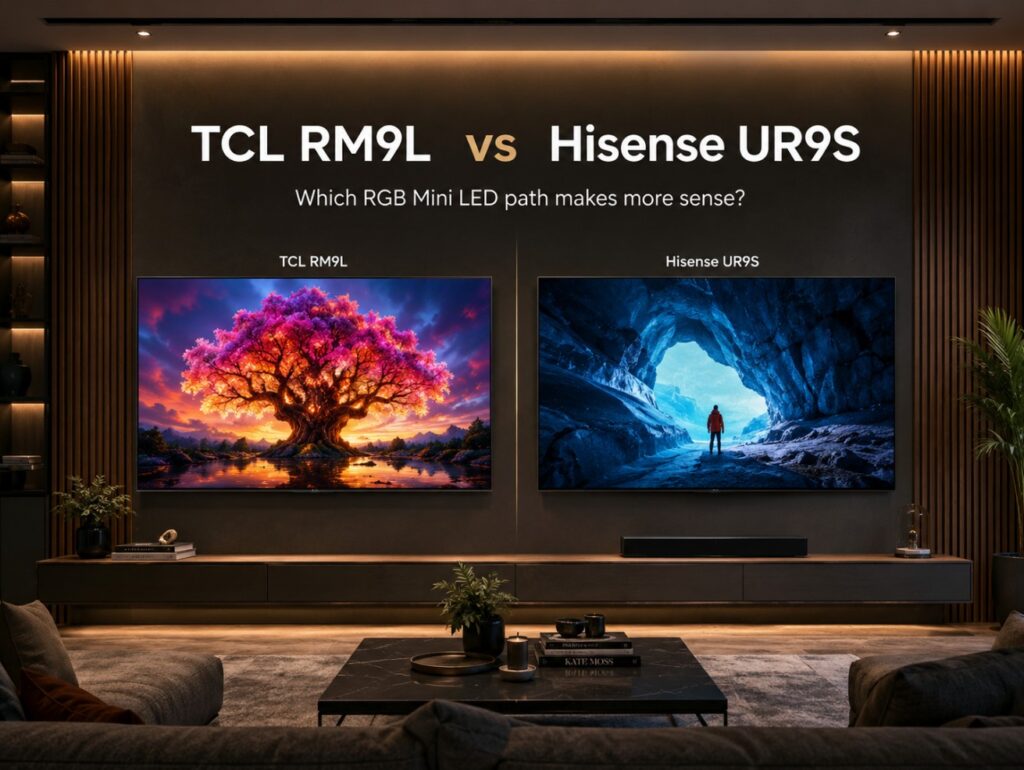

Buying a premium RGB Mini LED TV is no longer just about choosing the brightest spec on paper or the newest backlight name, because TCL RM9L vs Hisense UR9S is really a decision between two different strategies. TCL is pushing RGB Mini LED into very large, very bright, premium-screen territory. Hisense is trying to make RGB Mini LED feel more attainable, with smaller screen sizes, aggressive pricing, and a very unusual PC-friendly input setup.
That is why this comparison matters. The TCL RM9L is the bigger statement TV. It starts large, goes up to huge sizes, uses Google TV, and is listed with four HDMI 2.1 ports. The Hisense UR9S / UR9 is the more accessible performance play. It has already been reviewed in 65-inch form, it has a strong price story in the U.S., and it uses 3× HDMI 2.1 plus USB-C DisplayPort / DisplayPort over USB-C on several listings.
So the useful question is not simply “which one is better?” It is: do you want TCL’s larger, brighter RGB Mini LED flagship path, or Hisense’s more realistic RGB Mini LED route for normal living rooms and PC gaming?
TCL RM9L vs Hisense UR9S — core comparison table
| Category | TCL RM9L | Hisense UR9S / UR9 |
|---|---|---|
| Display type | RGB Mini LED LCD | RGB Mini LED LCD |
| Resolution | 4K Ultra HD | 4K Ultra HD |
| Main positioning | Large-screen premium RGB Mini LED | More accessible premium RGB Mini LED |
| Screen sizes | 85, 98, 115 inches in current listings | 65, 75, 85 inches in many UR9S listings; U.S. UR9 sizing may vary |
| Smart platform | Google TV | Google TV in U.S.; VIDAA in some international regions |
| Panel type | WHVA / HVA-style LCD positioning, region dependent | VA LCD, region dependent |
| Peak brightness claim | Up to 9,000 nits on the top listing | Up to around 3,500–5,000 nits depending on region/listing |
| Dimming / control notes | TCL marketing and databases use different zone/control wording; verify exact size | 65-inch reviewed with around 980 local dimming zones; larger sizes vary |
| HDMI | 4× HDMI 2.1 listed | 3× HDMI 2.1 on several UR9S/UR9 listings |
| Extra PC input | Not the main differentiator | USB-C DisplayPort / DisplayPort over USB-C on several listings |
| Refresh / gaming | 144Hz native class, 288Hz Game Accelerator in supported scenarios | 170Hz / 180Hz class depending on size and region |
| HDR formats | Dolby Vision IQ, HDR10+, HDR10, HLG | Dolby Vision 2 / Dolby Vision IQ, HDR10+, HDR10, HLG, region dependent |
| Audio | Bang & Olufsen-tuned audio on many listings | Devialet-tuned audio on several listings |
| Best for | Huge bright-room screens, sports, big HDR impact, Google TV users | Better value, smaller premium sizes, PC users, OLED-alternative buyers |
The clean version: TCL RM9L is the scale-and-brightness route; Hisense UR9S is the value-and-PC-flexibility route.
Technical specifications: TCL RM9L vs Hisense UR9S
| Specification | TCL RM9L | Hisense UR9S / UR9 |
|---|---|---|
| TV family | TCL RM9L RGB Mini LED | Hisense UR9S / UR9 RGB Mini LED |
| Display technology | RGB Mini LED LCD | RGB Mini LED LCD |
| Resolution | 4K | 4K |
| Main screen sizes | 85, 98, 115 inches | 65, 75, 85 inches in several UR9S markets |
| Smart platform | Google TV | Google TV or VIDAA, market dependent |
| Panel positioning | WHVA / HVA-style LCD family, market dependent | VA LCD, market dependent |
| HDMI | 4× HDMI 2.1 listed | 3× HDMI 2.1 on several listings |
| PC input | HDMI 2.1 gaming path | USB-C DisplayPort / DisplayPort over USB-C on several listings |
| Refresh rate | 144Hz native class | 170Hz on some 65-inch listings, 180Hz on larger/some regional listings |
| High-refresh boost | 288Hz Game Accelerator in supported scenarios | 170Hz / 180Hz class support depending on size and region |
| VRR / ALLM | Supported / listed | Supported / listed |
| HDR support | Dolby Vision IQ, HDR10+, HDR10, HLG | Dolby Vision 2 / Dolby Vision IQ, HDR10+, HDR10, HLG, region dependent |
| Brightness claim | Up to 9,000 nits on the largest/top model claim | Up to around 3,500–5,000 nits depending on listing |
| Local dimming | RGB Mini LED local dimming; zone/control terminology varies by listing | 65-inch reviewed with around 980 zones; larger models vary |
| Audio | Bang & Olufsen-tuned system on many listings | Devialet-tuned system on several listings |
| Best buyer type | Wants the largest and brightest TCL RGB Mini LED path | Wants RGB Mini LED with stronger value and PC connectivity |
Specifications can vary by country, size, retailer, firmware, and model code. For both brands, check the exact local product page before buying, especially for HDMI, refresh rate, audio configuration, and smart platform.
The HDMI difference is clearer than the zone-count story
The most important correction is HDMI.
For TCL RM9L, the safe current reading is:
| TCL RM9L connectivity | What to write |
|---|---|
| HDMI count | 4× HDMI 2.1 |
| Gaming note | 288 VRR Game Accelerator is listed across HDMI 1, 2, 3, and 4 on TCL EU wording |
| Practical meaning | Easier for multiple consoles, PC, soundbar, and streamer planning |
| Safe caveat | Verify exact local model page before buying |
For Hisense UR9S / UR9, the safe reading is:
| Hisense UR9S / UR9 connectivity | What to write |
|---|---|
| HDMI count | 3× HDMI 2.1 on several listings/reviews |
| Extra input | USB-C DisplayPort / DisplayPort over USB-C |
| Practical meaning | Very interesting for PC gamers |
| Safe caveat | Verify exact regional model because Hisense naming and platform vary |
Here, the comparison is different: TCL RM9L offers four HDMI 2.1 ports, while Hisense UR9S trades one traditional HDMI-style path for USB-C DisplayPort-style PC flexibility.
What RGB Mini LED actually changes
RGB Mini LED is one of the most important LCD developments in the current TV market. Traditional Mini LED TVs usually use a blue or white LED backlight, then rely on filters and quantum-dot layers to shape the final color. RGB Mini LED uses red, green, and blue light elements in the backlight system itself.
That can help with:
- richer saturated colors
- stronger color volume
- brighter HDR color
- better separation between red, green, and blue tones
- more vivid sports, animation, games, and bright HDR scenes
But RGB Mini LED is still LCD technology. It does not have OLED’s pixel-level black control. The final image still depends on local dimming zones, control algorithms, panel type, viewing angle, tone mapping, and firmware.
That is why this comparison has to be technical. TCL and Hisense are both using RGB Mini LED, but they are not making the same kind of TV.
Practical setup notes before choosing either TV
In practical living-room terms, the TCL RM9L is the TV you consider when size and impact matter more than price. It starts at 85 inches and goes into 98-inch and 115-inch territory. That means the RM9L is not just a screen; it becomes part of the room. Wall strength, seating distance, delivery access, sound planning, and glare control all matter.
The Hisense UR9S is easier to imagine in more homes. A 65-inch or 75-inch RGB Mini LED TV is still premium, but it does not force the same installation commitment as a 98-inch or 115-inch screen. It is also the model with the more unusual PC input story, thanks to DisplayPort over USB-C.
If your priority is a huge, bright, Google TV living-room centerpiece, TCL makes more sense. If your priority is RGB Mini LED value, normal premium sizes, and PC-friendly connectivity, Hisense looks more practical.
Dimming zones, RGB controls, and why the numbers are messy
This is the part where buyers need to be careful.
With RGB Mini LED, brands and databases may describe:
- local dimming zones
- RGB controls
- color zones
- LED elements
- backlight control groups
Those are not always the same thing.
For TCL RM9L, some technical databases list conventional dimming-zone figures by size, while TCL marketing can also use larger phrases such as dimming zones and color zones depending on region and model page. For example, current public material around RM9L uses language such as very high dimming-zone and color-zone counts, while databases may present a more conventional local-dimming interpretation.
For Hisense UR9S / UR9, the 65-inch review data is easier to discuss because it has already been tested and described with around 980 local dimming zones. Larger UR9S sizes can differ, and regional pages may not always present the same detail.
The safe advice is this: do not compare one brand’s color-control number directly with another brand’s dimming-zone number. They may not be counting the same thing.
Brightness: TCL pushes the higher ceiling
TCL has the more dramatic brightness story. RM9L listings and marketing push up to 9,000 nits on the highest-end size/claim. That is an extreme number and should be treated as a peak brightness claim, not normal full-screen brightness.
Hisense UR9S / UR9 is still very bright, but the story is different. Depending on region and size, the brand claim can sit around the 3,500–5,000-nit range, while early review data gives us a more realistic sense of how the 65-inch model behaves in actual content.
| Brightness factor | TCL RM9L | Hisense UR9S / UR9 |
|---|---|---|
| Manufacturer claim | Higher, up to 9,000 nits on top listing | Lower, but still very high |
| Real-world confidence | Needs full reviews by size | Already has early 65-inch review data |
| Best use | Very large bright rooms, sports, HDR impact | Bright rooms, mixed use, OLED-alternative buyers |
| Risk | Spec claims may not translate equally across scenes | First-generation RGB Mini LED tuning still matters |
The RM9L has the stronger spec-sheet ceiling. The UR9S has the stronger early-review footing.
TCL RM9L vs Hisense UR9S for bright rooms
| Bright-room factor | TCL RM9L | Hisense UR9S / UR9 |
|---|---|---|
| Screen scale | Much larger options | More normal premium sizes |
| Peak brightness claim | Higher | Lower, but still strong |
| Sports use | Excellent on paper, especially at 98/115 inches | Excellent for normal living-room sizes |
| Daytime HDR | Very strong potential | Strong and already reviewed in 65-inch form |
| Installation demand | High | More manageable |
| Price accessibility | Lower | Higher value story |
If your room is very large and you want a TV that behaves almost like a wall-sized sports screen, the RM9L is the more natural fit. If you want a premium bright-room TV that fits a more typical home, the Hisense UR9S is easier to justify.
Gaming and input planning
Gaming is one of the clearest differences between these two TVs.
TCL gives you the cleaner multi-HDMI story: 4× HDMI 2.1. That is useful if you have a PS5 Pro, Xbox Series X, gaming PC, soundbar, and external streamer.
Hisense gives you the more unusual PC story: 3× HDMI 2.1 plus USB-C DisplayPort / DisplayPort over USB-C on several listings. That can matter if you want to connect a gaming PC in a way that feels closer to monitor-style input planning.
| Gaming factor | TCL RM9L | Hisense UR9S / UR9 |
|---|---|---|
| HDMI 2.1 | 4× HDMI 2.1 listed | 3× HDMI 2.1 on several listings |
| PC input | HDMI 2.1 | USB-C DisplayPort / DisplayPort over USB-C on several listings |
| Console use | Very convenient | Strong, but fewer HDMI 2.1 ports |
| PC use | Strong | More unusual and potentially better for PC users |
| Refresh behavior | 144Hz native class, 288Hz accelerator in supported scenarios | 170Hz / 180Hz class depending on size/region |
| Best gaming buyer | Multi-console living-room gamer | PC + console hybrid gamer |
For console-heavy homes, TCL’s four HDMI 2.1 layout is easier. For PC-focused buyers, Hisense deserves attention because DisplayPort on a TV is still rare.
Port-by-port I/O map
TCL RM9L expected connectivity map
| Port / feature | Expected role | Why it matters |
|---|---|---|
| HDMI 1 | HDMI 2.1 | PS5, Xbox, or gaming PC |
| HDMI 2 | HDMI 2.1 | Second console or high-bandwidth source |
| HDMI 3 | HDMI 2.1 / eARC behavior to verify locally | Soundbar, AVR, or premium source |
| HDMI 4 | HDMI 2.1 | Extra console, PC, or streamer |
| eARC | HDMI-based audio return | Important for soundbar / AVR planning |
| VRR / ALLM | Supported / listed | Smooth gaming and low-latency switching |
| Game Accelerator | 288Hz supported scenarios | Do not treat as normal 4K 288Hz gaming |
Hisense UR9S / UR9 expected connectivity map
| Port / feature | Expected role | Why it matters |
|---|---|---|
| HDMI 1 | HDMI 2.1 | Console or high-bandwidth source |
| HDMI 2 | HDMI 2.1 | Second console or premium source |
| HDMI 3 | HDMI 2.1 / eARC behavior depending on layout | Soundbar, AVR, or gaming source |
| USB-C DisplayPort | PC input | Key advantage for PC gamers |
| eARC | HDMI-based audio return | Verify exact port locally |
| VRR / ALLM | Supported / listed | Smooth gaming and low-latency switching |
| Game Bar | Signal status and gaming controls | Useful for checking refresh, HDR, and VRR |
These layouts should be verified on the exact local model page, but the buying logic is clear: TCL is easier for multiple HDMI 2.1 devices; Hisense is more unusual for PC gaming.
Smart platform and daily use
The TCL RM9L uses Google TV, which gives it a familiar app ecosystem, Google account integration, Chromecast support, and strong streaming-app coverage in many markets.
Hisense is more regional. In the U.S., UR9 listings use Google TV. In some international markets, Hisense uses VIDAA. VIDAA can be fast and simple, but app availability depends more heavily on the country.
| Smart TV factor | TCL RM9L | Hisense UR9S / UR9 |
|---|---|---|
| Platform | Google TV | Google TV or VIDAA depending on region |
| App confidence | Strong | Strong in many regions, but verify locally |
| Interface style | Google-focused | Google or Hisense VIDAA ecosystem |
| Best buyer | Wants platform consistency | Should check local app support first |
This matters more than it sounds. A great panel with the wrong app platform for your region can become annoying very quickly.
Movies and HDR streaming
Neither model should be described as an automatic OLED replacement. Both are LCD TVs, even if they use advanced RGB Mini LED backlights.
For movies and HDR streaming:
| Viewing habit | Better fit |
|---|---|
| Bright-room movies | TCL RM9L or Hisense UR9S |
| Dark-room movie nights | OLED still deserves consideration |
| Very large screen immersion | TCL RM9L |
| More realistic premium size | Hisense UR9S |
| Dolby Vision interest | Both can matter, depending on region/version |
| Mixed streaming and sports | Hisense UR9S for value, TCL RM9L for scale |
If you watch mostly in a dark room and care most about pixel-level blacks, OLED still makes sense. If you watch sports, HDR, YouTube, gaming, and streaming in a bright room, RGB Mini LED becomes more persuasive.
Manufacturer claims vs practical expectations
| Area | TCL RM9L | Hisense UR9S / UR9 |
|---|---|---|
| Manufacturer positioning | Premium large-screen RGB Mini LED | Accessible premium RGB Mini LED |
| Brightness claim | Higher | Lower, but still very strong |
| Review maturity | More spec/listing based for now | Has stronger early 65-inch review coverage |
| HDMI story | 4× HDMI 2.1 | 3× HDMI 2.1 + USB-C DisplayPort |
| Smart platform | Google TV | Google TV / VIDAA depending on region |
| Room fit | Large rooms, huge screens | More normal premium rooms |
| Value story | More expensive, more dramatic | More aggressive and attainable |
| Main risk | Needs full independent review by size | First-generation RGB tuning still needs time |
The safest interpretation is that TCL is the more ambitious TV, while Hisense is the more disruptive TV.
Who should choose TCL RM9L?
Choose the TCL RM9L if you want:
- a very large RGB Mini LED TV
- 85, 98, or 115-inch scale
- four HDMI 2.1 ports
- Google TV
- extreme brightness claims
- a big sports and HDR screen
- a TCL flagship-style LCD experience
- a TV that can become the center of a large room
It is the better fit if you have the space, budget, and room layout for a giant premium LCD.
Who should choose Hisense UR9S?
Choose the Hisense UR9S / UR9 if you want:
- RGB Mini LED in a more realistic size
- a stronger value story
- early reviewed performance
- PC-friendly DisplayPort-style input
- bright-room HDR without going huge
- an OLED alternative that feels more attainable
It is the better fit if you want RGB Mini LED to feel like a practical purchase rather than a statement-piece purchase.
Common buying mistakes
Assuming the TCL RM9L has only two HDMI 2.1 ports
Current RM9L listings point to 4× HDMI 2.1, so do not treat it like a lower-tier TV with only two high-bandwidth ports.
Assuming Hisense UR9S has four normal HDMI 2.1 ports
Several UR9S/UR9 listings point to 3× HDMI 2.1 plus USB-C DisplayPort, so console-heavy buyers should plan carefully.
Comparing RGB control numbers directly to local dimming zones
RGB controls, color zones, LED elements, and dimming zones are not always the same thing.
Treating 288Hz Game Accelerator as normal 4K 288Hz
For most console buyers, the practical target remains 4K 120Hz with VRR.
Ignoring smart platform differences
TCL is Google TV. Hisense can be Google TV or VIDAA depending on region.
Forgetting room size
A 115-inch RGB Mini LED TV is not just a bigger TV. It changes installation, seating, audio, and room design.
Which RGB Mini LED path fits better?
The TCL RM9L is the better fit for buyers who want the biggest and brightest RGB Mini LED statement from TCL, with Google TV and four HDMI 2.1 ports. It is the TV for large rooms, sports, bright HDR, and people who want a screen that feels closer to a premium wall-sized display.
The Hisense UR9S is the better fit for buyers who want RGB Mini LED to feel more realistic. It has stronger early review support, aggressive pricing momentum, and a more PC-friendly input story with USB-C DisplayPort / DisplayPort over USB-C.
For most buyers, the Hisense UR9S may be the smarter value. For buyers who want the larger, brighter, more dramatic TCL route, the RM9L is the more exciting RGB Mini LED path.