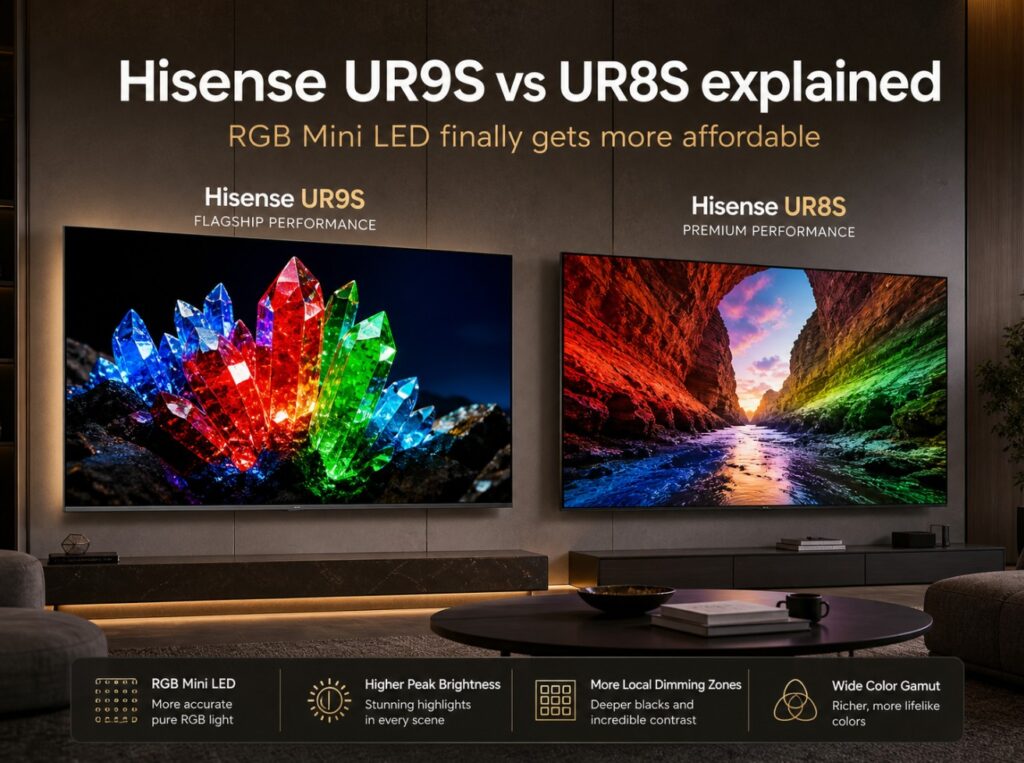

If you are trying to understand Hisense’s new RGB Mini LED lineup, Hisense UR9S vs UR8S explained is the comparison that matters most. These are not just normal Mini LED TVs with a new badge. They are Hisense’s attempt to make RGB Mini LED feel like a real premium-TV category rather than a huge showcase concept reserved for ultra-expensive screens.
The important part is that the UR9S and UR8S do not seem to exist for the same buyer. The UR9S / UR9 is the stronger model, built around higher performance expectations, a more premium audio setup, stronger brightness positioning, and a more PC-friendly connectivity story. The UR8S / UR8 is the more accessible model, still using RGB Mini LED, but aimed at buyers who want the new display technology without moving all the way to the top tier.
The pricing story also matters. Hisense has already made the UR9 more aggressive in the U.S., with reported launch pricing cuts that brought the 65-inch model down to around $1,999, the 75-inch to around $2,999, and the 85-inch to around $3,999. That changes the whole conversation, because RGB Mini LED suddenly looks less like a futuristic luxury and more like a serious alternative to premium OLED and high-end Mini LED. 📺
Hisense UR9S vs UR8S explained — quick comparison table
| Category | Hisense UR9S / UR9 | Hisense UR8S / UR8 |
|---|---|---|
| Display type | RGB Mini LED LCD | RGB Mini LED LCD |
| Positioning | Higher-tier RGB Mini LED model | More accessible RGB Mini LED model |
| Resolution | 4K Ultra HD | 4K Ultra HD |
| Panel type | VA LCD, region/model dependent | VA LCD, region/model dependent |
| Smart platform | Google TV in U.S. listings, VIDAA in some regions | Google TV / VIDAA depending on market |
| Processor | Hi-View / Hi-View AI Engine RGB, naming varies by region | Hi-View / Hi-View AI Engine RGB, naming varies by region |
| Refresh rate | Up to 180Hz class; some 65-inch regional listings show 170Hz | Up to 170Hz / 180Hz class depending on region |
| HDMI / PC input | 3× HDMI 2.1 + USB-C DisplayPort / DisplayPort over USB-C on several listings | 4× HDMI 2.1 on several listings |
| HDR formats | Dolby Vision 2 / Dolby Vision IQ, HDR10+, HDR10, HLG, region dependent | Dolby Vision 2 / Dolby Vision IQ, HDR10+, HDR10, HLG, region dependent |
| Audio | Devialet-tuned 4.1.2 system on higher listings | Devialet-tuned 2.1.2 system on some listings |
| Brightness claim | Up to 4,000–5,000 nits depending on region/listing | Up to around 3,500 nits on some listings |
| Best for | Buyers who want stronger RGB Mini LED performance and PC-friendly input flexibility | Buyers who want RGB Mini LED value and simpler HDMI planning |
The simple version is this: UR9S is the performance model, while UR8S is the accessibility model.
Technical specifications: Hisense UR9S vs UR8S
| Specification | Hisense UR9S / UR9 | Hisense UR8S / UR8 |
|---|---|---|
| TV family | Hisense RGB Mini LED | Hisense RGB Mini LED |
| Backlight technology | RGB Mini LED / RGB MiniLED zone dimming | RGB Mini LED / RGB MiniLED zone dimming |
| Resolution | 4K | 4K |
| Panel type | VA LCD, model/region dependent | VA LCD, model/region dependent |
| Color claim | 100% BT.2020 coverage, manufacturer claim | 100% BT.2020 coverage, manufacturer claim |
| Local dimming | Size-dependent RGB Mini LED local dimming | Size-dependent RGB Mini LED local dimming |
| Dimming zones | European UR9S listings: 65″ around 980, 75″ around 1,056, 85″ around 1,320 | Size-dependent; several listings do not show a full confirmed zone table yet |
| Brightness claim | Up to 4,000 nits in European UR9S listings; up to 5,000 nits in some U.S. UR9 positioning | Up to around 3,500 nits in some UR8 / UR8S positioning |
| Refresh rate | 170Hz on some 65-inch listings; 180Hz on larger sizes / some markets | Up to 170Hz / 180Hz class depending on region |
| Gaming features | VRR, ALLM, Game Bar, AMD FreeSync Premium Pro on some listings | VRR, ALLM, Game Bar, AMD FreeSync Premium Pro on some listings |
| HDMI / PC input | 3× HDMI 2.1 + USB-C DisplayPort / DisplayPort over USB-C on several listings | 4× HDMI 2.1 on several listings |
| HDR formats | Dolby Vision 2, Dolby Vision IQ, HDR10+, HDR10, HLG, region dependent | Dolby Vision 2, Dolby Vision IQ, HDR10+, HDR10, HLG, region dependent |
| Audio | Devialet-tuned 4.1.2 on higher regional listings | Devialet-tuned 2.1.2 on some listings |
| Smart TV platform | Google TV in U.S.; VIDAA in some international models | Google TV / VIDAA depending on market |
| Best buyer type | Wants the stronger Hisense RGB Mini LED TV | Wants RGB Mini LED at a more approachable level |
Specifications can vary by country, retailer, size, firmware, and model naming. Hisense uses both UR9 / UR8 and UR9S / UR8S naming depending on market, so always check the exact local product page before buying.
What RGB Mini LED actually changes
RGB Mini LED is not just normal Mini LED with louder marketing. Traditional Mini LED LCD TVs usually rely on a blue or white LED backlight, then use filters and quantum-dot layers to produce the final color. RGB Mini LED changes the backlight structure by using red, green, and blue light elements directly in the illumination system.
That matters because the TV can generate cleaner primary colors before the light even reaches the LCD layer. In theory, this helps with stronger color volume, wider color coverage, more saturated HDR highlights, and better separation between intense red, green, and blue tones.
For buyers, the promise is easy to understand: LCD brightness with a more ambitious color engine. That is why RGB Mini LED is being positioned as an alternative to both OLED and conventional Mini LED.
But this is still early technology. First-generation RGB Mini LED TVs can look impressive, but they also depend heavily on processing, tone mapping, firmware, backlight control, and color tuning. That is why the UR9S vs UR8S decision should not be based only on the words “RGB Mini LED.”
Practical setup notes before choosing UR9S or UR8S
In practical living-room terms, the UR9S is the safer choice if you want Hisense’s strongest mainstream RGB Mini LED package. It has the better performance story, the more premium audio positioning, and the more interesting PC input setup thanks to USB-C DisplayPort / DisplayPort over USB-C.
The UR8S is more about bringing the technology down to a less intimidating level. It still gives you the RGB Mini LED direction, strong gaming language, and a more straightforward HDMI setup in several listings, but it should be treated as the value route rather than the full-performance route.
The easiest way to decide is to start with your room. If your TV sits in a bright living room, you watch sports during the day, and you want strong HDR impact, the UR9S is easier to justify. If you want a large modern TV with next-generation color at a more realistic price, the UR8S may be the smarter buy.
Hisense UR9 price drop: why it matters
The UR9 price drop changes the entire RGB Mini LED conversation. Before the price cut, the UR9 risked looking like an impressive but expensive early-adopter product. After the price reset, the U.S. launch pricing became much more aggressive, with reported street prices around:
| Size | Reported U.S. UR9 price after cut | Why it matters |
|---|---|---|
| 65-inch | Around $1,999 | Brings RGB Mini LED closer to premium OLED and high-end Mini LED competition |
| 75-inch | Around $2,999 | Makes large-screen RGB Mini LED feel more realistic |
| 85-inch | Around $3,999 | Puts pressure on Samsung Micro RGB and other premium LCD rivals |
This is why the UR9S vs UR8S comparison should not be treated as a dry spec sheet. Hisense appears to be using price as a weapon. If that strategy continues, RGB Mini LED could become competitive faster than many buyers expected.
HDMI 2.1 and USB-C DisplayPort: the important difference
This is one of the most important parts of the article because the higher model does not simply mean “more HDMI ports.”
Several UR9 / UR9S references list the higher-tier model with three HDMI 2.1 ports plus USB-C DisplayPort / DisplayPort over USB-C. That is unusual for a living-room TV and makes the UR9S especially interesting for PC users.
The UR8S / UR8, meanwhile, appears in several early listings with four HDMI 2.1 ports, which can actually be simpler for traditional home-theater setups with multiple consoles and a soundbar.
| Connectivity area | Hisense UR9S / UR9 | Hisense UR8S / UR8 |
|---|---|---|
| HDMI 2.1 ports | 3× HDMI 2.1 on several listings | 4× HDMI 2.1 on several listings |
| Extra high-bandwidth input | USB-C DisplayPort / DisplayPort over USB-C | Not the main positioning |
| Best for PC users | Stronger, because of DisplayPort-style input | Still good, but more conventional |
| Best for console-heavy homes | Good, but fewer traditional HDMI 2.1 inputs | Potentially simpler with four HDMI 2.1 ports |
| Soundbar planning | Check which HDMI carries eARC | Check which HDMI carries eARC |
This makes the comparison more interesting. The UR9S is the higher-performance model, but the UR8S may be easier for buyers who simply want four normal HDMI 2.1 inputs.
Port-by-port I/O map
Hisense UR9S / UR9 expected layout
| Port / feature | Expected role | Why it matters |
|---|---|---|
| HDMI 1 | HDMI 2.1 | Main console or high-bandwidth source |
| HDMI 2 | HDMI 2.1 | Second console or gaming device |
| HDMI 3 | HDMI 2.1 / eARC on some layouts | Soundbar, AVR, or another premium source |
| USB-C DisplayPort / DisplayPort over USB-C | PC gaming / high-refresh PC input | One of the most unusual and useful features for PC users |
| eARC | HDMI-based audio return | Check exact port on your local model |
| USB / network / tuner inputs | Region-dependent | Verify on the exact product page |
Hisense UR8S / UR8 expected layout
| Port / feature | Expected role | Why it matters |
|---|---|---|
| HDMI 1 | HDMI 2.1 | Console, PC, or high-bandwidth source |
| HDMI 2 | HDMI 2.1 | Second console or gaming source |
| HDMI 3 | HDMI 2.1 / possible eARC depending on listing | Soundbar, AVR, or premium source |
| HDMI 4 | HDMI 2.1 | Extra console, PC, or streamer |
| eARC | HDMI-based audio return | Confirm exact port on local model |
| USB / network / tuner inputs | Region-dependent | Verify before buying |
Treat this as a checklist, not a universal guarantee. HDMI behavior, eARC labeling, and PC input support can vary by region and exact model code.
UR9S vs UR8S for bright rooms
| Bright-room factor | UR9S / UR9 | UR8S / UR8 |
|---|---|---|
| Brightness headroom | Stronger | Lower, but still high for the class |
| RGB Mini LED color volume | Stronger performance expectation | Same technology direction, lower tier |
| Sports viewing | Better fit | Good value fit |
| Daytime HDR | Stronger | Good, depending on size and mode |
| Glare / reflection handling | Region/model dependent | Region/model dependent |
| Large living room use | Better | Still attractive if price matters |
The UR9S is the safer bright-room choice because it carries the stronger brightness and premium positioning. The UR8S can still make sense if the room is not extremely bright or if you care more about size and price than maximum HDR impact.
UR9S vs UR8S for movies and streaming
For movies, RGB Mini LED is promising, but it should not be oversold. OLED still has the advantage in per-pixel black control. RGB Mini LED counters with brightness, color volume, and stronger daytime usability.
| Viewing habit | Better fit | Why |
|---|---|---|
| Dark-room movie nights | OLED still deserves consideration | Per-pixel black levels remain powerful |
| Bright-room movies | UR9S | More brightness and premium RGB Mini LED positioning |
| Mixed-light streaming | UR8S or UR9S | Depends on price and screen size |
| Dolby Vision 2 interest | UR9S / UR8S | Both are part of Hisense’s Dolby Vision 2 push |
| Sports and live TV | UR9S | Stronger performance headroom |
If you mainly watch movies at night, RGB Mini LED is not automatically better than OLED. If your room is bright and mixed-use, the Hisense models become more persuasive.
Gaming: 170Hz, 180Hz, VRR, and Game Bar
Both UR9S and UR8S are clearly aimed at serious gaming buyers. The exact refresh-rate wording varies across regions, with some UR9S 65-inch listings showing 170Hz and larger models or other regions showing 180Hz. That is why the safest phrasing is 170Hz / 180Hz class gaming support, depending on size and market.
| Gaming feature | UR9S / UR9 | UR8S / UR8 |
|---|---|---|
| Refresh rate | Up to 180Hz class, size/region dependent | Up to 170Hz / 180Hz class, size/region dependent |
| VRR | Supported | Supported |
| AMD FreeSync Premium Pro | Listed on some references | Listed on some references |
| Game Bar | Yes | Yes |
| HDMI 2.1 | 3 HDMI 2.1 ports on several listings | 4 HDMI 2.1 ports on several listings |
| USB-C DisplayPort | Yes on several UR9 / UR9S references | Not the main positioning |
| PS5 / Xbox | Strong | Strong |
| PC gaming | More interesting because of DisplayPort-style input | Stronger if you prefer four HDMI inputs |
For console gaming, both should be more than capable. For PC gaming, the UR9S is more unusual and more interesting because of the USB-C DisplayPort / DisplayPort over USB-C input.
Manufacturer claims vs rounded real-world expectations
| Area | Hisense UR9S / UR9 | Hisense UR8S / UR8 |
|---|---|---|
| Manufacturer positioning | Premium RGB Mini LED | More accessible RGB Mini LED |
| Brightness claim | Up to 4,000–5,000 nits depending on region | Up to around 3,500 nits on some listings |
| Early measured behavior | Very bright, with strong HDR capability, but first-gen tuning still matters | Less widely reviewed so far |
| Color promise | 100% BT.2020 manufacturer claim | 100% BT.2020 manufacturer claim |
| Gaming | Stronger overall package, especially for PC users | Strong value package with simpler HDMI promise |
| Audio | More premium Devialet system on higher listings | Smaller Devialet system on some listings |
| Price/value | Much more compelling after U.S. price cut | Depends heavily on launch pricing |
| Risk | First-generation RGB processing still needs scrutiny | Less performance headroom than UR9S |
The safest interpretation is that UR9S is the better TV, while UR8S is the model that could make the technology accessible to more buyers.
UR9S vs Samsung R95H and S95H OLED
The Hisense UR9S should also be understood against two Samsung alternatives:
- Samsung R95H, a premium Micro RGB LCD
- Samsung S95H, a flagship QD-OLED
| Buyer priority | Best direction |
|---|---|
| Aggressive RGB Mini LED pricing | Hisense UR9 / UR9S |
| Premium Samsung LCD ecosystem | Samsung R95H |
| OLED black levels | Samsung S95H |
| Bright-room sports | Hisense UR9S or Samsung R95H |
| Cinematic dark-room contrast | Samsung S95H |
| PC-friendly RGB Mini LED connectivity | Hisense UR9S |
| Four HDMI 2.1 simplicity | Hisense UR8S, depending on final local spec |
The UR9 price cut makes this comparison much more interesting. If Hisense keeps pricing aggressive, it becomes one of the strongest reasons to try RGB Mini LED early.
Who should buy Hisense UR9S?
Choose the UR9S / UR9 if you want:
- Hisense’s stronger RGB Mini LED model
- higher brightness headroom
- better audio positioning
- stronger bright-room confidence
- a premium RGB Mini LED TV at a more aggressive price
- USB-C DisplayPort / DisplayPort over USB-C for PC gaming
- sports, HDR streaming, and gaming in one big-screen setup
It is the better choice if you want RGB Mini LED to be your main premium TV.
Who should buy Hisense UR8S?
Choose the UR8S / UR8 if you want:
- RGB Mini LED at a more accessible level
- more size flexibility
- a simpler four-HDMI 2.1 story, where confirmed
- strong gaming features
- next-generation color technology without chasing the top tier
- a value-focused alternative to traditional Mini LED and OLED
It is the better choice if price, screen size, and straightforward HDMI planning matter more than having the strongest Hisense RGB Mini LED model.
Common buying mistakes
Assuming RGB Mini LED automatically beats OLED
It does not. OLED still wins in pure black-level control.
Ignoring the UR9 price drop
The UR9 price cut changes the value conversation dramatically.
Treating UR8S and UR9S as identical
They share the same technology direction, but not the same performance positioning.
Assuming the higher model has more HDMI 2.1 ports
This is the big one. UR9S is often listed with 3× HDMI 2.1 plus USB-C DisplayPort, while UR8S appears in several listings with 4× HDMI 2.1.
Overreading 180Hz claims
For most console buyers, 4K 120Hz with VRR is the practical target. Higher refresh support matters more for PC gaming.
Forgetting regional differences
UR9, UR9S, UR8, and UR8S names, platforms, prices, ports, and specs can vary by market.
Which one makes more sense?
For buyers who are serious about RGB Mini LED, the UR9S / UR9 is the stronger and safer choice, especially now that pricing has become more aggressive. It has the better performance story, the more premium audio system, and the more interesting PC-friendly connectivity.
The UR8S / UR8 still matters because it can bring the technology into more homes and more sizes. If pricing lands well below UR9S, it could become the practical choice for buyers who want the RGB Mini LED idea without paying for the premium tier.
The easiest way to think about it is this: UR9S is the performance model; UR8S is the accessibility model. The twist is connectivity. UR9S is more interesting for PC users, while UR8S may be simpler for homes that want four traditional HDMI 2.1 ports.
Related Articles
For a more affordable Mini LED choice, read our TCL P8L vs Hisense U7SE comparison to see which model offers the better balance of HDR performance, gaming features and value.