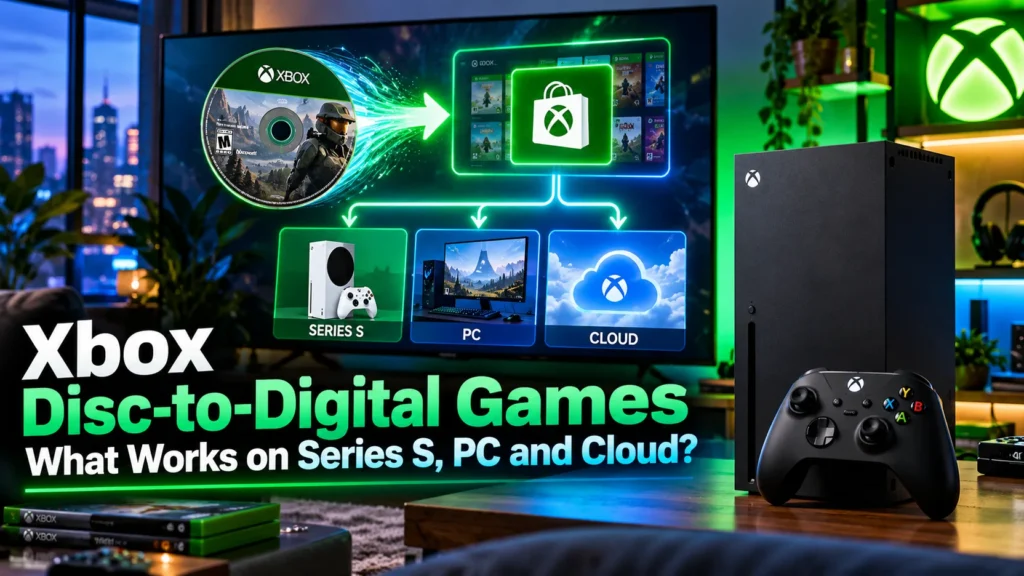

A shelf full of Xbox discs now has value beyond the console’s optical drive. With Xbox disc-to-digital games, a qualifying physical copy can unlock a limited digital entitlement, but that does not automatically make every title playable on Windows or through Xbox Cloud Gaming. The important question is what your particular game unlocks, and where you can actually use it.
I would not start by downloading an enormous compatibility list. I would start with the game I own, confirm the disc claim, and only then check its PC and cloud rights. Those are three different questions, and mixing them up is how people end up thinking they have a digital PC game when they do not.
What Xbox Disc-to-Digital actually gives you
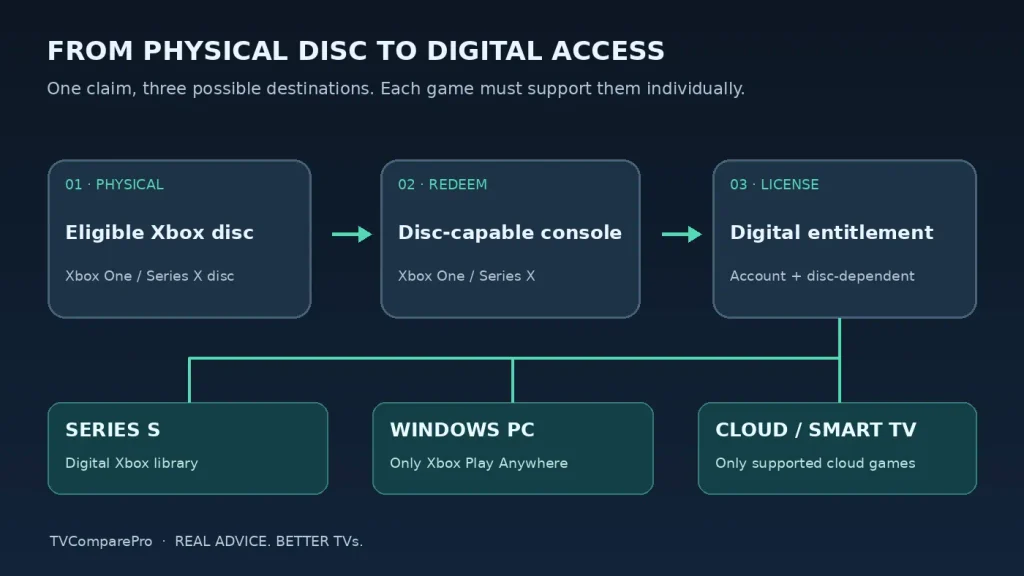
Microsoft’s program lets you claim a limited digital license by inserting an eligible Xbox One or Xbox Series X game disc into a compatible console and launching the game. The feature opened to the wider Xbox audience in late September 2026, after its Insider trial. Microsoft’s original announcement described support for thousands of titles, but never promised that every physical release would qualify.
A successful claim lets the Xbox account access the associated digital version without keeping the disc in the drive for every launch. On a compatible title, additional benefits can include Xbox Play Anywhere on Windows or Xbox Cloud Gaming on a supported television. Those benefits are title-specific, not features that every disc suddenly gains.
Most important distinction: Disc-to-Digital is not a permanent, unrestricted digital purchase. Microsoft’s license rules say you must continue to possess the qualifying disc, and access may be suspended if ownership can no longer be validated.
Can you use Xbox Disc-to-Digital on Xbox Series S?
Yes, after claiming the entitlement on a console with a disc drive. Xbox Series S cannot read an optical disc, so it cannot perform the initial claim by itself. You need access to an Xbox One or Xbox Series X that can read the qualifying disc, and you must claim the entitlement using the Xbox account that will use the digital game.
Once the claim is accepted, sign into the same account on the Series S, find the game in your library and install its supported digital version. An Xbox One disc being eligible for the program is not proof that every game or edition can run on Series S; normal console compatibility rules still apply.
This is where I would be especially careful with used games. Buying a cheaper disc just because a compatibility tracker says the title works is still a gamble if the specific edition has not been checked, and the qualifying disc remains part of the license arrangement.
Disc-to-Digital games with confirmed PC and cloud capabilities
The table below deliberately stays small. These games appear in documented successful disc-claim reports or confirmed-disc catalogues, while their Xbox Play Anywhere and cloud-playable status is separately shown on Xbox’s own game pages. That is stronger evidence than assuming PC and cloud work because a game appears on a generic Disc-to-Digital list.
| Game | Disc claim evidence | Windows PC | Xbox Cloud Gaming |
|---|---|---|---|
| Gears 5 | Documented successful claim | Xbox Play Anywhere | Listed as cloud playable |
| Gears of War 4 | Listed in confirmed-disc catalogues | Xbox Play Anywhere | Listed as cloud playable |
| Halo Wars 2 | Documented successful claim | Xbox Play Anywhere | Listed as cloud playable |
| State of Decay 2 | Documented successful claim | Xbox Play Anywhere | Listed as cloud playable |
| Gears Tactics | Documented successful claim | Xbox Play Anywhere | Listed as cloud playable |
Checked 28 October 2026. A confirmed title is not a guarantee for every region, disc pressing, bundle or edition. Xbox Cloud Gaming also requires a supported region, device and eligible access plan. Cloud availability can change. Disc-claim evidence is based on published successful redemptions, not on a Microsoft-maintained edition-by-edition master list.
How to claim an Xbox disc-to-digital license
- Sign in to the Xbox account that should receive the entitlement on an updated, internet-connected Xbox One or Xbox Series X with a working disc drive.
- Insert the Xbox One or Xbox Series X disc. It must be a participating physical release; inserting a disc does not establish eligibility on its own.
- Launch the game. Microsoft describes launching a supported disc as the normal entitlement path.
- Look for the digital-license confirmation. If nothing appears, open the game’s tile menu and check for the option to claim a digital license. The exact interface can depend on software version.
- Check the account library. Confirm that the claimed game is available digitally before trying it on another device. A normal disc installation does not, by itself, prove that a digital entitlement was issued.
If your dashboard still lacks the claiming option, restart the console and check for updates before concluding that the disc is incompatible. If Xbox explicitly rejects the physical edition, however, no TV setting or reinstall can turn that disc into an eligible one.
When does the PC version become available?
The PC benefit depends on Xbox Play Anywhere. That badge means an eligible digital entitlement can cover Xbox and the Windows PC version within Microsoft’s ecosystem. It does not magically grant a Steam license, and it is not a claim that every disc game gets a Windows release.
For example, Gears 5, Gears of War 4 and Halo Wars 2 are listed by Xbox with Play Anywhere support. Once a qualifying disc entitlement is successfully claimed to your Xbox account, the game’s supported Windows version is the relevant PC route. If a title lacks Play Anywhere, I would assume no PC entitlement from the disc unless Microsoft explicitly states otherwise.
Which disc-to-digital games can play on a Smart TV?
The cloud route is separate again. Xbox Cloud Gaming supports selected owned titles as well as games included with eligible Game Pass subscriptions. Microsoft lists compatible Samsung and LG TVs, selected VIDAA-powered models, Fire TV devices and browsers among the supported ways to play, subject to region and device availability.
For a claimed disc game to play on a television, you still need an eligible cloud-playable title, a compatible device, an account with the entitlement and the necessary Game Pass access. Cloud playback does not mean the TV is running an Xbox console version locally. It is streaming from Microsoft’s servers.
| What you want to do | What must already be true |
|---|---|
| Install on Xbox Series S | The disc entitlement was claimed on a disc-capable console; the digital game supports Series S. |
| Install on Windows PC | The disc entitlement was claimed; the title supports Xbox Play Anywhere on PC. |
| Stream on Samsung or LG TV | The game is cloud playable; the TV, region and Game Pass plan are supported. |
| Stream on Fire TV or another supported device | The game and device are cloud supported and the account has eligible cloud access. |
I would check the game’s current Xbox Store listing before buying a used disc specifically for cloud gaming. A cloud icon matters more here than the fact that somebody successfully redeemed the same game’s physical edition.
Why the license is not the same as owning a digital copy forever
This is the condition that changes the value of the program. Microsoft describes the entitlement as a limited-access digital license tied to continued possession of the qualifying disc. The company may require eligibility to be revalidated. If the disc is sold, lost or transferred, access linked to that disc can be suspended or revoked.
That makes Disc-to-Digital useful for convenience, access across devices and preserving access to an existing collection. It does not create a second independent copy that you can sell separately from the disc. I would keep the disc, its case and any information needed to identify the edition rather than treating the digital claim as permission to dispose of it.
What if your disc does not work?
Not every failed claim means the system is broken. These are the checks worth making before spending time reinstalling games or resetting a console.
- Wrong generation: The announced program covers eligible Xbox One and Xbox Series X discs. Do not assume an original Xbox or Xbox 360 disc qualifies.
- Wrong console: Xbox Series S has no drive, so the claim must be made elsewhere.
- Wrong edition: A list showing a title may not cover every regional pressing, bundle or special edition.
- Account mismatch: Use the account intended to receive the entitlement when claiming the disc.
- Outdated software or menu: Update and restart the disc-capable console, then check the game tile’s menu.
- Missing PC or cloud access: Check Play Anywhere and cloud support separately after a successful disc claim.
If Xbox shows that the title or disc is not participating, there is no verified workaround that makes it eligible. The disc can still remain usable in the normal physical-disc way on a compatible console.
What I would check before buying a second-hand disc
I would make a decision in this order. First, verify the exact game’s physical edition is eligible. Second, check whether you need Series S, PC, cloud or simply disc-free launches on Series X. Third, compare the used-disc price with the normal digital edition, remembering that a Disc-to-Digital entitlement remains attached to the qualifying physical copy.
If the goal is a living-room cloud setup, the cloud-playable Xbox Store listing is the deciding piece of evidence. If the goal is a Windows handheld or desktop, it is Play Anywhere. If the goal is simply an Xbox Series S, the most important thing is having a reliable way to claim the disc first.
My recommendation: Treat Disc-to-Digital as a very useful extension of the Xbox library you already own, not as a universal disc converter. Start with a confirmed physical edition, claim it with your own account, and verify the actual destination before you spend money on extra hardware or another copy.