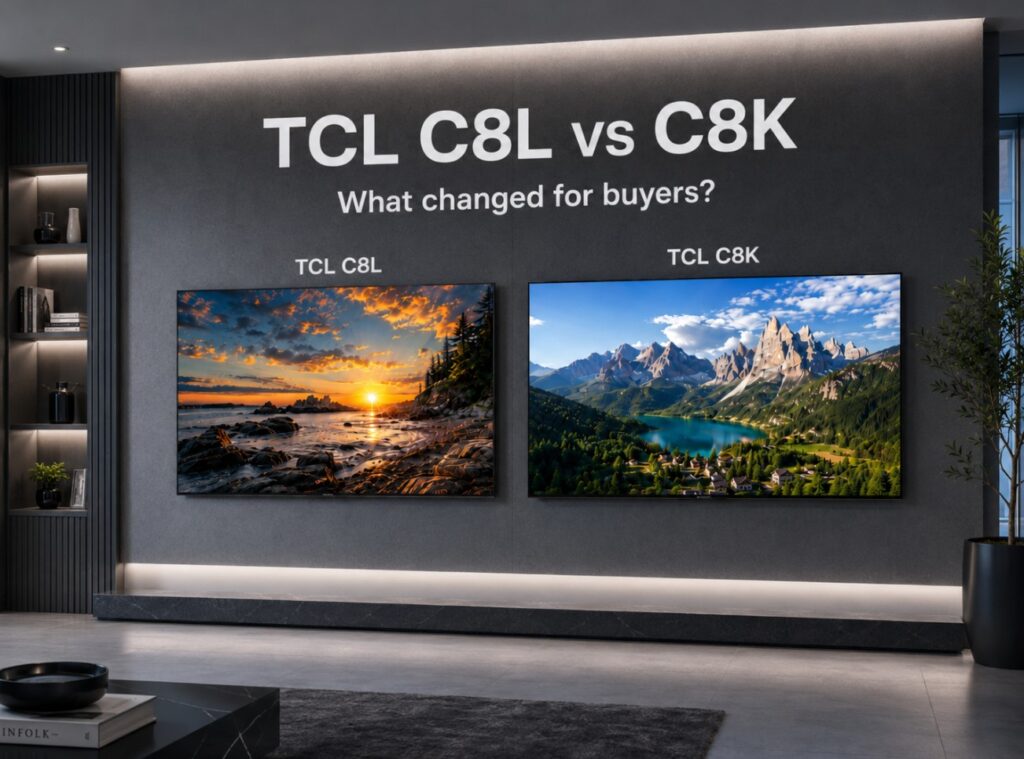

Buying TCL’s newer premium Mini LED TV instead of last generation’s discounted premium model sounds simple when the spec sheet is open, but TCL C8L vs C8K only becomes useful when you look at what actually changed. The C8L is not just a new name. It brings TCL’s newer SQD-Mini LED direction, stronger published color volume, slightly higher 10% HDR brightness in direct testing, and a more flexible HDMI 2.1 story in QM8L-type listings. The C8K, however, is still one of TCL’s strongest premium Mini LED TVs, with serious brightness, strong local dimming, Dolby Vision, HDR10+, Google TV, high-refresh gaming, and the kind of discounted pricing that can change the answer completely.
That is why this comparison should not be reduced to “newer wins.” Sometimes the C8L is the better long-term buy. Sometimes the C8K is the smarter deal. The difference depends on screen size, local price, HDMI needs, gaming setup, and how much you care about high-brightness color volume rather than peak brightness alone.
This guide uses C8L / QM8L and C8K / QM8K together where relevant, because TCL uses different regional names. Specifications, HDMI layouts, dimming zone counts, audio systems, and brightness claims can vary by market, screen size, retailer page, and firmware, so always confirm the exact local model before buying.
TCL C8L vs C8K at a glance
| Category | TCL C8L / QM8L | TCL C8K / QM8K | What it means for buyers |
|---|---|---|---|
| Display type | SQD-Mini LED / Super QLED Mini LED | QD-Mini LED / premium Mini LED | C8L has the stronger newer-generation color story |
| Main upgrade | Wider color volume, stronger HDMI flexibility, slightly higher 10% HDR result in direct testing | Still very bright, often cheaper, still premium | C8L is the technical upgrade; C8K is the value threat |
| 10% HDR window in one direct Filmmaker comparison | Around 3,750 nits | Around 3,250 nits | C8L measured higher, but both are extremely bright |
| Rec.2020 coverage in one direct comparison | Around 91% | Around 80% | The color gap matters more than the brightness gap |
| Input latency in one direct comparison | Around 9.8ms | Around 14ms | C8L has the sharper gaming number |
| HDMI 2.1 layout | Often listed with four HDMI 2.1 inputs on QM8L-type listings | Commonly listed as two HDMI 2.1 + two HDMI 2.0 | C8L is easier for PS5, Xbox, PC, and eARC together |
| Smart platform | Google TV | Google TV | Similar app experience |
| HDR formats | Dolby Vision, HDR10+, HDR10, HLG | Dolby Vision, HDR10+, HDR10, HLG | Both are format-flexible |
| Best reason to buy | Newer panel/color system and more headroom | Strong premium performance at a lower price | Price gap decides the final value |
The C8L is the technically stronger TV. The C8K is not weak. That is the buyer trap: if you only read the model year, you may overpay; if you only chase a discount, you may miss the more future-proof set. 🎯
Check Current 65-Inch Prices
The newer QM8L is the stronger technical option, while the QM8K can make more sense when the discount is large enough.
TVComparePro may earn a commission from qualifying purchases through these links.
Newer 2026 SQD-Mini LED model with stronger HDR color and more HDMI flexibility.
Check price on Amazon →Previous-generation premium Mini LED that can still be the smarter buy at the right discount.
Check price on Amazon →Technical specifications that matter
| Specification area | TCL C8L / QM8L | TCL C8K / QM8K |
| Resolution | 4K Ultra HD | 4K Ultra HD |
| Panel/backlight type | SQD-Mini LED / Super QLED Mini LED | QD-Mini LED / premium Mini LED |
| Native refresh rate | 144Hz class | 144Hz class |
| High refresh gaming | 4K 120Hz / 144Hz support, with higher-rate accelerator modes in supported scenarios | 4K 120Hz / 144Hz support, with higher-rate accelerator modes in supported scenarios |
| HDR support | Dolby Vision, HDR10+, HDR10, HLG | Dolby Vision, HDR10+, HDR10, HLG |
| Smart TV system | Google TV | Google TV |
| Manufacturer brightness claim | Up to HDR 6,000 nits on selected larger C8L sizes | Around HDR 4,500 nits on 65/75-inch listings and up to around HDR 5,000 nits on larger listings |
| Local dimming claim | Up to 4,032 precise dimming zones on the largest C8L size | Up to around 3,480–3,840 zone-class listings depending on source and market |
| Audio | Bang & Olufsen-branded audio on many listings | Bang & Olufsen-branded audio on many listings |
| HDMI | More HDMI 2.1 flexibility in QM8L-type listings | Often two full HDMI 2.1 ports plus two HDMI 2.0 ports |
| Best use case | Premium HDR, multiple gaming devices, long-term setup | Discounted premium Mini LED performance |
The safest way to read these specs is not to treat every market as identical. TCL often uses different naming, port maps, and spec language across regions. The C8L’s advantage is strongest when your local model has the full HDMI 2.1 layout and the higher brightness/dimming-zone configuration. The C8K’s advantage is strongest when the price has dropped enough to make its older hardware look like a bargain.
Size-by-size brightness and dimming logic
The most useful comparison is around the 65-inch and 75-inch sizes, because those are the sizes many buyers actually consider. The largest models can have higher dimming zone counts and higher claimed brightness, but they are also much more expensive and harder to compare directly.
| Size / listing pattern | TCL C8L / QM8L manufacturer or retailer claim | TCL C8K / QM8K manufacturer or database pattern | Buyer reading |
| 55-inch | Around 1,008 dimming zones / up to HDR 3,000 nits in several C8L listing patterns | Not always available in the same regional C8K lineup | C8L has the cleaner smaller-size story |
| 65-inch | Around 2,040 dimming zones / up to HDR 5,000 nits in several C8L listings | Around 1,680 dimming zones / HDR 4,500 nits in several C8K listings | This is the key real-world comparison size |
| 75-inch | Around 2,584 dimming zones / up to HDR 5,500 nits in several C8L listings | Around 2,176 dimming zones / HDR 4,500 nits in several C8K listings | C8L looks stronger, but C8K can still be excellent value |
| 85-inch | Around 3,200 dimming zones / up to HDR 6,000 nits in several C8L listings | Around 2,880 dimming zones / up to HDR 5,000 nits in several C8K patterns | C8L has a clearer premium advantage |
| 98-inch | Up to 4,032 dimming zones / up to HDR 6,000 nits | Around 3,480–3,840 zone-class listings / up to HDR 5,000 nits | Both are huge premium Mini LED displays |
These are not lab measurements. They are manufacturer or listing-style figures, and they should be treated as positioning data. They help explain where each TV sits in TCL’s range, but they do not tell you exactly how a movie or game will look in your living room.
For real viewing, the more useful question is how much brightness the TV can deliver in accurate HDR modes, how well it controls blooming, and whether it keeps color saturation when highlights get very bright.
10% HDR window measurements: the cleanest comparison
The most important published measurement for this article is the direct 10% HDR comparison between QM8L and QM8K.
| Measurement area | TCL C8L / QM8L | TCL C8K / QM8K | Practical meaning |
| HDR 10% window, Filmmaker Mode | Around 3,750 nits | Around 3,250 nits | C8L is brighter in this direct test |
| SDR 10% window | Around 240 nits | Around 235 nits | SDR brightness is almost identical in that test |
| Rec.2020 coverage | Around 91% | Around 80% | C8L’s color volume story is the bigger upgrade |
| Input latency | Around 9.8ms | Around 14ms | C8L is slightly better for gaming response |
The 10% HDR result is impressive for both TVs. A jump from around 3,250 nits to around 3,750 nits is real, but it is not the kind of difference that makes the older TV suddenly look dim. Both are already far above the brightness level most viewers associate with strong HDR impact.
The more important change is color. The C8L / QM8L reaching around 90% Rec.2020 in the same comparison gives it a stronger claim for high-brightness color. HDR is not just about white highlights. It is about bright color staying rich instead of fading or looking thin. That is where the newer SQD-Mini LED system becomes meaningful.
Why SQD color matters more than another few hundred nits
Peak brightness is easy to market, but color volume is often easier to see in real HDR. A bright white reflection can impress you for a second. Rich color at high brightness can change the whole image.
The C8L’s SQD-Mini LED system is designed to push a wider color range while still using Mini LED brightness. In bright HDR scenes, that can help with sunsets, fire, neon signs, animated movies, sci-fi lighting, colorful game worlds, and nature documentaries. The image should not only look brighter; it should look denser and more saturated when HDR content asks for it.
The C8K is still colorful. It is not a dull TV. But compared with the C8L, it has the older color-volume story. If you watch mostly SDR TV, YouTube, sports, and compressed streaming, you may not always see the difference. If you watch a lot of Dolby Vision, HDR10+, premium streaming, 4K Blu-ray, or modern games, the C8L has a stronger case. 🌙
TCL C8L vs C8K color difference
The TCL C8L vs C8K color difference should matter most to buyers who want the TV to feel premium for several years, not just bright on day one. Color volume gives the C8L more room to grow with future HDR content.
This does not mean the C8K is outdated. It means the C8L has the cleaner technical argument when the price gap is reasonable.
Local dimming and blooming control
Mini LED TVs live or die by backlight control. Brightness gets attention, but local dimming decides whether dark scenes look cinematic or messy.
| Local dimming area | TCL C8L / QM8L | TCL C8K / QM8K |
| Main strength | Higher newer-generation brightness and dimming-zone ceiling | Strong premium local dimming, especially for the price |
| Possible weakness | Still not OLED-level pixel control | Can still show blooming in difficult HDR scenes |
| Subtitles in dark scenes | Should be strong, but some haloing can still appear | Strong, but the older model can still reveal halos |
| Star fields / black screens | Better than cheaper LCDs, not OLED-perfect | Very good for Mini LED, not OLED-perfect |
| Buyer meaning | More refined premium path | Better value if discounted |
Do not expect either TV to behave like OLED in a dark room. Both use zones, not per-pixel lighting. Subtitles, small white logos, loading screens, stars, and bright objects against black can still reveal some blooming.
The C8L should have the stronger technical base, especially with its newer panel and backlight system. But the C8K remains a serious Mini LED performer. In many living rooms, especially with some ambient light, the C8K can still look extremely impressive.
Gaming and HDMI 2.1
For gaming, both TVs are strong. The difference is not whether they can handle modern consoles. They can. The difference is how easy the setup becomes when you add multiple devices.
| Gaming feature | TCL C8L / QM8L | TCL C8K / QM8K |
| 4K 120Hz console gaming | Yes | Yes |
| 4K 144Hz PC gaming | Yes, in compatible setups | Yes, in compatible setups |
| VRR | Yes | Yes |
| ALLM | Yes | Yes |
| FreeSync support | Listed on many models/regions | Listed on many models/regions |
| Game Bar | Yes | Yes |
| Measured input latency in one direct comparison | Around 9.8ms | Around 14ms |
| HDMI 2.1 convenience | Stronger on QM8L-type listings | More limited on many C8K listings |
If you own only a PS5 or Xbox Series X, the C8K is still enough. Connect the console to the correct HDMI 2.1 port, enable Game Mode, check VRR, and you are ready.
The C8L becomes more attractive when you have a PS5, Xbox Series X, gaming PC, eARC soundbar, and maybe an Apple TV 4K or another media box. On a two-HDMI-2.1 layout, eARC can quickly become annoying because one of the best ports may be tied to audio. On a four-HDMI-2.1 layout, the setup is much cleaner. 🕹️
For gaming buyers, that may be more important than the brightness number. A TV that saves you from HDMI switching problems feels better every week, not just during the first test.
Port-by-port I/O map
Exact ports vary by region and screen size, so use this as a buying checklist rather than a universal promise.
| Port / connection | TCL C8L / QM8L | TCL C8K / QM8K | Buyer note |
| HDMI 2.1 | Often listed as 4× HDMI 2.1 on QM8L-type listings | Commonly 2× HDMI 2.1 | C8L is better for multi-device gaming |
| HDMI 2.0 | May vary if all ports are listed as HDMI 2.1 | Commonly 2× HDMI 2.0 | Check before connecting several 4K120 devices |
| eARC | Yes, exact port assignment varies | Yes, exact port assignment varies | Confirm whether eARC uses a high-bandwidth input |
| USB | Yes, count varies | Yes, count varies | Useful for local media and accessories |
| Ethernet | Yes | Yes | Stable for streaming, though Wi-Fi can be faster in some setups |
| Wi-Fi / Bluetooth | Yes, version varies | Yes, version varies | Confirm local spec sheet |
| Optical audio | Often available | Often available | Useful for older sound systems |
| TV tuner | Region-dependent | Region-dependent | DVB/ATSC support depends on market |
Before buying either TV, check the rear port image or official local specification sheet. HDMI wording is one of the easiest places to make an expensive mistake. ⚠️
Movies, Dolby Vision, and HDR streaming
For movies, both TVs are capable of a big HDR image. They support Dolby Vision and HDR10+, which is important because streaming services and discs do not all use the same HDR standard.
The C8K already has enough brightness to make HDR feel dramatic. Bright reflections, flames, sunlit skies, and night scenes with small highlights can look powerful. It also has the local dimming strength to make cheaper edge-lit or basic LED TVs look flat by comparison.
The C8L adds a more modern layer of color authority. It is the better choice if you watch a lot of premium HDR content and want bright color to stay rich. The difference will not appear equally in every scene, but when it appears, it is exactly the kind of difference that makes a TV feel more expensive.
For dark-room movie watching, neither TV replaces OLED’s pixel-level black control. But for mixed use, bright rooms, gaming, sports, and HDR streaming, both TCL models are much more practical than many OLEDs in full-screen brightness.
Sports and daytime viewing
Sports are one of the strongest reasons to buy either TV. Brightness matters because football, tennis, hockey, Formula 1, and daytime broadcasts often happen in rooms with light. A TV that looks great only in a dark room is less useful for normal households.
The C8L has the stronger specification ceiling and the newer color system. That can help with bright uniforms, green fields, stadium lighting, and HDR sports streams where available.
The C8K remains very competitive. If it is much cheaper, it may be the better sports TV for the money. Motion settings matter here. Use only light motion processing for sports, and avoid pushing smoothing so high that players and crowds look artificial.
For daytime TV, the C8L is better on paper. The C8K is better value if the discount is large.
Practical setup notes
Start with Movie, Cinema, or Filmmaker-style modes for SDR and HDR. These modes usually give a more balanced image than Standard or Vivid. If the picture looks too dim in daylight, raise the backlight or brightness-related setting first instead of switching everything to maximum.
For HDR, keep local dimming on a strong setting, but watch for crushed shadow detail. If dark scenes lose too much texture, reduce the most aggressive contrast-enhancing options. For Dolby Vision, choose the Dolby Vision mode based on the room: darker mode for night viewing, brighter mode for daytime.
For gaming, enable Game Mode, check that the console is outputting 4K 120Hz where supported, and verify VRR status in the TV’s Game Bar. On C8K, use the correct HDMI 2.1 port. On C8L, still confirm the local HDMI layout because regional differences can happen.
For both TVs, avoid heavy sharpness. TCL’s processing can make the image look very crisp, but too much sharpness can add halos around text, faces, and subtitles. A premium TV should look detailed without looking carved.
What actually changed from C8K to C8L?
| Change | Is it meaningful? | Why it matters |
| SQD-Mini LED color system | Yes | This is the most important upgrade for HDR color volume |
| Higher 10% HDR brightness in direct testing | Yes, but not massive | C8L measured brighter, but C8K is already extremely bright |
| Wider Rec.2020 coverage | Yes | C8L has the cleaner high-brightness color story |
| Lower input latency in one direct test | Yes for gamers | C8L has a small but useful advantage |
| More HDMI 2.1 flexibility | Yes | Important for multi-console and PC setups |
| Google TV | Not a major change | Similar smart platform experience |
| HDR format support | Not a major change | Both support Dolby Vision and HDR10+ |
| Built-in audio branding | Not a major change | Both can have Bang & Olufsen-branded systems |
| Value | Depends on discount | C8K can still win if the price is low enough |
The C8L is not a tiny refresh. It has meaningful upgrades. But the C8K is also not a TV to ignore. It was already strong enough that the new model needs a reasonable price gap to make sense.
When the TCL C8L is the better buy
Choose the C8L if the price difference is modest and you want the more future-proof TV. It is the better fit for buyers who care about HDR movies, Dolby Vision, high-brightness color, gaming, and multiple HDMI 2.1 devices.
The C8L is also the better choice if you plan to keep the TV for many years. HDMI flexibility becomes more important over time. Today you may have one console. In two years, you may have two consoles, a gaming PC, and a soundbar. A TV with more high-bandwidth inputs gives you more freedom.
It is also the better choice if you want the most convincing premium TCL image below the most extreme flagship models. The C8L has the stronger color-volume story, the stronger 10% HDR result in direct testing, and the cleaner gaming number.
When the TCL C8K is the smarter deal
Choose the C8K if it is significantly cheaper. This is where the comparison becomes difficult in a good way.
The C8K still has premium Mini LED brightness, local dimming strength, Dolby Vision, HDR10+, Google TV, 144Hz-class gaming, and enough HDR power for most living rooms. If you find it heavily reduced, the C8K may deliver most of the visible experience for less money.
It is also the better value if you do not need four HDMI 2.1 inputs. If you use only one console and one soundbar, the C8K’s port limitations may not matter much. If most of your viewing is SDR, sports, YouTube, and normal streaming, the C8L’s color-volume advantage may not always justify a big price jump.
The C8K is the rational buy when the discount is large. The C8L is the emotional and technical buy when the prices are close.
Common buying mistakes
One mistake is comparing only manufacturer brightness claims. Those claims are useful, but they do not equal accurate HDR performance.
Another mistake is comparing measurements from different picture modes as if they are the same. Filmmaker Mode, Movie Mode, Standard Mode, Vivid Mode, and Boost-style settings can produce very different numbers.
A third mistake is ignoring HDMI layout. A TV can be excellent for picture quality and still be annoying if it does not have enough HDMI 2.1 inputs for your setup.
A fourth mistake is assuming that C8K is outdated because C8L exists. The C8K remains a premium Mini LED TV. If the price is right, it can still be the smarter purchase.
The final mistake is assuming that C8L is only about brightness. Its real upgrade is the combination of brightness, color volume, HDMI flexibility, and gaming response.
Which one makes more sense?
TCL C8L vs C8K comes down to one practical question: how large is the price gap?
If both TVs are close in price, choose the C8L. It is the more advanced display, with stronger SQD color, higher 10% HDR brightness in direct testing, better Rec.2020 coverage, lower measured input latency, and a more comfortable HDMI 2.1 story in QM8L-type listings.
If the C8K is much cheaper, choose the C8K. It remains bright, powerful, feature-rich, and extremely competitive for HDR movies, gaming, sports, and everyday streaming. It is not the newer TV, but it can absolutely be the better deal.
For most buyers, the honest answer is this: buy the C8L when the upgrade is priced fairly; buy the C8K when the discount is too good to ignore.