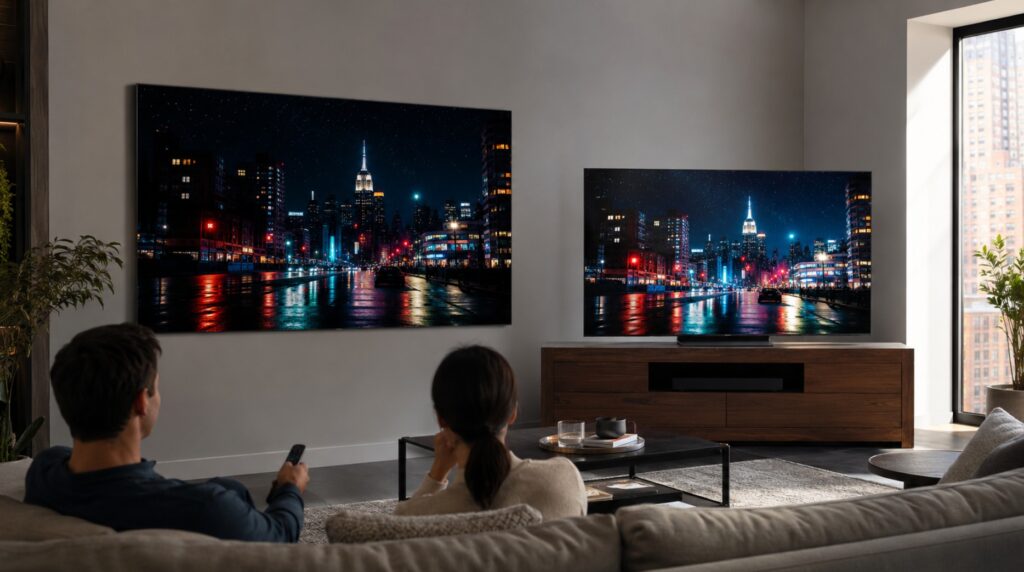

The LG G5 vs TCL C8L comparison became much more interesting once discounts brought these two premium 65-inch TVs into almost the same price range.
You are not choosing between a mid-range Mini LED and an expensive OLED. You are comparing LG’s flagship 2025 Primary RGB Tandem OLED with TCL’s new 2026 SQD-Mini LED, complete with 2,040 local-dimming zones, four HDMI 2.1 inputs and some of the highest HDR brightness we have seen at this size.
The TCL produces the stronger first impression. Bright HDR effects look explosive, daytime scenes carry more energy and saturated colors have tremendous impact.
The LG G5 takes a more refined approach. Its blacks are cleaner, motion is sharper, processing is more natural and every small highlight is controlled at pixel level. Once the showroom-style brightness battle settles down, the LG starts to feel like the more complete television. 🎬
At the same price, we recommend the LG G5. The TCL still has important advantages, especially if your room is extremely bright or you regularly display static content for many hours.
LG G5 vs TCL C8L specifications at 65 inches
| Specification | LG G5 65-inch | TCL C8L / QM8L 65-inch |
|---|---|---|
| Model year | 2025 | 2026 |
| Initial announcement | January 2025 | March 2026 in Europe |
| Retail availability | From March 2025 | From spring 2026 |
| Display technology | Primary RGB Tandem OLED | SQD-Mini LED LCD |
| Light source | Self-emissive OLED pixels | Full-array Mini LED backlight |
| Light-control areas | Around 8.3 million individual pixels | 2,040 local-dimming zones |
| Panel refresh rate | Native 120Hz, VRR up to 165Hz | Native 144Hz |
| Maximum 4K PC signal | 4K at 165Hz | 4K at 144Hz |
| Accelerated gaming mode | Full 4K retained at 165Hz | Up to 288Hz at reduced resolution |
| Picture processor | Alpha 11 AI Processor Gen 2 | MediaTek Pentonic 800 with TSR AiPQ |
| Operating system at launch | webOS 25 | Google TV |
| HDR formats | HDR10, HLG, Dolby Vision | HDR10, HDR10+, HLG, Dolby Vision |
| HDMI inputs | Four HDMI 2.1 | Four HDMI 2.1 |
| Built-in audio | 4.2-channel, 60W | B&O-tuned system, regional configuration |
| Native DTS decoding | No | Yes on key regional versions |
The European C8L and North American QM8L are part of the same 2026 family, but you should not assume that every regional specification is identical.
Tuners, USB ports, speaker layouts, stand designs and firmware features can vary. Always check the complete model code before ordering.
Check Current 65-Inch Prices
Comparing these two at similar prices? Check the current Amazon listings before you decide.
TVComparePro may earn a commission from qualifying purchases through these links.
Primary RGB Tandem OLED with 165Hz support and pixel-level light control.
Check price on Amazon →North American version of TCL’s 2026 C8L / QM8L family with SQD-Mini LED.
Check price on Amazon →Release dates, operating systems and software updates
The G5 has already received several meaningful updates since its launch. The TV available today behaves better than some of the first review samples from early 2025.
The C8L is newer, so its firmware history is naturally shorter.
| Date | LG G5 | TCL C8L / QM8L |
| January 2025 | G5 officially announced | — |
| March 2025 | Retail rollout with webOS 25 | — |
| March 2025 | Early 33.10.xx firmware begins rolling out | — |
| June 2025 | Major HDR gradation and 165Hz latency corrections | — |
| September 2025 | Additional banding and picture-mode improvements | — |
| January 2026 | — | QM8L introduced as part of TCL’s 2026 US range |
| February 2026 | Dolby Vision update 33.30.92 begins rolling out | — |
| March 2026 | — | European C8L range officially detailed |
| April 2026 | — | C8L reaches European retailers |
| Spring 2026 | — | V082 firmware begins appearing |
| June 2026 | Later 33.31.xx firmware reaches supported G5 variants | — |
The June 2025 LG firmware was especially important. It corrected the elevated input lag originally found at 165Hz and improved visible HDR posterization.
Later updates expanded the gradation improvements to additional picture modes.
Firmware 33.30.92 changed how several Dolby Vision modes use the panel’s available brightness. Cinema Home, Standard, Game and Vivid were adjusted, while Dolby Vision Filmmaker Mode remained more restrained.
The TCL was initially reviewed on V080 firmware. V082 followed during the first months of availability, but it did not produce a significant increase in peak brightness.
LG G5 vs TCL C8L processor hardware
LG G5 vs TCL C8L CPU, GPU and AI processing
A modern television processor is not simply one CPU.
The platform also contains graphics hardware, video decoders, neural-processing blocks, HDMI controllers, audio processing and the logic used to coordinate the display panel.
| Processing component | LG G5 | TCL C8L / QM8L |
| Main platform | Alpha 11 AI Processor Gen 2 | MediaTek Pentonic 800 |
| CPU architecture | Arm Cortex-A78 family | Four Arm Cortex-A73 cores |
| Listed CPU arrangement | Quad-core platform | Quad-core |
| Maximum CPU frequency | Not publicly disclosed | Up to approximately 1.8GHz |
| GPU family | Arm Mali-G510 | Arm Mali-G57 MC1 |
| Exact GPU core configuration | Not publicly disclosed | MC1 configuration |
| Dedicated AI processing | Yes | Yes |
| Memory interface | Not publicly disclosed | 64-bit DDR4 up to 3,200Mbps |
| Physical RAM | Not officially disclosed | Not consistently published |
| Storage available to apps | Not officially disclosed | More than 40GB on common configurations |
| Main strength | OLED-specific image processing | Apps, decoding and connectivity |
The Cortex-A78 architecture associated with the Alpha 11 Gen 2 is newer than the Cortex-A73 design used by the Pentonic 800.
That does not automatically tell you how fast the G5 is. LG does not disclose the Alpha 11’s clock speed, cache layout, exact GPU configuration, RAM capacity or memory bandwidth.
What makes Alpha 11 important is its integration with the OLED panel.
It controls:
- pixel-level tone mapping;
- OLED power distribution;
- near-black detail;
- gradient processing;
- object recognition;
- texture reconstruction;
- upscaling;
- motion interpolation;
- compression cleanup;
- AI audio processing.
TCL’s Pentonic 800 is more conventionally documented. It combines its Cortex-A73 CPU cores with modern video decoding, four HDMI 2.1 connections and enough processing power to run Google TV smoothly.
TCL adds its own TSR AiPQ layer above the MediaTek platform. This controls local dimming, tone mapping, color, upscaling and motion.
🔬 The TCL platform is powerful and flexible, but the LG processor makes better decisions when the incoming picture is difficult, compressed or very dark.
Picture processing and upscaling
| Processing task | LG G5 | TCL C8L / QM8L |
| 4K upscaling | Alpha 11 AI Super Upscaling | TCL AI Super Resolution |
| Compression cleanup | Excellent | Strong |
| Near-black detail | Very good after updates | Dependent on local dimming |
| Gradient handling | Smooth and controlled | Good, but source dependent |
| Facial texture | Natural | Can look processed with stronger settings |
| Object sharpening | Refined | More aggressive |
| HDR tone mapping | More disciplined | Often prioritizes impact |
| Motion interpolation | Mature TruMotion system | Effective MEMC system |
| Panel integration | Direct pixel-level OLED control | Coordination between LCD and backlight |
| Low-resolution television | More natural | Sharp, but occasionally artificial |
The LG is better at separating genuine picture information from compression noise.
Faces, hair and fabric retain more texture. Dark walls, smoke and skies also show smoother transitions.
The TCL often appears sharper at first glance, but strong noise reduction can erase fine detail. Excessive sharpness can also create visible outlines around people and objects.
For pristine 4K HDR, both TVs look excellent. The advantage of the Alpha 11 becomes clearer when you watch ordinary television, compressed streaming or older content.
LG G5 vs TCL C8L HDR brightness
LG G5 vs TCL C8L peak HDR brightness
Our 2025 G5 coverage placed the 65-inch model at approximately 2,450 nits on a 10% HDR window.
Our 2026 C8L coverage placed the 65-inch TCL at approximately 3,750 nits on the same 10% window size.
Those previously published figures remain unchanged.
| HDR category | LG G5 65-inch | TCL C8L / QM8L 65-inch |
| Published 10% HDR figure | Around 2,450 nits | Around 3,750 nits |
| Official manufacturer claim | No fixed peak-nit claim | Up to 5,000 nits on the European 65C8L |
| Light-control method | Individual OLED pixels | 2,040 Mini LED zones |
| Large bright scenes | OLED power management becomes visible | Considerably stronger |
| Small highlight control | Extremely precise | Dependent on local-dimming behavior |
| Daytime HDR impact | Strong | Exceptional |
| Dark-room HDR control | Excellent | Very good for an LCD |
The TCL has a clear advantage in raw brightness, while the LG maintains better control in dark-room HDR scenes.
Sunlight, explosions, reflections and large outdoor environments can look much more intense. The difference becomes especially visible when a large portion of the screen stays bright.
☀️ If your living room has large windows and you normally watch during the day, the TCL has more reserve.
The G5 is still exceptionally bright for an OLED. It no longer feels like an obvious compromise in a normally lit living room.
The more important difference is how the two televisions distribute light.
The G5 can illuminate the exact pixels forming a small object. The TCL must control groups of pixels through its 2,040 dimming zones.
What changed after the LG Dolby Vision update?
Before firmware 33.30.92, Dolby Vision Cinema Home reached roughly the 1,900-nit range on a 10% window.
After the update, the same mode approached the 2,000-nit range.
| Dolby Vision Cinema Home | Before update | After update |
| 10% HDR peak | Around 1,900 nits | Close to 2,000 nits |
| Dark-scene midtones | More restrained | More visible |
| Faces in ambient light | Could look subdued | Easier to follow |
| Shadow information | Accurate but dark | Easier to see |
| Black level | Excellent | Remained excellent |
| Dolby Vision Filmmaker Mode | Unchanged | Unchanged |
The visual change is larger than the peak-brightness increase suggests.
LG adjusted the Dolby Vision tone curve, lifting selected midtones rather than simply pushing the panel much harder.
You can see more information in faces, clothing and dim interiors when lamps or daylight are present.
Cinema Home is now the more practical choice for daytime Dolby Vision. Filmmaker Mode remains the more restrained option when your room is dark.
Pixel-level OLED control versus 2,040 Mini LED zones
The TCL has one of the most advanced Mini LED backlights available at this price, but OLED still controls light more precisely.
| Difficult picture element | LG G5 | TCL C8L / QM8L |
| Black screen | Pixels switch off completely | Backlight zones dim behind the LCD |
| Small star | Precisely isolated | May share a zone with black pixels |
| White subtitle | No conventional halo | A faint halo can appear |
| Candle in darkness | Pixel-level control | Local-dimming compromise required |
| Bright game interface | Sharp separation | Activates a larger backlight area |
| Full-screen snow | Brightness management becomes visible | Remains much brighter |
| Side viewing | Contrast stays stable | Black level gradually rises |
| Dark-room film | Excellent | Very good for an LCD |
When a small bright object appears against black, the TCL has to decide how strongly to illuminate the entire zone.
If it drives the zone too hard, you may see blooming. If it suppresses the zone, the highlight can lose some intensity.
The LG does not need to make that compromise.
Every bright object is formed by the exact pixels required, while the surrounding pixels remain switched off.
That is why subtitles, stars and small lamps look cleaner on the G5. The TCL can produce more light, but the LG places its light with greater precision.
Color volume and natural accuracy
The C8L uses an advanced quantum-dot system combined with its powerful Mini LED backlight.
It can retain stronger color saturation at very high brightness than the G5.
| Color characteristic | LG G5 | TCL C8L / QM8L |
| Cinema-gamut coverage | Near complete | Near complete |
| Bright red saturation | Excellent for OLED | Stronger at extreme brightness |
| Bright green and cyan | Very good | Wider and more intense |
| Skin tones | More consistently natural | Picture-mode dependent |
| High-brightness color volume | Major improvement over older OLEDs | Exceptional |
| Standard/Vivid modes | Generally controlled | Can appear exaggerated |
| Filmmaker Mode | Accurate and refined | More restrained than Standard |
| Animation and HDR games | Excellent | More spectacular |
| Natural cinematic color | More consistent | Good after careful setup |
🌈 The TCL has the advantage when you want the brightest, most saturated HDR colors.
Animation, neon lighting, colorful games and nature documentaries can look spectacular.
The G5 gives you the more believable balance.
Skin tones, neutral colors and cinematic grading generally need less correction. The TCL’s brighter presets can make grass, faces and red objects more intense than intended.
The TCL wins color impact. The LG wins natural accuracy.
Streaming, cable television and lower-quality sources
The difference between the processors becomes easier to see when the source is not perfect.
| Content type | Better choice | Why |
| 4K Blu-ray | LG G5 | More precise contrast and tone mapping |
| Premium 4K streaming | LG G5 | Cleaner cinematic balance |
| Low-bitrate streaming | LG G5 | Better compression cleanup |
| Cable or satellite television | LG G5 | Stronger upscaling |
| 720p content | LG G5 | More natural reconstruction |
| Bright HDR animation | TCL C8L | Greater light and color impact |
| Daytime sport | TCL C8L | Higher sustained brightness |
| Dark streaming scenes | LG G5 | Better shadow control |
| Faces and skin texture | LG G5 | Less aggressive processing |
| Google TV applications | TCL C8L | Wider application ecosystem |
The G5 is easier to trust with mixed daily viewing.
Its processor cleans compression without making faces look artificial. Gradients in skies and shadows also remain smoother.
The TCL has improved considerably over previous generations, but strong AI processing can sometimes create a sharper-looking image at the expense of natural texture.
Motion, sport and viewing angles
OLED pixels change state almost instantly.
This gives the G5 cleaner fast motion and avoids the dark smearing that can appear on VA-type LCD panels.
| Motion and sport category | LG G5 | TCL C8L / QM8L |
| Pixel response | Almost instantaneous | Slower LCD transitions |
| Fast game movement | Exceptionally clean | Very good |
| Dark-object trails | Minimal | Possible in difficult transitions |
| Daytime football | Bright | Considerably brighter |
| Ice and winter sport | OLED brightness management may appear | Strong sustained output |
| Wide sofa viewing | Excellent | Best near the center |
| 24fps movie stutter | More noticeable | Slightly less abrupt |
| Motion interpolation | Refined | Effective after adjustment |
| Panel-uniformity risk in sport | Usually low | Dirty-screen variation possible |
⚽ The TCL is the more impressive daytime sports television.
A football field, ice rink or bright stadium remains more energetic when the room is filled with daylight.
The LG is better when several people sit across a wide sofa. Its contrast and color remain much more stable away from the center.
The G5’s fast response can make slow 24fps film pans look more abrupt. A low TruMotion setting can reduce this without creating an obvious soap-opera effect.
LG G5 vs TCL C8L gaming performance
LG G5 vs TCL C8L input lag and refresh rates
Both televisions provide four HDMI 2.1 ports, so you can connect several high-bandwidth devices without sacrificing your eARC connection.
| Gaming feature | LG G5 | TCL C8L / QM8L |
| HDMI 2.1 inputs | Four | Four |
| PS5 and Xbox maximum | 4K at 120Hz | 4K at 120Hz |
| Maximum PC signal at 4K | 165Hz | 144Hz |
| Accelerated refresh mode | Full 4K retained | Up to 288Hz at reduced resolution |
| HDMI VRR | Yes | Yes |
| AMD FreeSync | Premium | Premium Pro |
| NVIDIA G-SYNC | Compatible | Compatible on listed versions |
| ALLM | Yes | Yes |
| Dolby Vision gaming | Yes | Yes |
| HDR10+ Gaming | No | Yes |
| 60Hz input lag | Roughly 9–13ms depending on Boost | Around 10ms |
| Maximum-refresh input lag | Around 4 ms at 4K 165Hz after the firmware update | Low input lag at 4K 144Hz; the exact result varies by firmware |
| Pixel response | Near instantaneous | Slower than OLED |
| Static HUD concern | Possible long-term OLED wear | No OLED-style burn-in |
🎮 For PlayStation 5 and Xbox Series X, the difference between 144Hz and 165Hz is not important because current consoles normally stop at 120Hz.
The LG’s advantage becomes clearer with a high-end PC.
Its 165Hz support and extremely fast pixel response keep moving objects cleaner. The updated firmware also corrected the elevated latency originally found at maximum refresh.
The TCL can display more powerful HDR effects and supports HDR10+ Gaming. Its 288Hz mode may interest competitive PC players, but it reduces resolution to achieve the higher refresh rate.
For varied console and PC gaming, the G5 is better. For extremely long sessions with the same static interface, the TCL is the safer choice.
HDMI, wireless and physical connectivity
| Connection | LG G5 | TCL C8L / QM8L |
| HDMI inputs | Four HDMI 2.1 | Four HDMI 2.1 |
| eARC | Yes | Yes |
| 4K at 120Hz | Supported | Supported |
| 4K at 144Hz | Supported | Supported |
| 4K at 165Hz | Supported from compatible PCs | Not supported at full resolution |
| Optical audio | Yes | Yes |
| Ethernet | Yes | Yes |
| Wi-Fi | Wi-Fi 6 | Wi-Fi 6 |
| Bluetooth | Bluetooth 5.3 | Bluetooth 5.4 on listed European versions |
| Google Cast | Yes | Yes |
| Apple AirPlay | Yes | Regional support |
| European tuner support | Regional configuration | DVB-T/T2/C and DVB-S/S2 |
| CI+ slot | Regional | Included on the European C8L |
Port numbering and USB configuration may vary between the European C8L and North American QM8L.
Check the exact product page for your region before buying, especially if you need a specific tuner, USB arrangement or audio output.
webOS 25, webOS 26 and Google TV
The G5 launched with webOS 25 and is included in LG’s webOS Re Program.
LG promises four major operating-system upgrades over five years, starting from the version installed at launch.
| Smart-TV feature | LG G5 | TCL C8L / QM8L |
| Launch operating system | webOS 25 | Google TV |
| Major update commitment | Four upgrades over five years | Schedule depends on TCL and Google |
| webOS 26 eligibility | Yes | Not applicable |
| Stable webOS 26 availability | Region and firmware dependent | Not applicable |
| App store | LG Content Store | Google Play Store |
| Google Cast | Built in | Built in |
| Apple AirPlay | Built in | Regional support |
| Local media applications | More controlled selection | Wider choice |
| Picture-setting integration | Excellent | Good |
| Application storage | Not publicly disclosed | Generous on common configurations |
| Home-screen recommendations | Present | Present |
| Main advantage | Display integration | Application flexibility |
The G5 is eligible for webOS 26 through the Re program, but availability can vary by country and model suffix.
You can check the installed version under:
Settings > All Settings > Support > Software Update
The exact path can change after a major operating-system update.
webOS feels more tightly integrated with the television. Game Optimizer, OLED protection, picture modes and HDMI settings are easy to manage from one system.
Google TV gives you more freedom. You have access to a broader selection of streaming services, media players and utility applications.
Choose Google TV for app flexibility. Choose webOS for cleaner control of the display.
Built-in sound and audio compatibility
The European 65C8L has a stronger built-in audio system than the G5.
| Audio feature | LG G5 | TCL 65C8L |
| Speaker configuration | 4.2-channel | 2.1.2-channel |
| Rated output | 60W | 90W |
| Audio tuning | LG AI Sound Pro | Bang & Olufsen |
| Dolby Atmos | Yes | Yes |
| Native DTS decoding | No | Yes |
| DTS | No native decoding | Supported |
| Up-firing speakers | No dedicated conventional pair | Yes |
| Bass weight | Moderate | Stronger |
| Dialogue | Clear | Clear and fuller |
| Soundbar requirement | Recommended | Less urgent |
🔊 The TCL produces more bass and greater scale without an external sound system.
The G5 sounds clear, but its speakers do not feel as premium as its picture.
DTS support is another TCL advantage if you watch Blu-ray discs or local files containing DTS-HD or DTS audio.
Once you add a quality soundbar or AV receiver, the difference becomes much less important.
OLED burn-in versus Mini LED limitations
| Long-term consideration | LG G5 | TCL C8L / QM8L |
| Static-logo wear | Possible after prolonged repetitive use | No OLED-style burn-in |
| News channels all day | Requires more caution | Better suited |
| Permanent game interface | Some long-term risk | Safer |
| Pixel shifting | Yes | Not required in the same way |
| Compensation cycles | Yes | No OLED compensation cycle |
| Blooming | None | Possible |
| Dirty-screen effect | Usually limited | Panel variation possible |
| Viewing-angle loss | Minimal | More noticeable |
| Motion smearing | Minimal | Transition dependent |
| Panel maintenance | Automatic OLED routines | Conventional TV maintenance |
Modern OLED protection is much better than it was on early panels.
If you watch a varied mixture of films, series, sport and games, burn-in should not be treated as inevitable.
You should still keep LG’s pixel shifting, logo brightness reduction and compensation routines enabled.
The TCL is the safer choice when your television displays news banners, security cameras, desktop taskbars or the same game interface for many hours every day.
Which television is better for you?
| Your main priority | Better choice |
| Best overall picture quality | LG G5 |
| Dark-room movies | LG G5 |
| Subtitles without halos | LG G5 |
| Wide viewing angles | LG G5 |
| Upscaling and compressed content | LG G5 |
| PC gaming and motion clarity | LG G5 |
| Extremely bright room | TCL C8L |
| Maximum HDR brightness | TCL C8L |
| Most dramatic HDR colors | TCL C8L |
| Strongest built-in sound | TCL C8L |
| HDR10+ and DTS support | TCL C8L |
| Google TV application freedom | TCL C8L |
| All-day static content | TCL C8L |
The TCL’s biggest advantages are focused around specific needs: extreme daylight, maximum brightness, Google TV, stronger audio and static-content safety.
The LG’s advantages appear across almost everything you watch.
You get cleaner blacks, more precise highlights, better processing, wider viewing angles and faster motion.
Which one should you buy at the same price?
When the 65-inch LG G5 and TCL C8L cost the same, buy the LG G5.
The TCL is an impressive television. It is brighter, more colorful at extreme luminance, better equipped for DTS playback and easier to use without a soundbar.
Those are meaningful advantages.
The G5 is still the better television overall because its strengths affect more of your viewing.
Small HDR details remain precise. Subtitles do not create backlight halos. Dark scenes look cleaner. Fast motion stays sharper, and low-quality streams receive more natural processing.
The Tandem OLED panel is also bright enough that you no longer need to accept the large daytime compromise associated with older OLED televisions.
Choose the C8L when your room receives exceptionally strong sunlight, your television displays static content all day or Google TV, HDR10+, DTS and powerful built-in speakers are essential to you.
For films, streaming, ordinary television, sport and gaming in a typical home, the LG produces the more refined and consistently premium image.
At the same 65-inch price, the LG G5 is the clear winner and the television we would choose. ✅
Related TVComparePro guides
- TCL P8L vs Hisense U7SE, LG QNED85B and Samsung QN80H
- TCL C8L vs C8K — what actually changed for buyers?
- Sony Bravia 7 II vs TCL C8L — True RGB or brighter SQD Mini LED?
- LG G5 vs Samsung S95F vs Panasonic Z95B
- Choosing between Samsung and LG for your home theater? Our Samsung QS90H vs LG H7 comparison covers current prices, Dolby Atmos, HDMI connectivity, bass and expansion options.