
If you search for a Dolby Vision 2 content list, the first thing to understand is that Dolby Vision 2 is not a separate movie library. You do not need to wait for an entirely new shelf of “DV2 movies” before the format becomes useful.
The real idea is simpler than it sounds. A Dolby Vision 2 TV can already improve the way it handles many existing Dolby Vision movies and shows. Then, over time, newer encoding workflows and newer metadata can unlock more advanced features.
So this article answers two simple questions. What can you watch right now? And what actually changes when content is prepared more specifically for Dolby Vision 2?
What counts as Dolby Vision 2 content today?
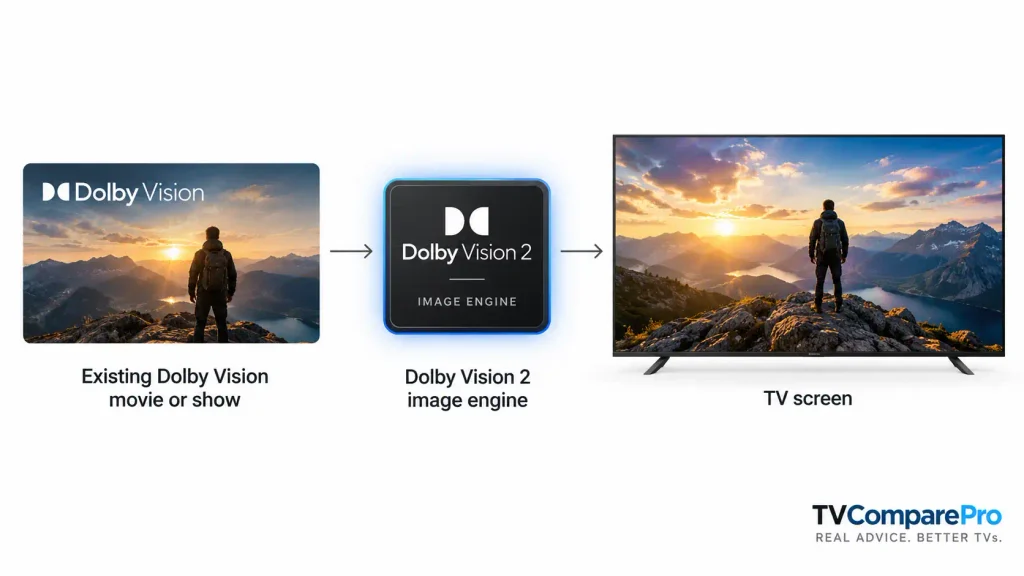
Today, the useful answer is: existing Dolby Vision content. That includes many Dolby Vision movies, TV shows and supported games. A compatible Dolby Vision 2 TV can already use its newer image engine with that content.
That does not mean every older title suddenly becomes a fully authored “Dolby Vision 2 master.” It means the TV can do a better job interpreting the content it already receives.
| Type of content | Can a DV2 TV use it now? | What that means in practice |
|---|---|---|
| Existing Dolby Vision movies | Yes | The TV can use the newer image engine with the Dolby Vision metadata that already exists |
| Existing Dolby Vision series | Yes | The TV can improve playback without needing a completely new library |
| Supported Dolby Vision games | Yes | Gaming playback can benefit where the console, app or device path supports it |
| Newer content with extra DV2 metadata | Yes | This is where more advanced Dolby Vision 2 features can show their full value |
Three good movies to test on a Dolby Vision 2 TV
These are not being presented as special “Dolby Vision 2 only” titles. They are simply very good Dolby Vision movies for checking how a Dolby Vision 2 TV behaves in the real world.
| Movie | Why it is useful | What to look for |
|---|---|---|
| 1917 | Mixes daylight, dark scenes, smoke, flares and difficult HDR highlights | Shadow detail, bright highlight control and natural motion |
| The Batman | Very dark photography with many difficult near-black scenes | Whether black scenes stay readable without turning gray |
| Spider-Man: Across the Spider-Verse | Extremely rich color, bold contrast and fast-moving animated scenes | Color richness, highlight separation and overall tone mapping |
1917 is useful because it pushes both contrast and motion. The Batman is useful because a weak TV can make it look muddy or flat. Spider-Man: Across the Spider-Verse is useful because it quickly shows whether the TV can keep bright colors looking rich without clipping or turning harsh.
Why older Dolby Vision movies still matter
This is where many readers get confused. Dolby Vision 2 is not only about future content. It is also about how the TV handles the Dolby Vision content you already watch today.
In simple terms, the chain works like this:
- the movie or show already contains Dolby Vision information
- the Dolby Vision 2 TV has a newer image engine
- the TV uses that information more intelligently for its own panel and processing
That is why an older Dolby Vision movie can still look better on a Dolby Vision 2 television than on an older Dolby Vision set.
How Dolby Vision 2 grows over time
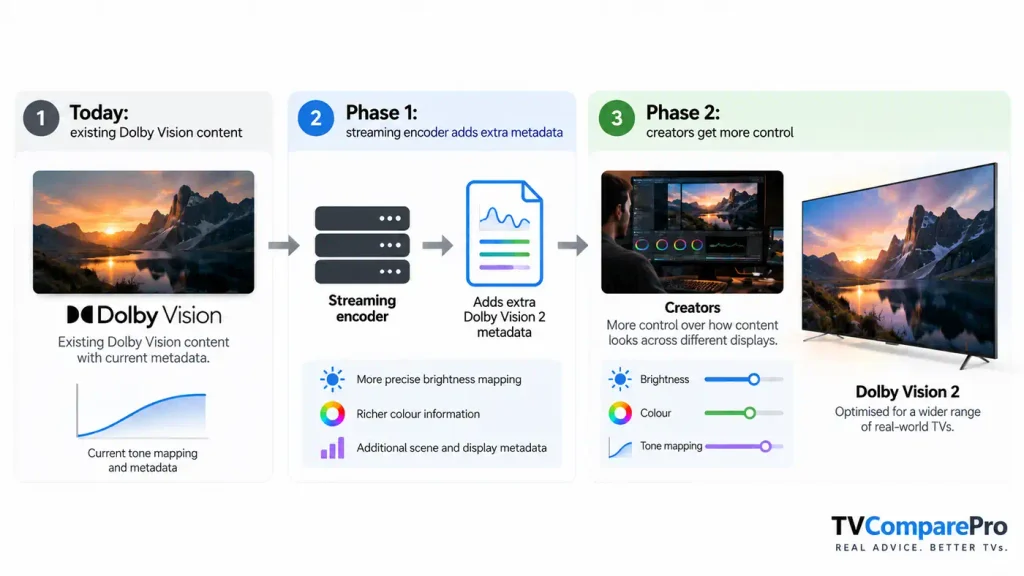
The easiest way to think about the rollout is in three stages.
| Stage | What happens | Why it matters |
|---|---|---|
| Today | Existing Dolby Vision content works on a DV2 TV | You already have useful material to watch and compare |
| Phase 1 | Streaming encoders can add extra Dolby Vision 2 metadata | Services can improve delivery without replacing the whole library |
| Phase 2 | Creators get more direct control over how content should look | This is where newer DV2 features become more precise and more intentional |
What Dolby Vision 2 can improve right now
For most people, the practical gains are not mysterious. A good Dolby Vision 2 implementation aims to improve how the TV maps brightness, handles color and adapts scenes to the real capability of the display.
| Area | What a DV2 TV may improve |
|---|---|
| Brightness handling | More precise highlight mapping instead of simply making the image brighter |
| Color handling | Better control over rich colors and more natural transitions |
| Tone mapping | Smarter adaptation to the real panel performance of the TV |
| Scene handling | A more content-aware response instead of one blunt approach for everything |
That is also why Dolby Vision 2 is not just “Dolby Vision, but brighter.” The point is not maximum brightness for its own sake. The point is making difficult scenes look more balanced and more convincing.
What needs newer Dolby Vision 2 metadata?
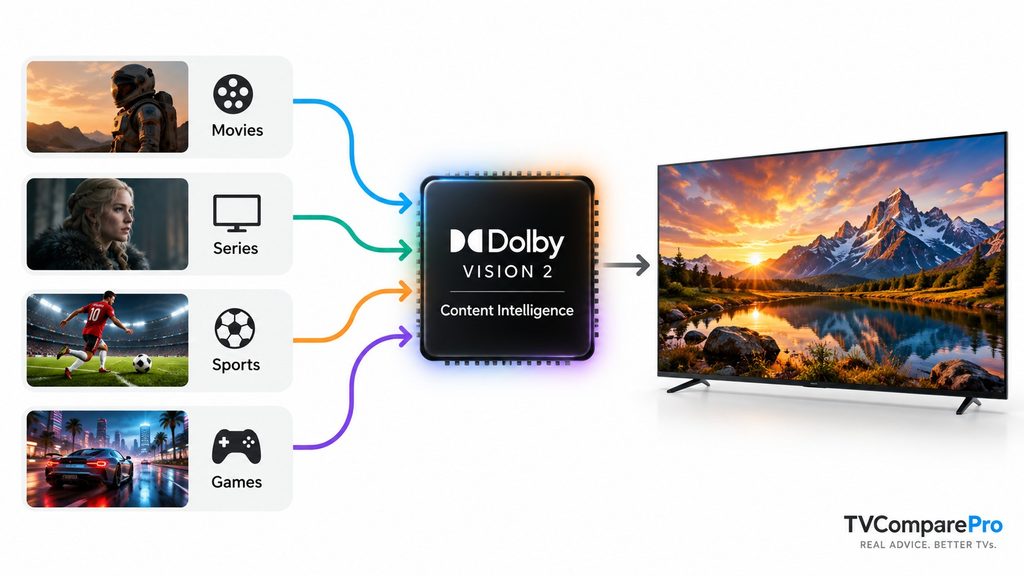
Some Dolby Vision 2 benefits can begin with today’s Dolby Vision content. But some of the most interesting features need newer metadata.
| Feature | Can older Dolby Vision content benefit? | Does it need new DV2 metadata? |
|---|---|---|
| New image engine | Yes | Not strictly, but extra metadata can improve the result further |
| Content Intelligence | Yes | Works today, grows stronger with newer metadata |
| Creator-side control | Limited | Yes |
| Authentic Motion | No, not in its full creator-guided form | Yes |
Authentic Motion explained in plain English
Authentic Motion is one of the easiest Dolby Vision 2 features to understand once it is phrased correctly.
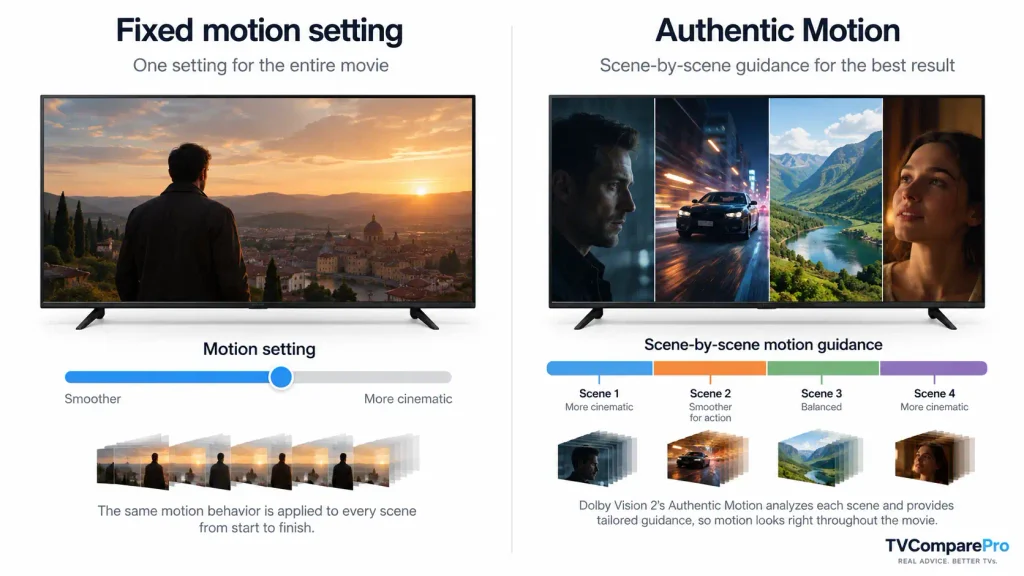
On a normal TV, you often pick one motion setting and leave it there for the whole movie. That is a compromise. A slow dialogue scene and a fast action scene do not always need the same motion treatment.
Authentic Motion is meant to be more intelligent. Instead of one fixed setting for the whole film, the content can guide the TV scene by scene. That means one section of a movie can look more cinematic, while another can receive motion guidance better suited to fast movement.
Practical setup notes
If you want to evaluate Dolby Vision 2 at home, keep the process simple.
- Pick one Dolby Vision movie you know well
- Watch the same difficult scenes rather than random moments
- Focus on shadow detail, highlights, color and motion
- Do not keep changing five settings at once
A night scene, a bright highlight scene and one camera movement scene are usually enough to tell you whether the TV is handling Dolby Vision content well.
For compatible hardware, see our Dolby Vision 2 supported TVs guide. For the wider format battle, read HDR10+ Advanced vs Dolby Vision 2. And if you want a real-world premium LCD comparison, our TCL X11L vs Hisense UR9 article shows where Dolby Vision 2 sits in a high-end TV buying decision.
The simple answer
The useful Dolby Vision 2 content list is bigger than it first appears. You do not need a brand-new catalog of special DV2 films before the format matters. Existing Dolby Vision movies and shows already give a Dolby Vision 2 TV something meaningful to work with.
Then, as services and creators add more Dolby Vision 2 metadata, the gap should grow between ordinary Dolby Vision playback and fully optimized Dolby Vision 2 presentation. That is why the format matters now, but should matter even more later.