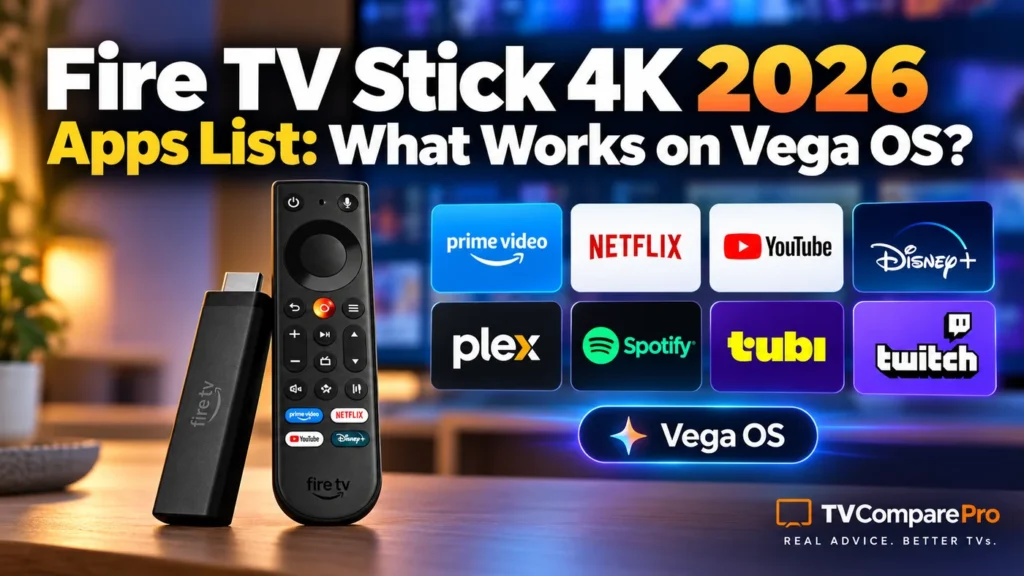

The Fire TV Stick 4K 2026 apps story is more complicated than a simple yes-or-no list. Amazon’s new Fire TV Stick 4K (3rd Gen, model AFTCR001) runs Vega OS 2.0, not Android-based Fire OS. Netflix, Disney+, YouTube and several other major services are part of Amazon’s Vega lineup. But an Android APK for Kodi, TiviMate or SmartTube will not suddenly become compatible just because it worked on your older Fire Stick.
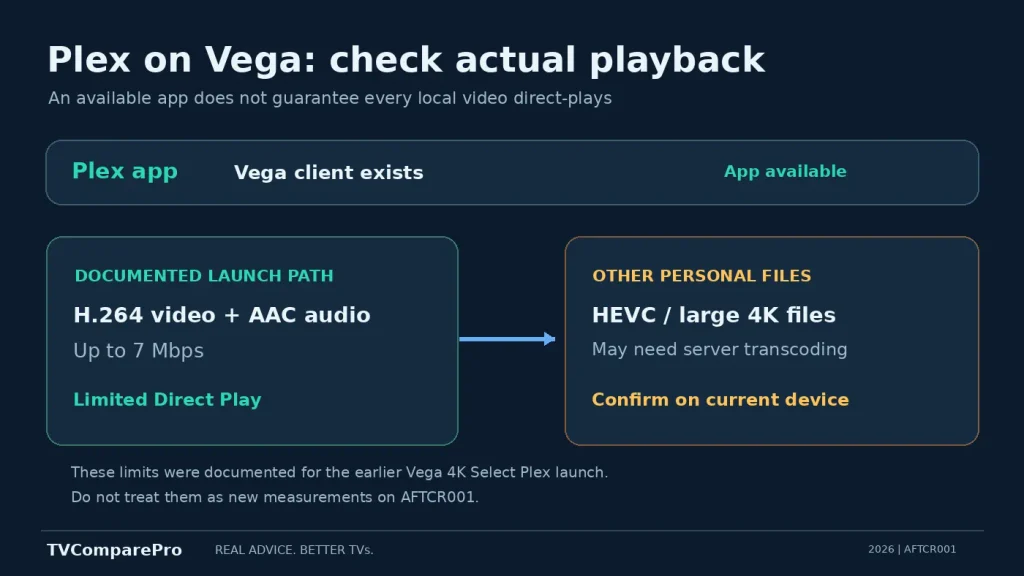
The most important exception is Plex: a Vega-compatible Plex app exists, yet Plex has documented limitations for personal media playback on the earlier Vega-based 4K Select. That distinction matters more than an app-store logo when you are deciding which stick to buy. 📺
Fire TV Stick 4K 2026 apps: the confirmed list
Amazon identifies this particular device as AFTCR001 with Vega OS 2.0. The table below distinguishes services Amazon explicitly named, apps whose developers have made platform-specific statements, and apps whose exact AFTCR001 store listing remains unverified. A developer announcement for a different Vega device does not automatically prove every feature works on the 2026 stick.
| App or service | Status as of Oct. 8 | What buyers should know |
|---|---|---|
| Prime Video | Amazon-listed | Part of Amazon’s mainstream Vega streaming lineup; picture formats also depend on plan, title and TV. |
| Netflix, Disney+, YouTube | Amazon-listed | Named by Amazon for its Vega Fire TV ecosystem. Check your regional store. |
| HBO Max, Peacock | Amazon-listed | Named by Amazon; regional availability and subscriptions differ. |
| Tubi, Pluto TV | Amazon-listed | Named by Amazon; catalog depends on country. |
| Spotify, Xbox, VLC | Amazon-listed | Among the newer Vega additions Amazon specifically highlights. Xbox cloud streaming requires its own supported setup. |
| Amazon-listed | Listed in Amazon’s Vega app announcement; do not assume phone-app features are identical. | |
| Plex | Available, limited | Plex announced a Vega client in 2025; personal-media Direct Play restrictions were documented on 4K Select. Verify current behavior on AFTCR001. |
| Kodi | No Android APK | The standard Kodi Android installation route will not work. No verified consumer Vega version found. |
| TiviMate | No Android APK | The Android TV application cannot be installed as an APK on Vega OS; no verified native Vega edition found. |
| SmartTube | Not supported | The project explicitly excludes new Vega-based Fire TV devices. |
| Jellyfin Android TV | Not supported | Jellyfin’s request for Vega support was closed as not planned for the Android TV client. A separate future client would be a different matter. |
| Downloader, IPTV Smarters, other APK-only apps | Unverified native app | An APK or old Fire OS installation guide is not evidence of Vega compatibility; check for an actual Vega listing. |
How to read this table: “Amazon-listed” refers to services named in Amazon’s Fire TV/Vega announcement, not independent hands-on testing on AFTCR001. “No Android APK” is an operating-system limitation, not proof that no developer could ever release a separate Vega application. This is a source-checked compatibility reference, not a claim that TVComparePro physically tested every app.
Why your old Fire TV APK no longer works
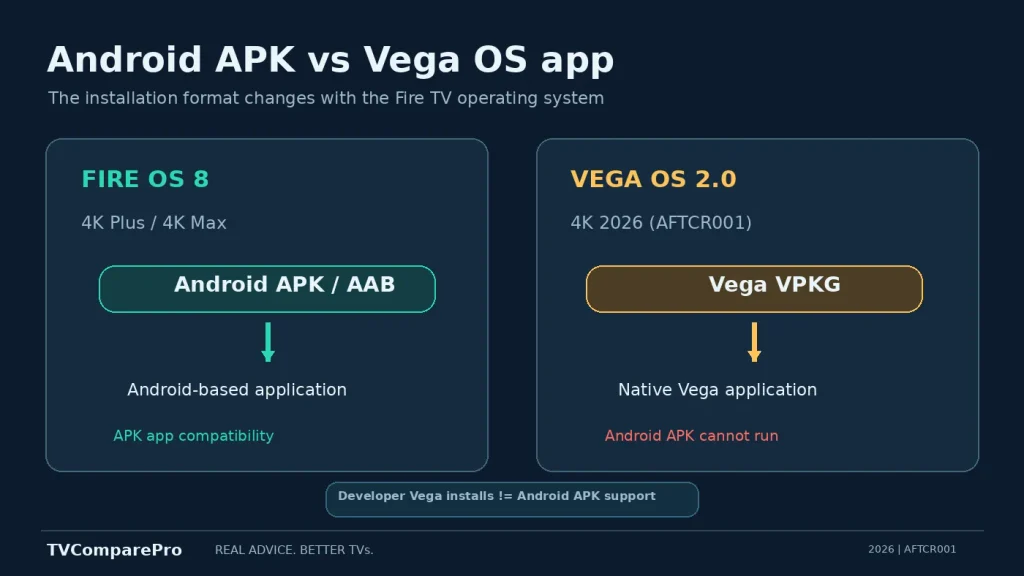
Fire OS is based on Android. Vega OS is Amazon’s newer Linux-based platform, with a different application format and developer toolchain. Amazon’s developer instructions distinguish APK/AAB packages for Fire OS from VPKG packages for Vega OS. Copying an Android installer to the new stick does not change the software it was built for.
This also clears up a misleading statement found in some guides: saying Vega OS has “no sideloading whatsoever” is too broad. Amazon provides a developer process for installing Vega development builds on supported devices. What consumers lose is the familiar ability to install and run ordinary Android APKs as if the stick still used Fire OS. Those two situations are not the same. 🔍
Plex on Vega OS: available does not mean full Direct Play
Plex is the app most likely to trip up a knowledgeable buyer, because it disproves both simplistic claims: “Plex isn’t on Vega” and “Plex is there, so it behaves exactly as it does on my 4K Max.”
In its own October 2025 release note for the Vega-based Fire TV Stick 4K Select, Plex confirmed an app was available but identified a restrictive initial Direct Play path for personal files: H.264 video with AAC audio at up to 7 Mbps. Other formats would require transcoding on the server. It also listed missing options, including refresh-rate or resolution switching, and incomplete music and photo support.
Those are documented limitations of the earlier Vega launch client. They should not be presented as fresh measurements of the 2026 AFTCR001 model, or as a promise that no updates have improved anything since. Still, anyone with a library of 4K HEVC movies, HDR remuxes or high-bitrate local content has a good reason to check the actual Plex playback information before replacing a Fire OS stick.
The distinction is practical: a movie may appear in the library and even play, while the server has to transcode it. That can reduce quality or introduce buffering on an underpowered server. The hardware codec list of the stick alone does not establish which formats a particular Plex app can direct-play.
Kodi, SmartTube, TiviMate and Jellyfin: what is actually blocked?
Kodi and TiviMate
These are often installed on older Fire TV sticks through Android packages. That established workflow does not transfer to the new Vega model. As of this check, we could not verify a consumer-ready Vega version of either app. The useful buying advice is straightforward: if either is essential, do not assume the plain 2026 Fire TV Stick 4K will replace your current device.
SmartTube
There is no ambiguity in the SmartTube project’s own compatibility statement: Vega-based Fire TV devices released from the newer generation are unsupported. Downloading an APK from another website cannot fix a missing Android runtime. Avoid lookalike downloads that claim to be a special Vega version without confirmation from the developer.
Jellyfin and IPTV apps
Jellyfin’s Android TV project has explicitly discussed the incompatibility of its Android client with Vega OS. The issue was closed as not planned. That is not equivalent to saying the Jellyfin server, a browser-based interface, or every possible future Vega client is impossible.
IPTV is a broader category, not one app. A provider may release a Vega-compatible application, while a familiar Android-only player still does not work. Before paying for a subscription, ask for the exact app name and confirm its presence in your device’s Amazon Appstore for your country. An APK download link is not sufficient proof.
Affiliate links: We may earn a commission.
Need Fire OS rather than Vega OS?
The Fire TV Stick 4K Max (2nd Gen) runs Android-based Fire OS 8 and includes 16 GB storage. It is a more appropriate starting point for someone who needs the older Android app ecosystem. Availability and app-specific rules can change.
How to check an app before buying the 2026 stick
- Identify the device. Look for Fire TV Stick 4K (3rd Gen, 2026), model AFTCR001. “Fire TV Stick 4K” has described several different generations.
- Find out whether the app is Android-only. If its official install guide asks for an APK, that is a warning for Vega OS, not a setup instruction to repeat blindly.
- Check the store on the actual device. An Amazon Appstore listing can serve both Fire OS and Vega OS, but the developer must supply an appropriate build. Regional availability still matters.
- Check the feature, not only the icon. Plex Direct Play, audio passthrough, offline downloads, playback frame-rate switching and cloud-gaming options can differ even when the application installs.
- Keep the return window in mind. If one app determines whether you keep the device, confirm it before discarding your older Fire Stick.
🚦 An app’s presence in Amazon search results is not a reliable cross-device compatibility test. The exact device listing and its supported features are what matter.
Which Fire TV model should you choose for your apps?
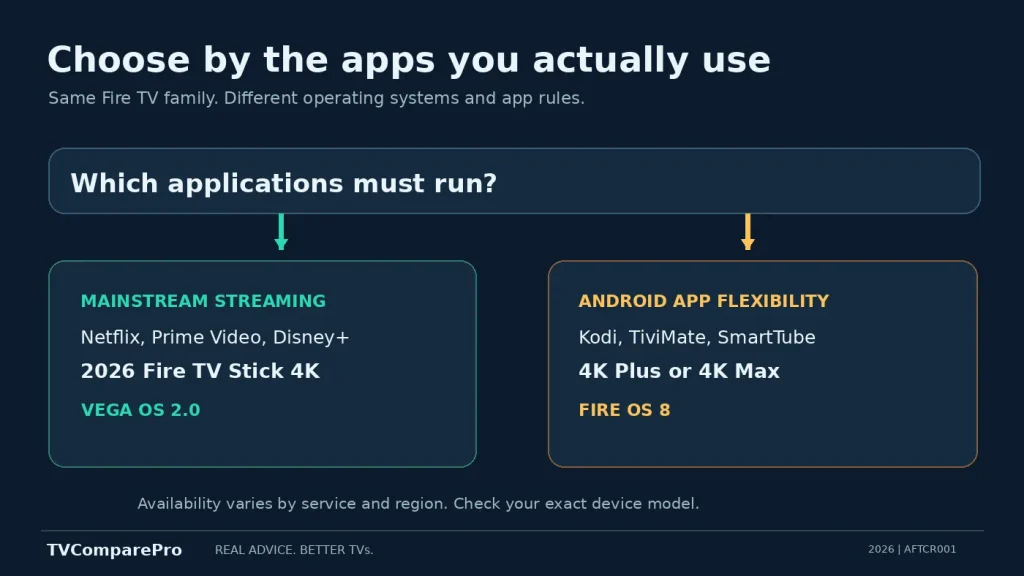
Amazon’s names are particularly confusing this year. The Fire TV Stick 4K (2026) and the Fire TV Stick 4K Select (2025) run Vega OS, while the Fire TV Stick 4K Plus (2025) and Fire TV Stick 4K Max (2nd Gen) use Android-based Fire OS 8. This is a platform difference, not merely a pricing difference.
| What you need | More suitable starting point | Reason |
|---|---|---|
| Netflix, Prime Video, Disney+, YouTube | 2026 Fire TV Stick 4K | Major apps are named in Amazon’s Vega lineup. |
| Android APKs, Kodi, TiviMate, SmartTube | Fire OS-based 4K Plus or 4K Max | They retain Android-based app compatibility, subject to Amazon policies and app developer support. |
| Personal Plex files, 4K remuxes | Verify a Fire OS device or another proven client | Do not assume the Vega Plex client’s playback features match its Fire OS version. |
| Dolby Vision plus app flexibility | 4K Plus or 4K Max | Both support Dolby Vision and run Fire OS; the plain 2026 4K model does not include Dolby Vision. |
There is no reason to pay more for a different stick if everything you use is confirmed on the newer model. But buying the 2026 stick and then discovering that your favorite Android application cannot be installed is an avoidable mistake.
Practical setup notes
If you already bought AFTCR001, update its system software before investigating a missing mainstream app. Sign in with the correct Amazon account and confirm the app is offered in your country’s store. Do not spend an hour searching for an “Apps from Unknown Sources” Android toggle that belongs to Fire OS guides.
For Plex, look at the dashboard on your Plex server while playing a sample from your library. If the server reports transcoding rather than Direct Play, investigate the app’s actual support before changing the TV’s picture settings or buying an HDMI cable. A different cable will not make an Android APK run on Vega OS.
For ordinary streaming, also keep three separate checks in mind: the app must install, your subscription must permit the desired quality, and your TV/audio system must support the output format. A successful app launch does not establish 4K, HDR10+ or Atmos for every title. 🛠️
Should you buy the 2026 Fire TV Stick 4K?
For Netflix, Disney+, Prime Video, YouTube and other mainstream services named by Amazon, the new Fire TV Stick 4K makes sense as a straightforward 4K streamer. Vega OS is not automatically a disadvantage for everyone.
For Kodi, SmartTube, TiviMate or an advanced Plex library, however, the answer changes. Check the actual application platform and its supported features before buying. The biggest Fire TV Stick 4K 2026 apps issue is not how many icons appear in the store. It is whether the one application you depend on can do the job you bought the stick to do.