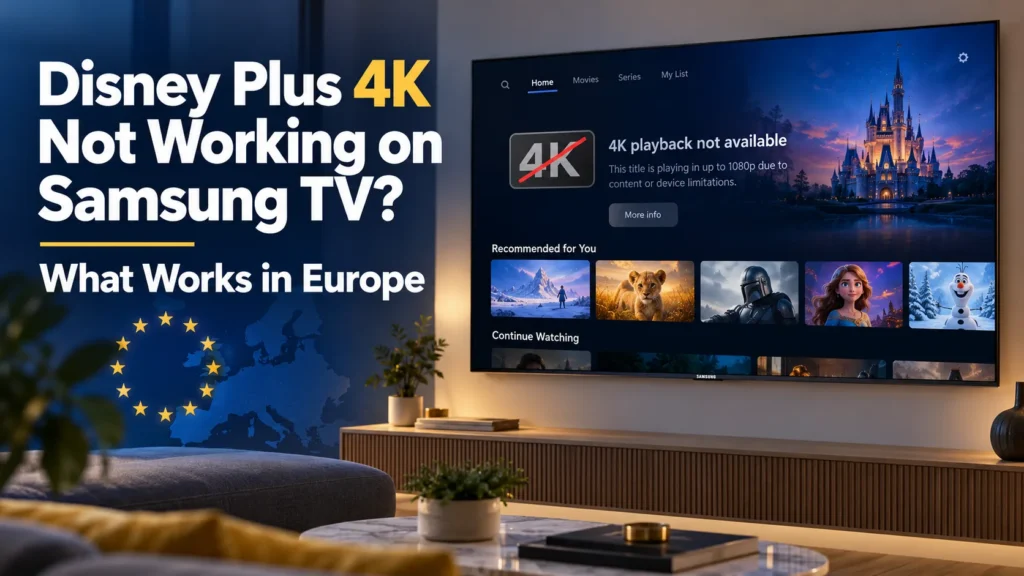

Your Samsung television has not suddenly forgotten how to display 4K. If you’re dealing with Disney Plus 4K not working on Samsung TV, the explanation in several European countries may be a restriction on the stream Disney+ supplies, not a problem with the screen itself. That distinction matters because you can spend an evening resetting a perfectly good TV and still end up watching in HD.
As of October 27, 2026, Disney+ has brought back 4K on selected devices in 11 affected European countries, but Samsung’s built-in Tizen app is not among the confirmed 4K options. HDR10 and Dolby Vision have not returned in those markets. There are a few checks worth making, and one possible hardware workaround, but no hidden Samsung picture setting that overrides the service restriction.
Why Disney+ can show HD on a 4K Samsung TV
Samsung OLED, Neo QLED, QLED and other 4K models can display Ultra HD perfectly well in supported services. What they cannot do is force a streaming provider to send a resolution that the provider has disabled for its app in a particular market.
The current Disney+ issue followed court rulings in a patent dispute involving InterDigital and video-delivery technology. Dolby Vision and 3D were affected first, followed by the removal of 4K and HDR10 in July. Disney then began restoring 4K using an alternative video delivery method. Industry reporting identifies VP9 as the codec involved, although Disney’s public statements describe it more generally as alternative technology.
That replacement does not work across Disney+’s entire device ecosystem yet. And here is the detail I would not skip: a TV supporting VP9 in hardware does not prove its Disney+ app receives the new 4K stream. The content must be encoded and made available to that particular app, device and region. The absence of native Samsung support is not evidence that your Samsung’s processor cannot decode 4K video.
Disney has not announced a reliable date for restoring full device coverage or HDR. The situation is also more complicated than a one-off app bug because the underlying patent dispute has continued.
Where Samsung owners are affected
The reported restrictions cover Austria, Belgium, Denmark, Finland, France, Germany, Italy, the Netherlands, Portugal, Romania and Sweden. They do not mean Disney+ has removed 4K from every country in Europe. A viewer in the UK, for example, is not subject to the same specific restrictions.
The distinction also matters if you compare screenshots with someone in a different country. Two people can own the same Samsung TV and the same subscription tier yet see different format labels because their streaming catalogs or device access differ. Avoid treating an overseas tutorial as proof that a particular feature is currently available in your region.
Disney+ 4K in Europe: which devices still work?
For affected markets, this is the practical device picture based on Disney’s reported compatibility guidance and its partial restoration of 4K. These are service-delivery statuses, not general hardware specifications.
| Device / platform | 4K in affected markets | Important limit |
|---|---|---|
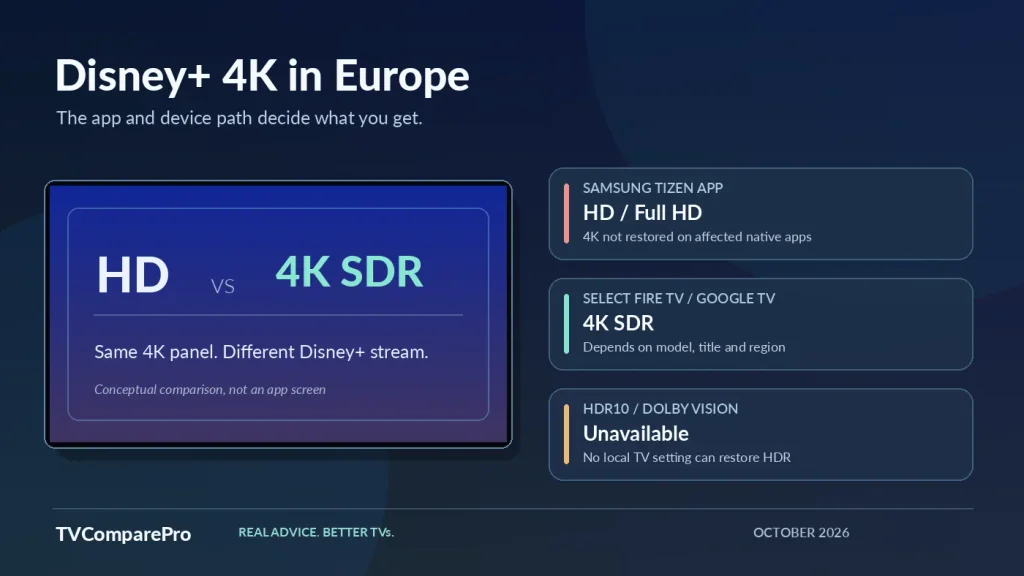
| Samsung Tizen built-in app | Not currently restored | HD / Full HD playback may remain available |
| LG TVs (2020 onward) | Select models / titles | 4K SDR; HDR still absent |
| Android TV / Google TV | Select compatible devices | Includes selected Sony, Philips and Google models |
| Amazon Fire TV | Select compatible devices | Check exact model and regional Disney+ app |
| Sky Glass / Sky Stream | Supported devices reported | Subject to service and regional availability |
| Apple TV 4K | Not currently restored | The device name does not guarantee Disney+ 4K |
| PlayStation / Xbox apps | Not currently restored | Console 4K output does not prove a 4K Disney+ stream |
Status checked October 27, 2026. A compatible device is not a guarantee that every title plays in 4K; supported models, apps and regions can change.
Five checks worth making before changing anything
I would start with checks that can identify a second problem, rather than assuming a reset will solve Disney’s regional restriction.
- Confirm the market. Check whether your Disney+ account and current service region fall within the 11 affected countries. The same symptoms outside those markets can have a different cause.
- Confirm the plan and title. A 4K-compatible subscription and a movie or series normally offered in UHD are both necessary. The title’s Details section may show the formats available to your device and region; it does not promise that every scene or title will be 4K.
- Review Disney+ data usage. On supported TV apps, Automatic allows the best quality currently offered to the device. A lower-data setting can deliberately cap picture quality. Switching to Automatic cannot unlock 4K that Disney is not delivering to Samsung.
- Check the connection only if playback is unstable. Disney recommends approximately 25 Mbps for 4K streaming. If several services buffer or fluctuate in quality, checking network stability is sensible. If Netflix and YouTube play 4K cleanly while Disney+ alone says HD in an affected country, faster Wi-Fi is unlikely to be the missing piece.
- Separate app failure from quality restriction. If Disney+ freezes, refuses to play or shows an error code, basic app troubleshooting can help. If movies play normally but the best format has disappeared, reinstalling the app or factory-resetting the television is unlikely to restore it.
One more trap: a Samsung information screen showing a 2160p HDMI input signal only confirms the resolution output by the external device. That device might still be upscaling a 1080p Disney+ stream. It is not a measurement of the underlying stream resolution.
Can a Fire TV or Google TV device bring 4K back to Samsung?
Potentially, yes, but only 4K SDR on a supported device and title. The useful workaround is not replacing the television. It is using a separate streaming platform for which Disney+ has restored 4K in your affected country. Connect a compatible streamer to the Samsung’s HDMI port and use its native Disney+ app instead of Samsung’s built-in app.
Do not interpret that as a blanket recommendation to buy the cheapest device with a 4K logo. A Fire TV model, a Google TV model and an older streaming stick can have different apps, firmware and regional eligibility. The newer Fire TV Stick 4K 2026 also uses Vega OS, so its application support deserves a separate check rather than an assumption based on earlier Fire OS products.
If you already own a compatible external streamer, testing it is sensible. If you do not, I would wait for confirmed Disney+ compatibility on the exact product and country before paying for one. And I would not recommend an Apple TV 4K or a game console specifically as a workaround for this issue, because those platforms were excluded from the partial 4K restoration in the affected markets.
4K SDR is better resolution, not a return of HDR
4K UHD refers to a 3840 × 2160 image. SDR and HDR describe how brightness and color information are encoded and presented. A stream can be 4K and still be SDR. Conversely, a television can have exceptional HDR capabilities and receive no HDR metadata from Disney+.
That is why turning up Contrast, enabling Input Signal Plus, changing a picture preset or forcing an HDMI HDR mode will not reconstruct the missing HDR10 or Dolby Vision video. At best, you may alter how the TV presents the SDR picture; at worst, forced processing makes it less accurate.
The decision I would make is simple: accept 4K SDR where it is officially available, keep the TV’s normal SDR picture mode, and leave HDR settings alone until Disney restores an actual HDR stream. A device’s marketing support for Dolby Vision does not establish that Disney+ currently delivers Dolby Vision to it in your country.
What about Disney+ Premium and a refund?
For affected subscribers who pay for Premium primarily to watch in 4K HDR, the missing video formats weaken the value of the plan. Disney has indicated that customers billed directly may contact its support team to request a partial refund for the current billing period. This is a request route, not a guarantee of an automatic credit. If another company bills your subscription, you may need to contact that provider instead.
Separately, European consumer organization Euroconsumers called for compensation and automatic price reductions in October 2026. Its demand does not mean every subscriber already has an approved payment or refund.
Before contacting support, write down your country, subscription plan, Samsung model and what Disney+ shows for a title that previously offered 4K. That is more useful than telling an agent that the television itself is broken.
Will Disney+ 4K return to the Samsung app?
Disney says it intends to broaden 4K device support and restore HDR, but no dependable date has been announced for native Samsung 4K playback in the affected markets. The expanded patent dispute adds another reason not to promise a deadline.
For now I would keep the Samsung firmware and Disney+ app up to date, without repeatedly resetting the entire TV. Check the title’s supported formats again after a meaningful Disney+ service update. Until then, the safest reading is that this is a platform availability restriction, not a hardware failure.
If playback itself is failing rather than merely dropping to HD, my separate TV streaming app error-code guide covers that different problem. For anyone considering Amazon’s new streaming platform, the Fire TV Stick 4K 2026 app compatibility guide explains why a Disney+ app listing does not by itself establish identical playback capabilities across every Fire TV device.