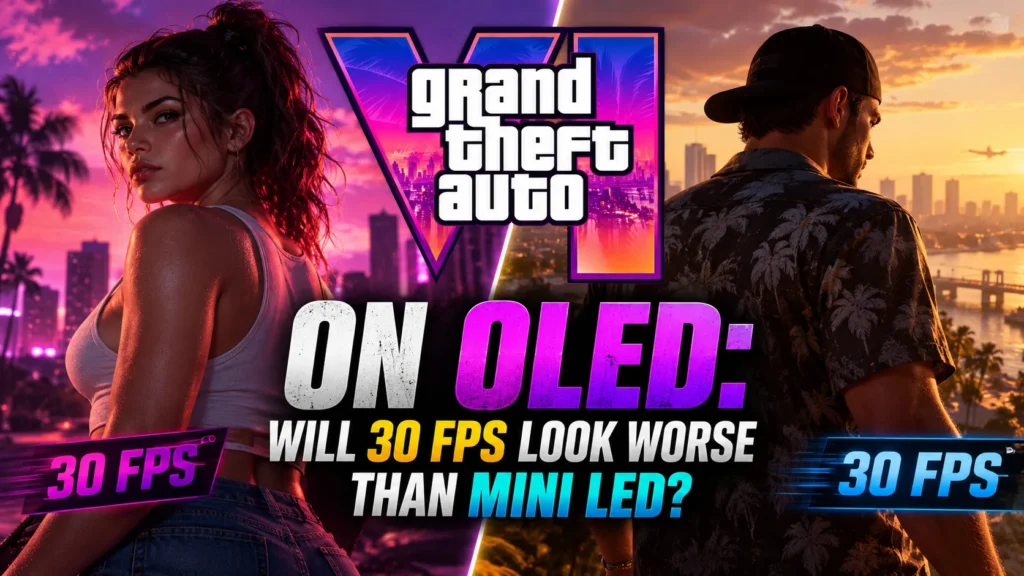

Buying a better television should improve your games, not create a new worry. If you’re considering GTA 6 on OLED, you’ve probably seen warnings that a game running at 30 FPS can appear choppier on OLED than on an LCD or Mini LED TV. That concern has a real technical basis, but it doesn’t make OLED a poor choice for Grand Theft Auto VI.
My advice: don’t replace an OLED just because GTA 6 targets 30 FPS. An OLED’s very fast pixel response can expose the gaps between low-frame-rate images, especially during slow camera pans. Some LCD televisions soften those gaps with slower transitions, but the trade-off is additional motion blur. Neither display can turn 30 rendered frames into 60 without extra processing.
Rockstar has now confirmed that GTA 6 targets 30 FPS on current-generation consoles, including PS5 Pro. That makes the OLED versus Mini LED question even more relevant. What we still don’t know is how consistently the game will maintain that target in demanding scenes. I haven’t tested the unreleased game, so the comparison below focuses on how different TV technologies handle low-frame-rate motion.
What Rockstar Has Actually Confirmed About GTA 6 Performance
Rockstar finally answered the biggest performance question on November 10, 2026. Grand Theft Auto VI officially targets 30 FPS on PS5, PS5 Pro and Xbox Series X|S, with the game still scheduled to launch on November 19.
That’s an important distinction from the earlier speculation. We now know the intended frame rate, although a 30 FPS target doesn’t guarantee perfectly consistent frame delivery in every scene.
Rockstar also confirmed two improvements for PS5 Pro: sharper image quality through PlayStation Spectral Super Resolution (PSSR) and ray-traced shadows exclusive to that console.
Here’s where things stand.
| Confirmed by Rockstar | Still unknown |
|---|---|
| November 19, 2026 release | Final rendering resolutions |
| 30 FPS target on current-generation consoles | Frame-rate stability in demanding scenes |
| PS5 Pro supports PSSR | Whether any additional frame-rate modes will be offered |
| PS5 Pro gets exclusive ray-traced shadows | Final HDR implementation and settings |
Personally, I think this makes the OLED versus Mini LED discussion more useful. We’re no longer comparing displays around a purely hypothetical 30 FPS scenario. Still, I wouldn’t judge how GTA 6 actually feels on either technology until we have results from the finished game.
Why 30 FPS Can Look Choppier on an OLED TV
At a steady 30 FPS, the console produces a new image every 33.3 milliseconds. As the in-game camera turns, objects move from one recorded position to the next. No television can display intermediate detail that the game never rendered, unless it uses some form of image interpolation.
An OLED pixel changes state extremely quickly. That’s excellent when the game is updating at 60 or 120 FPS: moving edges look clean, with little of the trailing blur associated with slower LCD panels. At 30 FPS, though, the same clean transitions can make the discrete steps between frames easier to see.
A Mini LED television is still an LCD television; Mini LED describes the backlight, not a fundamentally different type of image pixel. Depending on its LCD response times, transitions may blend part of one frame into the next. That blur can make a slow pan feel less abrupt to some viewers, even though the game is running at exactly the same 30 FPS.
This is known as response-time stutter. It does not mean the OLED is dropping frames, suffering from ghosting or receiving a faulty HDMI signal. The effect occurs because OLED pixels transition almost instantly, making the gaps between low-frame-rate updates more noticeable. How strongly you perceive it depends on your sensitivity to motion, screen size, brightness and the type of scene being displayed.
Stutter is not the same as an unstable frame rate
A game can hold a perfectly consistent 30 FPS and still look visibly stepped during a slow pan. That is different from uneven frame delivery, where one frame arrives late, or from ghosting, where pixel transitions leave a visible trail behind movement. When somebody says a cheaper LCD looks “smoother,” it may be hiding the first effect by introducing a little of the third.
The important nuance is that modern Mini LED televisions vary considerably. A premium LCD with very fast response times can also make low-frame-rate stutter noticeable. It is misleading to claim that all Mini LED TVs automatically handle 30 FPS better.
OLED vs Mini LED for GTA 6: The Differences That Matter
The TV choice involves much more than low-frame-rate motion. GTA 6’s bright streets, darker interiors and fast camera movement should place different demands on a display, even though the final rendering settings remain unknown.
| What matters | OLED | Mini LED LCD |
|---|---|---|
| 30 FPS camera pans | Fast pixel transitions can make steps between frames more obvious | Slower transitions on some models can mask steps, but may add blur |
| Faster games | Very clear transitions with little LCD-style ghosting | Ranges from sharp to visibly smeared depending on panel and tuning |
| Night scenes | Pixel-level black control without blooming around highlights | Local dimming can reveal halos, depending on zone control |
| Sunny rooms | Performance depends on panel brightness and reflections | High-brightness models may have an advantage |
| Long static HUD sessions | Consider cumulative image-retention and burn-in risk | No OLED-type burn-in risk; other LCD limitations still apply |
For someone who primarily plays cinematic single-player games in a dark room, I would still strongly consider OLED. True blacks, excellent contrast and low input lag are meaningful strengths. In a bright family living room, a capable Mini LED may be more practical. If low-frame-rate camera pans bother you more than anything else, personally checking both technologies before buying becomes especially important.
The key is to compare specific models at the same frame rate, rather than assume an entire display category wins. A sluggish budget LCD and a well-tuned flagship Mini LED may have very different motion characteristics.
Would a 120Hz TV Make 30 FPS Look Smoother?
Not by itself. Refresh rate is how often the television can update its screen. Frame rate is how often the game generates a distinct image. These numbers are related, but they are not interchangeable.
If a game produces a consistent 30 FPS and the console sends those frames inside a 120Hz signal, each rendered frame can simply be shown across four refreshes. The timing is even, but you still see only 30 unique images each second.
| Scenario | Time per rendered frame | On a 120Hz output | Practical consequence |
|---|---|---|---|
| 30 FPS | 33.3 ms | Four display refreshes per game frame | Still 30 distinct frames; stutter can remain visible |
| 40 FPS | 25.0 ms | Three refreshes per game frame | More frequent updates, if a 40 FPS mode exists |
| 60 FPS | 16.7 ms | Two refreshes per game frame | Twice as many distinct frames as 30 FPS |
Rockstar has confirmed a 30 FPS target, but hasn’t announced a separate 40 FPS mode. The explanation above shows why 40 FPS can benefit from a 120Hz display in games that actually support it.
A 120Hz panel remains valuable for games that actually deliver higher frame rates, and as a more flexible purchase for future releases. It is not a secret fix for 30 FPS OLED stutter.
What about VRR?
Variable Refresh Rate lets compatible displays adjust refresh timing to better match the game, reducing tearing and some uneven delivery when frame rates fluctuate within the supported operating range. It does not manufacture additional animation frames. At a stable 30 FPS, it cannot erase the visible jumps inherent in 30 unique frames per second.
Low-frame-rate behavior depends on the console, the game, the TV and any available frame-duplication or compensation mechanism. Do not assume that a VRR logo guarantees an improvement at 30 FPS. Sony’s PS5 guidance explicitly warns that results can vary by game and display.
Can Motion Smoothing Fix 30 FPS Gaming?
Some TVs can estimate and insert intermediate images to make lower-frame-rate content appear more fluid. In movies, this is commonly called motion interpolation. For interactive games, the same process has a significant trade-off: the TV needs time to analyze frames, and that additional processing can increase input lag or introduce artifacts around moving objects.
Most TVs disable their strongest interpolation controls in Game Mode. A few offer dedicated gaming motion features, but support, latency and results differ by model and firmware. I would not recommend leaving Game Mode just to make a console game look smoother without checking how responsive the controls still feel.
Black Frame Insertion (BFI) is different. It reduces the time each frame remains visible, which can change perceived motion blur, but it does not create new frames. It may reduce brightness, produce visible flicker and be unavailable with some VRR or gaming configurations. It is not a universal cure for 30 FPS stutter.
When playing, I would normally start with the TV’s low-latency Game Mode and motion interpolation disabled. Only experiment with a gaming-specific motion setting if the TV supports it and you can tolerate the compromise in control response.
Does PS5 Pro Change the OLED vs Mini LED Decision?
We finally know what some of the PS5 Pro enhancements mean for GTA 6. Rockstar has confirmed improved image clarity through PSSR and ray-traced shadows that won’t be available on the other console versions.
What hasn’t changed is the 30 FPS target. A sharper image doesn’t automatically mean smoother motion, and PS5 Pro hasn’t been confirmed to offer a higher frame-rate mode.
For TV buyers, I wouldn’t let those improvements change the OLED versus Mini LED decision on their own. OLED still delivers excellent contrast and extremely fast pixel response, while some Mini LED TVs can make low-frame-rate camera movements appear less abrupt at the cost of additional blur.
I’m particularly interested in seeing how GTA 6’s own motion blur and frame pacing affect that difference once the game launches. Rockstar also hasn’t detailed the final HDR implementation, so I’d avoid recommending game-specific HDR adjustments until they’re verified.
Try This Before Buying a New TV for GTA 6
You don’t need to wait for GTA 6’s release to find out whether low-frame-rate OLED stutter bothers you. You can use an existing console game with a confirmed, locked 30 FPS graphics mode as a stand-in for the underlying display behavior. This tests your sensitivity to 30 FPS motion, not GTA 6 performance itself.
- Find a PS5 or Xbox game with a selectable 30 FPS quality mode. Confirm that the mode actually runs at 30 FPS rather than guessing from its name.
- Use the same scene, camera speed and console settings on both televisions. Keep Game Mode enabled on each set.
- Rotate the camera slowly across buildings, signs or vertical railings. Then try a faster turn and compare edge blur versus visible stepping.
- Watch from your normal seating position. Screen size, brightness and viewing distance can influence the result, so keep the comparison as consistent as possible.
- Check response to the controller. If you enable any motion processing, decide whether the smoother appearance is worth the added delay or artifacts.
If you don’t have access to two TVs, the same exercise on your existing OLED still tells you whether you personally find 30 FPS acceptable. A recorded gameplay video is a weaker substitute because the capture rate, video compression and player can affect the motion you see.
Should You Buy an OLED or Mini LED for GTA 6?
If you already own an OLED
Keep it. Don’t downgrade or replace a capable OLED solely because some players dislike 30 FPS on the technology. First try another stable 30 FPS game and judge it with your own eyes. You’ll retain OLED’s strengths across films and all the higher-frame-rate games you play.
If you already have a decent 4K60 LCD
There’s no urgent reason to upgrade just because Rockstar has confirmed a 30 FPS target for GTA 6. A capable 4K60 TV can still deliver a good experience, and moving to 120Hz won’t create additional game frames.
If you’re choosing a new TV right now
Pick OLED if you value deep blacks, crisp pixel response, wide viewing angles and dark-room image quality. Compare Mini LED if you watch in strong daylight, prefer very bright HDR or are especially sensitive to the stepping of low-frame-rate motion. In either case, prioritize the actual panel’s motion behavior and Game Mode input lag over marketing claims such as “240 motion rate.”
My buying rule is simple: don’t sacrifice overall picture quality just to make 30 FPS look slightly less abrupt. I’d rather choose the better TV for everything I watch and play.
What I Would Wait to Verify After Launch
With Rockstar now confirming a 30 FPS target, the biggest remaining question is how consistently GTA 6 will deliver those frames once it launches on November 19. I also want to see how PS5 Pro’s PSSR and ray-traced shadows perform in practice, how the game’s motion blur affects the experience on OLED and Mini LED TVs, and what HDR options are actually available.
Those are the details that will help us make a more informed TV recommendation. Until then, I’d avoid promising smoother gameplay simply because someone owns a PS5 Pro or a 120Hz display.
Until then, the defensible conclusion is straightforward. OLED can make 30 FPS stutter more visible, but that does not mean GTA 6 will look worse overall on OLED. Mini LED can soften motion transitions on certain models, while OLED offers cleaner fast motion and superior pixel-level contrast. Choose for your room, your sensitivity and the games you play beyond one unreleased title.
More from TVComparePro: Best 65-inch TVs for different budgets and gaming needs and PS5 Pro TV settings for 4K120, HDR and VRR.