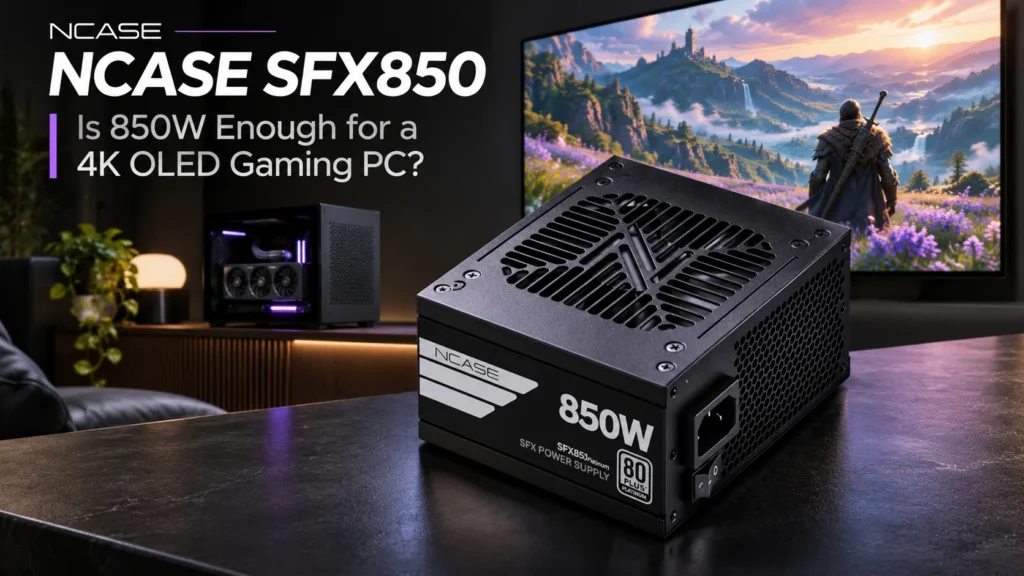

Building a small gaming PC for the television sounds straightforward until you start planning the power cables. The NCASE SFX850 caught my attention because its 850W rating, compact SFX body and unusually short cable list are clearly designed around small-form-factor systems. The wattage is familiar. The cable-kit choice is where things get interesting.
If I were putting a PC beside a 4K OLED, I wouldn’t start by asking whether 850W is enough to run the television. The TV has its own power supply. I’d start with the graphics card, how much power the rest of the PC needs and whether the PSU can fit and breathe inside the case without adding noise to the room. NCASE’s new model gives us a useful example of how those decisions fit together.
What Is the NCASE SFX850?
NCASE launched the SFX850 on November 20, 2026, entering the power-supply market with a unit built for compact gaming PCs. It uses the standard SFX footprint of 125 × 100 × 63.5 mm, delivers a rated continuous 850W within the manufacturer’s stated temperature range and follows the ATX 3.1 and PCIe 5.1 standards.
The defining features are a fully modular design, a native 12V-2×6 GPU cable rated for up to 600W, flexible sleeved cabling and a 92 mm fluid-dynamic-bearing fan with a semi-passive mode. NCASE also specifies 80 PLUS Platinum efficiency, a five-year limited warranty and an SFX-to-ATX mounting bracket.
| Specification | NCASE SFX850 |
|---|---|
| Power output | 850W continuous, manufacturer rating at 0–45°C |
| Size | Standard SFX: 125 × 100 × 63.5 mm (W × D × H) |
| Standards | ATX 3.1 / PCIe 5.1 |
| GPU connection | Native 12V-2×6 cable, rated 600W |
| Cooling | 92 mm FDB fan; semi-passive zero-RPM mode |
| Efficiency designation | 80 PLUS Platinum |
| Warranty | Five-year limited warranty, per NCASE |
| US launch price | $125 SFF Kit; $135 MFF Kit listed, depending on availability |
These are product specifications, not a record of performance in our own PC. The power, size, fan design and cable selection already tell us quite a lot about where the SFX850 fits, without pretending that a rating predicts exactly how it will sound inside your case.
SFF Kit vs MFF Kit: Check the Cables Before You Buy
I’d pay more attention to this difference than the Platinum label. The SFF Kit is intentionally stripped down to three modular cables: one 24-pin cable for the motherboard, one CPU EPS cable and one 12V-2×6 lead for a compatible graphics card. That’s a tidy arrangement when every part of your build uses exactly those connections.
The MFF Kit adds two PCIe 6+2-pin GPU cables, SATA power and four-pin peripheral power. That makes it the more flexible option if you’re unsure which graphics card you’ll install, or if your AIO controller, fan hub or storage setup needs power beyond the motherboard and GPU.
| Included connection | SFF Kit | MFF Kit |
|---|---|---|
| 24-pin ATX motherboard | One | One |
| CPU EPS 4+4-pin | One | One |
| 12V-2×6 GPU | One, rated 600W | One, rated 600W |
| PCIe 6+2-pin GPU | Not included | Two cables, four connectors total |
| SATA power | Not included | One cable with three connectors |
| 4-pin peripheral (Molex) | Not included | One cable with three connectors |
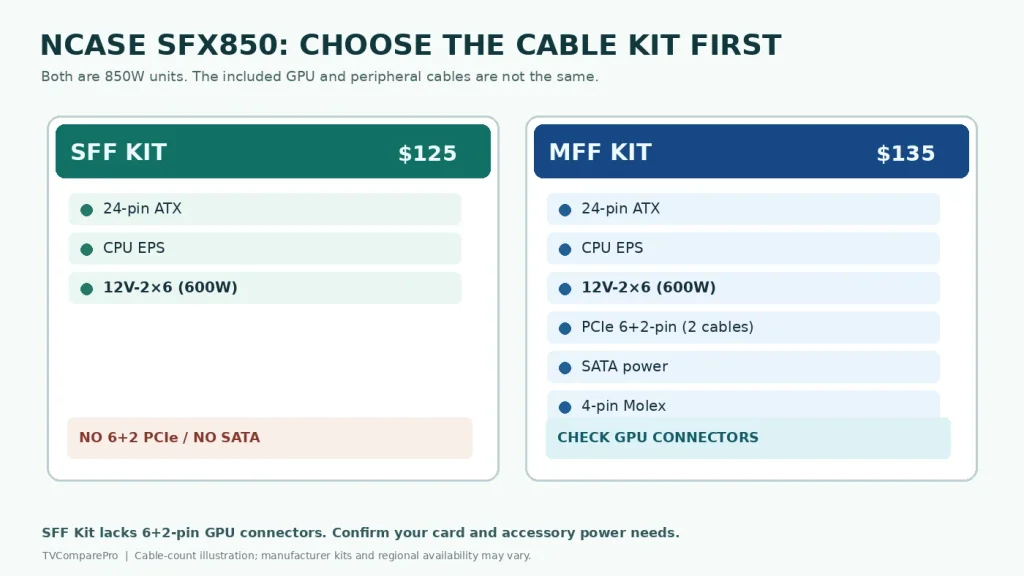
For a first build, I’d lean toward the MFF version if both kits are available and the price difference is still around $10. A GPU upgrade can change the cable requirements, and so can adding a SATA-powered fan controller. The smaller kit makes sense when you’ve already checked the entire parts list and want to eliminate unused cabling.
One safety detail matters here: never assume modular PSU cables from different models are interchangeable. The connector that plugs into the PSU can look familiar while the wiring behind it is different. Only use cables specified as compatible with the exact model and revision.
RTX 5080 or RX 9070 XT: Is 850W Enough?
The GPU is the component that decides how hard a 4K OLED gaming PC has to work. It’s also the component most likely to make a power-supply purchase complicated. Two graphics cards can have similar power requirements and still need completely different cables.
GeForce RTX 5080. NVIDIA lists 360W total graphics power and an 850W recommended system PSU for the reference configuration. That puts the SFX850 at NVIDIA’s published wattage recommendation, and the NCASE native 12V-2×6 cable is a natural match for an RTX 5080 model with the corresponding socket. It doesn’t guarantee sufficient margin for every overclocked GPU, processor or accessory combination. The precise graphics card manufacturer’s advice still matters.
Radeon RX 9070 XT. AMD’s reference specification lists 304W board power, a 750W minimum PSU and two PCIe 8-pin power connections. The SFX850 has enough nameplate wattage to clear that reference minimum, but the three-cable SFF package does not have the standard PCIe 6+2-pin leads. The MFF Kit is the sensible route for a 9070 XT that uses conventional 8-pin plugs. Some partner cards use different connectors, so check the card you’re actually buying.
| Example GPU | Published system power guidance | What to check on NCASE SFX850 |
|---|---|---|
| NVIDIA GeForce RTX 5080 | 850W PSU recommendation; 360W GPU power for reference design | Correct 12V-2×6 seating, complete-system demand, case clearance |
| AMD Radeon RX 9070 XT | 750W PSU minimum; 304W board power for reference design | Two PCIe 8-pin connections on the card; SFF Kit lacks matching 6+2-pin leads |
The 600W printed on a GPU cable isn’t extra power reserved outside the PSU’s 850W total. It describes the cable’s rated GPU connection capacity. The processor, fans, drives and any transient GPU demand still share the supply’s overall power budget.
What I’d Consider Before Choosing 850W for a 4K TV Gaming PC
There isn’t one right wattage for everyone who owns a 120Hz or 165Hz television. A 4K screen doesn’t draw its electricity from the PC power supply, and a higher refresh setting doesn’t automatically mean the graphics card is at maximum load. What matters is the particular game, the GPU’s actual power profile and the rest of the system.
For an RTX 5080-class build, 850W can be a reasonable starting point when the CPU and other hardware are chosen sensibly. I would still check the board partner’s guidance, the CPU’s power limits and whether the owner plans significant overclocking. If the graphics card manufacturer calls for more, I’d follow that instead of stretching the PSU because its label happens to match NVIDIA’s general reference figure.
For a more moderate system, 850W might provide comfortable capacity, but buying far more wattage than the PC needs won’t make it faster or improve the TV picture. The SFX850 makes most sense where its compact format and cable layout solve an actual space problem.
How Quiet Could It Be in a Living Room?
This is where I would be most demanding. A gaming PC that sits three feet from your keyboard is one thing. A system placed near a sofa and a 65- or 77-inch OLED is another. A fan that disappears beneath a game’s soundtrack may stand out when you pause on a quiet menu or watch a film.
NCASE specifies a 92 mm FDB fan and a semi-passive mode that can stop the fan when its control system allows it. That’s a useful design feature, but it isn’t proof of silence. Its real behavior depends on load, internal temperature and the airflow available in the particular case.
A smaller PSU fan also has less physical room to work with than a large fan in an ATX power supply. I wouldn’t predict a precise decibel figure, a fan-off wattage or the point at which it becomes audible from the specifications alone. The questions I’d focus on are whether it remains unobtrusive at normal gaming loads, whether fan speed rises smoothly and how the PSU behaves after heat has built up inside the case.
Location makes a difference. A compact PC inside a closed TV cabinet can recycle hot air until even a carefully chosen fan curve has little chance to stay quiet. I’d rather use a ventilated case near the TV than hide a hot system behind a door just for a cleaner photograph.
Does an 80 PLUS Platinum Label Tell the Whole Story?
No. A higher efficiency classification is welcome in a small enclosure because less electrical energy is wasted as heat for a given workload. It does not, by itself, tell me the quality of the voltage regulation, the response to abrupt load changes or how loud the fan will be in a particular build.
The SFX850 is marketed with 80 PLUS Platinum, ATX 3.1 compliance and standard PSU protection features such as over-voltage, under-voltage, over-current, over-power, short-circuit and over-temperature protection. Those are relevant design and specification points. They are not reasons to assume that every electrical or acoustic characteristic has already been established for the PC sitting beside your television.
I’d keep the decision grounded in what a buyer can verify before ordering: correct power rating, appropriate connectors, physical fit, cooling arrangement, warranty and the manufacturer’s actual compatibility documentation. An attractive certification badge doesn’t replace those checks.
Will an SFX PSU Fit Behind the OLED Gaming Setup?
The SFX850’s 125 × 100 × 63.5 mm size is helpful in a Mini-ITX enclosure, and NCASE includes a bracket for installations with a larger PSU mounting opening. But the supply itself is only one part of the fitment problem.
I’d check the space behind the graphics card connector, especially with a 12V-2×6 lead that shouldn’t be forced into a sharp bend directly at the plug. I’d also make sure the CPU cable reaches the motherboard, the PSU intake isn’t facing a solid panel and the case has enough ventilation with the GPU running hard.
There’s another easy detail to miss when you build around a TV: a pump controller, RGB hub or case accessory might need SATA power even when the SSD itself is NVMe. That one accessory can be enough to rule out the minimal SFF cable package. Plan the cooling and accessory wiring at the same time as the GPU.
What It Changes for 4K120, HDR and VRR
The honest answer is that the power supply has no direct control over any of those video features. 4K120, HDR, VRR and 10-bit output depend on the graphics card, its driver, the HDMI connection and what the television can accept. Choosing a better PSU doesn’t unlock a new HDMI mode.
What the SFX850 can do is provide the electrical foundation for a powerful GPU inside a compact case. Once the PC is running, the display side is a separate task: choose the right HDMI input, confirm the TV receives the intended signal and check how the game actually performs. I’ve covered those choices in the 4K 120Hz gaming PC for OLED TVs guide.
The physical HDMI connection can matter just as much as the hardware on the PC side. In my RUIPRO 10m fiber HDMI review, I documented a 4K120 HDR laptop-to-TV setup with 10-bit 4:4:4 output. That’s a display connection result, not a PSU result, and exactly why I prefer keeping those parts of the system separate.
Would I Buy the SFX850 for a 4K OLED PC?
I can see the appeal. For a carefully planned compact build with a compatible 12V-2×6 graphics card, the minimal SFF Kit could keep cable management refreshingly simple. The 850W rating, ATX 3.1 support and standard SFX dimensions make it worth considering when space is limited.
For an RX 9070 XT with two 8-pin connectors, a SATA-powered AIO controller or a build that may change GPUs later, I’d prefer the better-equipped MFF Kit if it is available at a sensible price. That conclusion comes from the documented cable lists, not a guess about how the unit might perform once installed.
I wouldn’t choose it on the Platinum label alone, and I wouldn’t describe it as exceptionally quiet without hearing it in the case. The right decision comes down to whether the complete build makes sense: GPU, PSU cables, cooling, enclosure and the television you’ll actually use.
That’s also the direction I want to keep for PC & 4K Gaming. The goal isn’t a collection of generic PSU articles. It’s to make the hardware decisions behind a great TV gaming setup easier to understand, one component at a time.