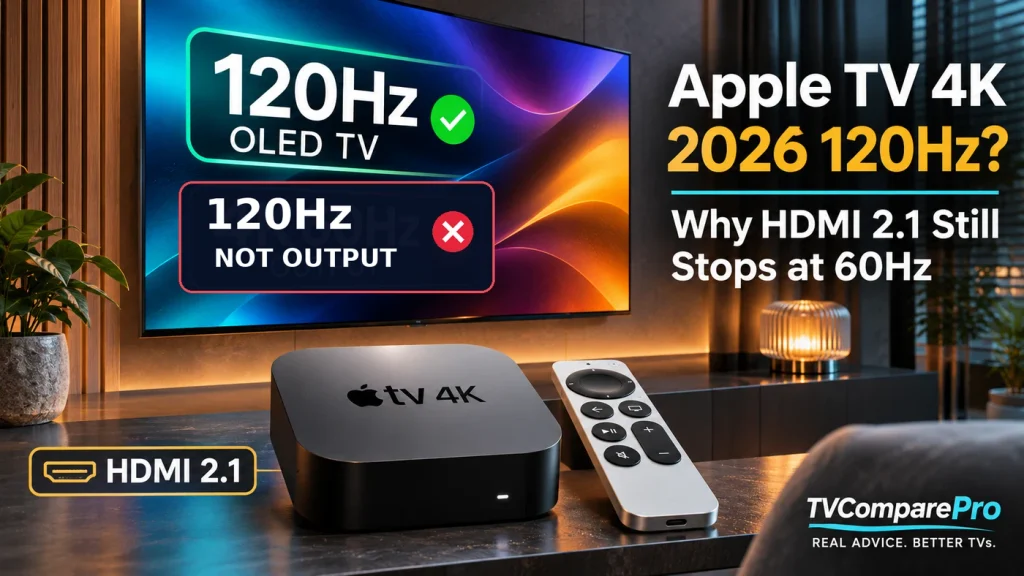

The new Apple TV 4K comes with a faster chip, Wi-Fi 7 and several other upgrades. Still, there’s one thing that hasn’t changed. If you’re looking into Apple TV 4K 2026 120Hz support for your OLED, you might be disappointed to learn that the new model still tops out at 4K60, despite having an HDMI 2.1 port.
That doesn’t mean a film will look bad on a 120Hz television. It means the Apple TV cannot send 120 different frames per second to that screen, regardless of the HDMI 2.1 label. For movies, high-refresh gaming and PC streaming, that distinction changes what you should expect from the new box.
Apple’s 2026 model still stops at 4K60
The fourth-generation Apple TV 4K arrived on November 13, 2026, after being announced on October 13. Apple moved to the A19 chip, added hardware AV1 decoding and Wi-Fi 7, and now sells one 128GB model with Gigabit Ethernet. Its U.S. launch price is $299.
On the video side, Apple’s own technical specifications are unusually clear. The HDMI connection is labeled 2.1, but the accompanying footnote limits video output to 4K at 60 frames per second with HDR. The video-format section also lists SDR and HDR formats up to 2160p at 60 fps. There is no advertised 4K120 output mode.
| 2026 Apple TV 4K | What Apple specifies |
|---|---|
| Hardware | A19 chip, 128GB storage, Wi-Fi 7, Gigabit Ethernet |
| HDMI connection | HDMI 2.1 |
| Maximum video output | 4K60 HDR, not 4K120 |
| HDR formats | Dolby Vision, HDR10, HDR10+, HLG |
| Useful HDMI 2.1 feature | Quick Media Switching (QMS) on compatible displays |
That’s the hardware limit, not a missing menu option or an HDMI cable that needs replacing. If the Apple TV is already showing 4K at 60Hz, it’s doing what Apple officially advertises.
Why HDMI 2.1 doesn’t automatically mean 120Hz
This is the part I think causes the most confusion. People associate HDMI 2.1 with 4K120 gaming on PS5, Xbox and PCs, so seeing the same version number on a streaming box makes 120Hz sound like a given. It isn’t.
HDMI Licensing Administrator explicitly says that HDMI 2.1 features are optional. A manufacturer has to identify the features its product actually supports. A port can use an HDMI 2.1 function such as QMS without offering the high-bandwidth 4K120 video mode that gamers expect.
In the Apple TV’s case, HDMI 2.1 is not a promise of 4K120, 144Hz, 165Hz or gaming VRR. Apple’s published output ceiling is the relevant number. A different HDMI cable, a gaming-capable TV port or a future-proof AVR won’t turn a source that stops at 60Hz into a 120Hz source.
That is different from a PC or console unexpectedly dropping from 120Hz to 60Hz because of a cable, port or handshake problem. I’ve covered those connection-related causes separately in my 4K120-to-60Hz troubleshooting guide. With this Apple TV, 60Hz is the specified maximum output, not a failed 120Hz negotiation.
What happens when you connect it to a 120Hz or 165Hz OLED?
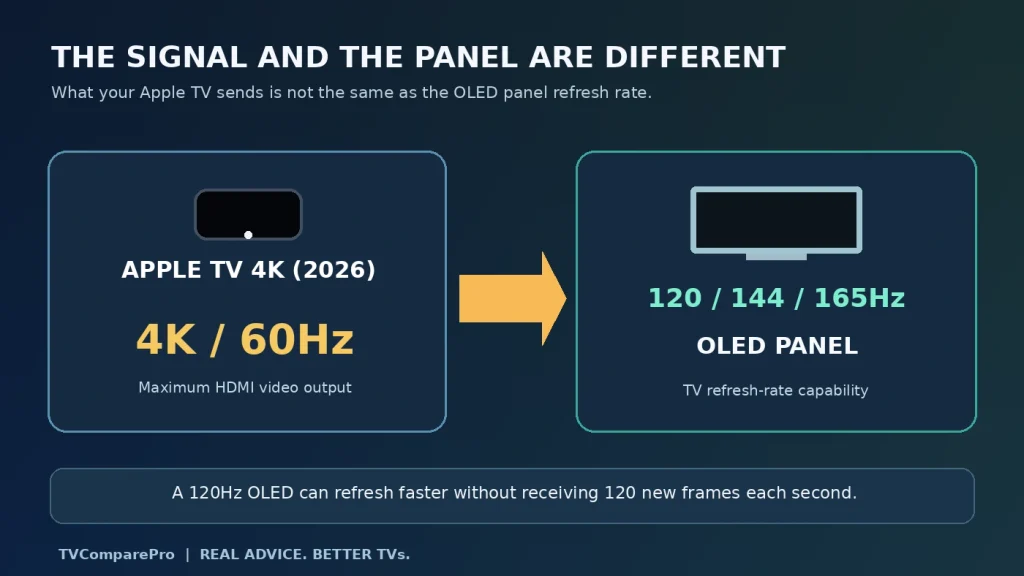
Imagine connecting the 2026 Apple TV 4K to an LG, Samsung, Sony or TCL television with a native high-refresh panel. The display can refresh its pixels more frequently than the Apple TV sends new video frames. It doesn’t follow that the HDMI source suddenly becomes 120 fps.
A 120Hz panel can show a 60 fps signal by displaying each frame for two refresh intervals. If your TV runs internally at 120Hz while receiving 60Hz video, the extra refreshes don’t create 120 unique source frames. The same principle applies to a 144Hz or 165Hz display, although its exact internal cadence depends on the TV.
Movies are a useful exception to the usual gaming discussion. Most films are mastered at about 24 frames per second. When a compatible TV receives a genuine 24Hz movie signal, a 120Hz panel can display each film frame five times. That’s a clean 5:5 cadence. If 24 fps content is instead carried within 60Hz output, a 3:2 cadence can introduce judder, depending on how the television processes it.
So I wouldn’t disable frame-rate matching just because the television is advertised as 120Hz. Matching the film’s frame rate can make motion look more consistent, even though you’re not getting 120 fps from the Apple TV.
Quick Media Switching is useful, but it is not 120Hz gaming
Apple lists HDMI Quick Media Switching, usually shortened to QMS, for the new model. It’s one of the more genuinely useful HDMI 2.1 features for movie watching.
Normally, switching between a 60Hz menu and a 24Hz movie can briefly blank the screen while the display resynchronizes. QMS is designed to reduce or eliminate that delay when the resolution stays the same and the video frame rate changes. It requires QMS support on both the Apple TV and the display, and an AVR or HDMI switch in the middle can affect compatibility.
The confusing detail is that QMS uses technology related to HDMI VRR. That does not make QMS equivalent to variable-refresh gaming. HDMI’s own documentation distinguishes them: QMS is intended for fixed-frame-rate video transitions, while gaming VRR handles variable frame delivery. They are different operating modes.
QMS also doesn’t guarantee a completely black-screen-free experience. Switching SDR to HDR or changing resolution can still cause a separate video-mode transition. If the TV briefly blanks only when Dolby Vision starts, don’t assume QMS is defective or that 120Hz would somehow fix it.
What about Apple Arcade, Moonlight and Steam Link?
This is where the missing 120Hz option matters more than it does for Netflix or Apple TV movies. The A19 gives the 2026 box substantially more processing headroom than the older A15 model, but CPU and GPU improvements are not the same as a higher HDMI output refresh rate.
With an Apple Arcade game, a compatible Bluetooth controller may feel responsive and performance may benefit from the faster chip. Still, the television cannot receive a 120Hz output mode from this Apple TV based on the current specification. I would not buy the new model expecting 120 fps on an OLED gaming screen.
The same ceiling matters if you’re streaming a game from a PC using an app such as Moonlight or Steam Link. Your PC might render above 60 fps and your network might be fast enough to carry a demanding stream. None of that changes the Apple TV’s advertised 4K60 HDMI output limit. App-side stream options and codec support are separate questions, and they can introduce additional limits of their own.
It’s also worth keeping this separate from native cloud-gaming apps on smart TVs. A service such as GeForce NOW may offer higher frame rates on select compatible LG televisions, subject to app, membership and model requirements. That doesn’t mean the same 120 fps mode becomes available through Apple TV. I cover the native-app distinction in my GeForce NOW 120 FPS guide for LG TVs.
For anyone building a living-room setup around high-frame-rate gaming, I’d start with a device that explicitly lists 120Hz output for the intended app and resolution, not one that simply has HDMI 2.1 printed on the spec sheet.
Are there picture-quality gains even without 120Hz?
Yes, and I wouldn’t dismiss the new hardware just because it doesn’t satisfy high-refresh gamers. The fourth-generation Apple TV keeps Dolby Vision, HDR10, HDR10+ and HLG support. Apple also added dedicated AV1 decoding alongside HEVC, H.264, VP9 and other listed formats.
AV1 can help compatible streaming services deliver high-quality video efficiently, although an app still has to provide an AV1 stream on this device. A codec being present in hardware isn’t proof that Netflix, YouTube or another service will automatically switch every title to AV1.
Apple also advertises the A19 as delivering up to 50% higher CPU performance and twice the GPU performance compared with the previous Apple TV 4K. Those are Apple’s performance claims, not measurements I’ve made. They may matter for a busier interface, games and demanding apps, but they do not raise the HDMI video ceiling above 60Hz.
For movie-focused buyers, I would pay more attention to reliable frame-rate matching, HDR format support, app availability and how the TV handles the signal than to a missing 120Hz movie mode. Most films simply aren’t 120 fps productions.
The settings I would use on a high-refresh OLED
If I were setting up this Apple TV with a modern 120Hz or 165Hz OLED, I would focus on accurate playback rather than trying to unlock a mode the hardware doesn’t advertise. These are sensible starting points, not measurements from a particular television.
- Start at Settings > Video and Audio > Format. For mixed SDR and HDR viewing, 4K SDR at 60Hz is a practical baseline. It keeps the interface in SDR instead of forcing everything into an HDR output mode.
- Open Match Content. Enable Match Dynamic Range so compatible HDR videos can switch to their original HDR format. Enable Match Frame Rate when supported to reduce unwanted cadence conversion for films and shows.
- Use QMS if your TV supports it and it behaves properly. Apple includes a QMS option for compatible displays. The video settings guide also lists Optimize QMS to help keep chroma consistent between frame rates. Availability depends on the connected hardware and software version.
- Don’t force a 120Hz TV input mode to chase an unavailable Apple TV output. The TV will handle the incoming 60Hz or matched movie signal. Game Mode, VRR and 4K120 settings that help a connected console are not a way around Apple’s 4K60 limit.
- Check the HDMI connection if HDR fails or the picture cuts out. Apple provides Check HDMI Connection under Video and Audio. If you’re using a receiver or HDMI switch, testing a direct connection can identify a problem elsewhere in the chain.
Apple also offers YCbCr and RGB HDMI output choices, and chroma settings that depend on the connected display. I would normally leave the known-good default alone unless the television shows incorrect blacks, unstable HDR or another repeatable picture problem. Changing several settings at once makes troubleshooting harder.
Why a movie can still cause a brief black screen
There is a practical difference between a refresh-rate change and an HDR-format change. QMS is designed for the first kind of transition when the other relevant signal characteristics stay compatible. A switch from SDR to Dolby Vision can require the TV to change modes separately.
If a title starts with a brief black screen but then plays normally in the correct HDR format, that is not evidence that the Apple TV is trying and failing to enter 120Hz. Check which signal the TV reports after playback begins. A stable 4K24 Dolby Vision or 4K60 HDR signal is consistent with the supported operating modes.
If the screen repeatedly loses signal, I would check tvOS updates, the TV’s HDMI input configuration, the HDMI cable and any receiver in the path. Those checks can address an actual stability problem. They won’t add 4K120 output to the product.
Apple TV 4K 2022 vs 2026: does the refresh rate change?
No. The 2022 third-generation Apple TV 4K and the new 2026 fourth-generation model both list HDMI 2.1 and a maximum of 4K60 output. The newer hardware improves other areas, but not the feature a high-refresh gaming buyer is searching for.
| Feature | 2022 Apple TV 4K | 2026 Apple TV 4K |
|---|---|---|
| Chip | A15 Bionic | A19 |
| Maximum HDMI video output | 4K60 | 4K60 |
| HDMI | 2.1 | 2.1 |
| Wi-Fi | Wi-Fi 6 | Wi-Fi 7 |
| Storage | 64GB or 128GB | 128GB |
| AV1 decoding | Not listed in Apple specs | Dedicated hardware decoder |
| U.S. launch price | From $129 | $299 |
The newer Siri Remote with Precision Finding and hands-free microphones may be useful, as may the Wi-Fi upgrade. But Siri AI availability also depends on software, location and compatible Apple devices, and Apple says some Siri AI features are coming to older Apple TV 4K generations. I wouldn’t treat Siri AI alone as proof that you need new hardware.
For someone who already owns a working 2022 model and mostly watches films and series, the missing 120Hz upgrade makes the $299 decision harder to justify. A new buyer who wants the updated remote, Apple Home features, Ethernet, Wi-Fi 7 and a fast interface has a more reasonable case for the fourth generation.
Who I think should buy the 2026 model
I’d consider the new Apple TV 4K for someone who already likes tvOS, uses Apple devices at home and wants a dedicated streamer for films and shows. Its combination of broad HDR support, AV1 decoding, Ethernet and the Apple ecosystem remains attractive.
I would hesitate if the main reason for upgrading is that you own a 120Hz, 144Hz or 165Hz OLED and want high-frame-rate gaming. That is a perfectly reasonable expectation to have of a premium box with HDMI 2.1, but it is not what Apple is selling this year. The same goes for anyone who only wants to replace a functioning 2022 Apple TV because they assume the newer chip unlocks 120Hz.
Apple’s latest streaming box brings faster hardware, AV1 decoding, Dolby Vision, HDR10+ and HDMI 2.1. Video output still tops out at 4K 60Hz, making it a better fit for movies and streaming than 120Hz gaming.
Check on AmazonMy take: 60Hz is fine for films, not a 120Hz upgrade
I like the direction Apple has taken with faster hardware and better connectivity. What I don’t like is how easily an HDMI 2.1 label can be read as a guarantee of 120Hz when the actual video specification says otherwise.
If your priority is films, frame-rate matching and correct HDR delivery matter much more than a 120Hz output setting that most movies wouldn’t use. If your priority is PC streaming or playing at 120 fps on a premium OLED, the 2026 Apple TV 4K still isn’t the device I’d choose for that job.
There’s no setting to unlock here. The fourth-generation Apple TV 4K is a 4K60 streaming box with HDMI 2.1 features, not a 4K120 gaming source. Buy it for what it does well, not for the refresh rate its port name might suggest.