
After several days with the TV in a real viewing setup, testing HDR brightness, gaming behavior, picture modes, and local dimming control, TCL X11L review notes became less about chasing the biggest number on a spec sheet and more about understanding what TCL’s most ambitious LCD actually does in normal use.
The X11L is not a typical bright-room Mini LED TV. It is TCL’s flagship SQD-Mini LED model, built around very high dimming-zone counts, Super Quantum Dot color, Google TV, Bang & Olufsen audio, 144Hz gaming, four HDMI 2.1 ports, and a backlight system that TCL claims can reach up to 10,000 nits on the largest configuration.
Our testing did not treat the 10,000-nit claim as the real-world number buyers should expect. In usable HDR viewing, our TCL X11L 75 inch sample measured around 4,100–4,200 nits on a 10% HDR window, depending on mode and setup. That is still extremely bright. More importantly, it is a much more useful number for buyers than extreme Vivid-mode figures that only appear in very specific test conditions.
Our hands-on notes and brightness measurements are based on the 75-inch TCL X11L retail sample, so larger 85-inch and 98-inch versions may behave differently because their dimming-zone counts and brightness claims are higher.
The X11L is a TV for people who want OLED-like contrast in a bright living room, but with far more HDR headroom than OLED can normally sustain. It is also a serious gaming TV, not just a movie display with high brightness attached.
TCL X11L review notes — core specs table
| Category | TCL X11L |
|---|---|
| Display type | SQD-Mini LED LCD / Super QLED |
| Available sizes | 75, 85, 98 inches |
| Resolution | 4K Ultra HD |
| Panel | WHVA 2.0 Ultra Panel |
| Processor | TSR AiPQ Processor |
| Smart platform | Google TV |
| Backlight system | SQD-Mini LED with TCL Halo Control System |
| Color claim | Up to 100% BT.2020 all-scene wide color gamut, manufacturer claim |
| Local dimming | Precise Dimming Zones, size dependent |
| Brightness claim | Up to HDR 10,000 nits, size dependent |
| Our measured HDR brightness | Around 4,100–4,200 nits on a 10% HDR window |
| Native refresh rate | 144Hz |
| Game accelerator | Up to 288Hz VRR Game Accelerator in supported scenarios |
| HDMI | 4× HDMI 2.1 |
| HDR formats | Dolby Vision IQ, HDR10+, HDR10, HLG |
| Dolby Vision 2 | Expected / firmware-dependent in some coverage, not something to assume before rollout |
| Audio | Bang & Olufsen-tuned front-facing audio system |
| Best use case | Bright-room HDR, premium gaming, sports, large-screen movies, OLED alternative |
The X11L is not trying to be a value TV. It is TCL’s statement product: large, bright, highly zoned, and designed to prove that LCD still has room to fight at the top.
Check the Current TCL X11L 75-Inch Price
Our hands-on testing and measurements were based on the 75-inch X11L. If you’re considering the same size, check the current Amazon price before comparing it with flagship OLED and RGB Mini LED alternatives.
TVComparePro may earn a commission from qualifying purchases through this link.
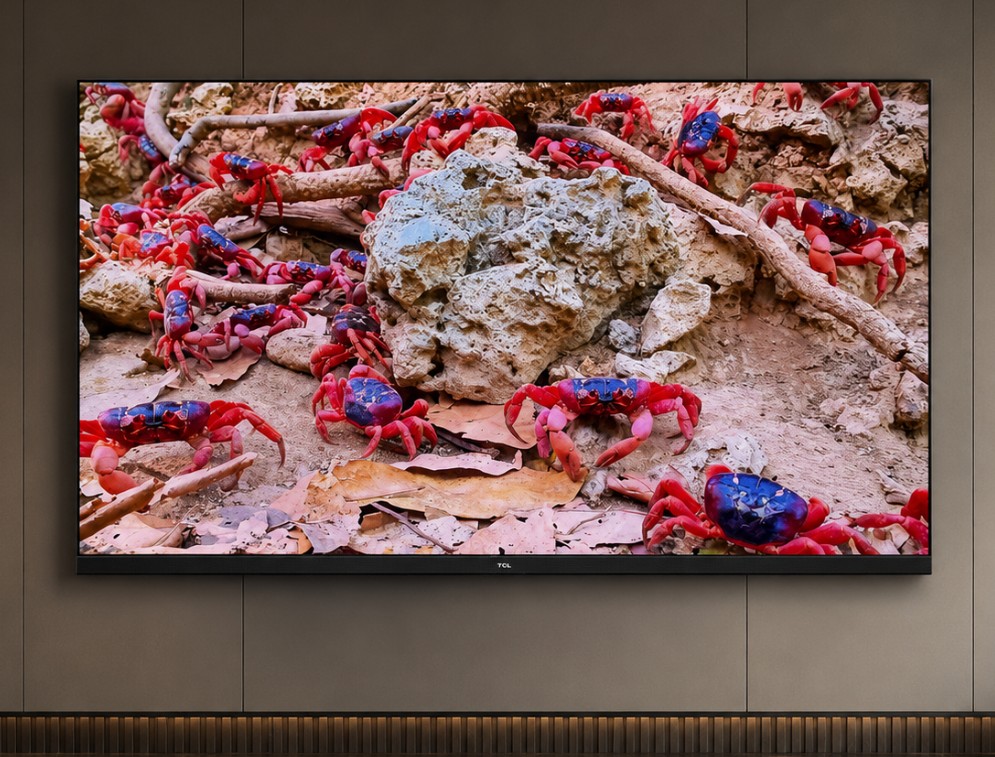
The exact screen size used for our X11L review notes, with SQD-Mini LED, 11,520 dimming zones, 144Hz and four HDMI 2.1 ports.
Check price on Amazon →Exact TCL X11L dimming zones and brightness by size
| Size | Precise Dimming Zones | Manufacturer HDR brightness claim | Practical note |
|---|---|---|---|
| 75-inch X11L | 11,520 zones | Up to 9,000 nits | Very high zone count even before reaching the largest size |
| 85-inch X11L | 14,400 zones | Up to 9,000–10,000 nits, depending on regional listing | Strong balance of size, contrast control, and HDR impact |
| 98-inch X11L | 20,736 zones | Up to 10,000 nits | Highest zone count and strongest headline specification |
These are TCL / specification figures, not our measured real-content brightness numbers. The important point is that the X11L scales dramatically with size. The 98-inch model is not simply a larger 75-inch version; it carries the highest zone count and the strongest brightness positioning.
Technical specifications
| Specification | TCL X11L |
|---|---|
| TV family | TCL X11L SQD-Mini LED |
| Display class | Premium 4K LCD |
| Backlight | SQD-Mini LED |
| Panel type | WHVA 2.0 Ultra |
| Resolution | 3840 × 2160 |
| Processor | TSR AiPQ Processor |
| Operating system | Google TV |
| Native refresh | 144Hz |
| Gaming boost | Up to 288Hz VRR Game Accelerator, supported scenarios only |
| HDMI inputs | 4× HDMI 2.1 |
| VRR | Supported |
| ALLM | Supported |
| FreeSync | FreeSync Premium Pro listed in some coverage |
| HDR | Dolby Vision IQ, HDR10+, HDR10, HLG |
| Audio | Bang & Olufsen-tuned front-facing speaker system |
| Best buyer type | Wants extreme LCD brightness, large-screen HDR, strong gaming, and less OLED burn-in concern |
Exact features can vary by region, size, firmware, and model code. Always check the local product page before buying.
What SQD-Mini LED actually means
SQD-Mini LED is TCL’s alternative to the RGB Mini LED path being pushed by Hisense and Samsung Micro RGB. Instead of using separate red, green, and blue LED backlight elements, TCL uses a blue Mini LED backlight with a Super Quantum Dot color conversion system and very high-precision local dimming.
The idea is simple but technically ambitious: use quantum dots to create very wide color, then use thousands of Mini LED dimming zones to control contrast more precisely than a normal LCD TV.
The benefits are:
- very high brightness
- wide color volume
- strong HDR highlight control
- less blooming than simpler Mini LED systems
- more LCD brightness headroom than OLED
- strong performance in bright rooms
- reduced burn-in concern compared with OLED
The limitation is also simple: this is still an LCD TV. OLED can turn off each pixel individually. X11L uses local dimming zones. TCL’s dimming control is very impressive, but pixel-level black is still OLED’s natural advantage.
Practical setup notes from our testing
In our setup, the X11L looked best when we avoided treating it like a showroom TV. The brightness is already there. The mistake is pushing every enhancement too hard and making the image look artificial.
For SDR and normal streaming, a Movie-style mode looked more balanced than the brightest preset. For HDR, local dimming should stay high, but dynamic contrast and extra sharpness should be used carefully. The X11L can create a spectacular image without needing heavy processing.
The most useful thing we noticed is that the TV feels very powerful even when it is not chasing its maximum output. At around 2,600–2,800 nits on a 10% HDR window, it already has more than enough highlight brightness for movies, sports, and games. That is where the X11L feels genuinely premium: controlled brightness, not just raw brightness.
Manufacturer claim vs our measured TCL X11L results
| Area | TCL / manufacturer positioning | Our measured result / practical reading |
|---|---|---|
| Peak brightness claim | Up to 10,000 nits on the largest configuration | Around 2,600-2,800 nits in our more restrained HDR setup, while our higher-output configuration reached around 4,100-4,200 nits on the same 10% window. |
| Extreme brightness potential | Very high backlight headroom | Higher numbers may be possible in very aggressive modes or smaller windows, but they do not represent normal viewing |
| 10% HDR window | Flagship HDR highlight performance | Around 2,600-2,800 nits in our restrained HDR setup; around 4,100-4,200 nits when configured for higher HDR output. |
| Full-screen brightness | Strong LCD full-field output | Much stronger than OLED in high-APL scenes, but still varies by mode and content |
| Color claim | Up to 100% BT.2020 | Very wide color in real HDR viewing, especially with bright saturated tones |
| Dimming zones | Up to 20,736 zones | Size-dependent; 98-inch carries the highest zone count |
| Blooming control | TCL Halo Control System / near-zero halo positioning | Excellent for an LCD, though OLED still has pixel-level black |
| Gaming | 144Hz, HDMI 2.1, VRR, Game Accelerator | Excellent for 4K 120Hz console gaming and 4K 144Hz PC gaming |
The safest buyer takeaway is this: do not expect 10,000 nits as normal movie or game brightness. Our useful HDR measurement sits closer to the upper-2,000-nit range on a 10% window, which is still extremely bright and far more relevant to real viewing.
Brightness: our measured result matters more than the headline claim
The X11L’s brightness is the headline feature, but the useful number is not the largest figure ever recorded in an extreme mode. In our testing, the TCL X11L measured around 4,100–4,200 nits on a 10% HDR window, which is already exceptional for real HDR viewing.
That kind of brightness makes a visible difference in:
- sunlight reflections
- metal highlights
- bright clouds
- sparks and explosions
- high-impact game effects
- sports graphics
- HDR animation
- bright outdoor scenes
The X11L can push well beyond typical Mini LED brightness, but its HDR output varies significantly with picture mode and brightness configuration. On our 75-inch sample, we measured around 2,600-2,800 nits in a more restrained HDR setup, while a higher-output configuration reached roughly 4,100-4,200 nits on the same 10% HDR window. In practice, both results are useful because they show how much the TV’s brightness behavior can change depending on setup.
HDR performance in real viewing
HDR on the X11L is powerful, but it depends on the mode. The brighter modes make the TV look dramatic and intense. The more accurate modes look calmer, more natural, and easier to watch for films.
In bright living-room use, the X11L feels exactly like the kind of TV Mini LED was designed to become. It can hold strong brightness while still keeping dark areas under control. Dark scenes with subtitles are much cleaner than on lower-zone Mini LED TVs. Bright objects against black backgrounds still remind you this is LCD, but blooming control is genuinely strong.
The biggest strength is high-impact HDR. Fire, neon, headlights, sunlight on water, metallic surfaces, and bright game effects all have the kind of punch OLED can struggle to sustain at the same scale.
The limitation is that OLED still looks cleaner in perfect darkness. If you watch mostly at night and care about absolute black level above everything, OLED still has the more natural advantage.
Color performance and SQD character
TCL’s color claim is aggressive, and the X11L does look extremely rich with the right content. Bright reds, greens, blues, golds, and HDR animation all look strong. The TV’s color volume is one of its biggest arguments against OLED and conventional Mini LED.
The most impressive part is how the X11L keeps color intensity when brightness rises. Some TVs look bright but lose color saturation in the process. The X11L is much better at keeping bright colors alive.
This matters for:
- animated films
- HDR nature documentaries
- games with neon or fantasy effects
- bright sports graphics
- colorful streaming content
- high-quality demo material
It can look spectacular. But again, the most natural image comes from balance. A mode that pushes brightness and color too aggressively may look impressive for five minutes but less accurate over a full movie.
TCL X11L vs OLED rivals
The X11L is one of the few LCD TVs that can make the OLED comparison genuinely interesting. It has enough dimming zones and brightness to challenge OLED in bright-room use, HDR punch, large-screen impact, and gaming spectacle.
| Area | TCL X11L | OLED rivals |
|---|---|---|
| Peak HDR brightness | Much higher practical headroom | Lower, but improving on flagship OLEDs |
| Full-screen brightness | Stronger than OLED in bright scenes | OLED-limited |
| Black level | Excellent for LCD | Pixel-level black |
| Blooming | Very well controlled | No local dimming blooming |
| Bright-room use | Excellent | Depends on panel and anti-glare coating |
| Dark-room movie purity | Very strong, but not OLED | Still the benchmark |
| Burn-in concern | Lower | Still a consideration for static content users |
| Gaming HDR | Extremely bright and dramatic | Faster pixel-level response and perfect blacks |
| Large sizes | 75, 85, 98 inches | Large OLEDs become very expensive |
The X11L wins if you want brightness, size, and LCD confidence. OLED wins if you want pixel-level black, perfect dark-room control, and the classic cinematic OLED look.
TCL X11L vs RGB Mini LED
The X11L is not RGB Mini LED, and buyers should not confuse the two.
Hisense and Samsung are pushing RGB-based backlight systems in some premium 2026 TVs. TCL uses SQD-Mini LED instead. Both approaches are trying to solve the same problem: how to make LCD TVs more colorful, brighter, and closer to OLED-level contrast.
| Area | TCL X11L SQD-Mini LED | RGB Mini LED / Micro RGB rivals |
|---|---|---|
| Backlight approach | Blue Mini LED + quantum-dot color conversion | Red, green, and blue backlight elements |
| Main strength | Extreme brightness, high zone count, strong quantum-dot color | Potentially stronger primary-color backlight control |
| Color behavior | Very wide color and strong HDR saturation | Different color-volume approach |
| Complexity | TCL Halo Control + SQD color conversion | More complex RGB backlight control |
| Best comparison | X11L vs Hisense UR9S / Samsung R95H | RGB Mini LED / Micro RGB vs SQD-Mini LED |
There is no need to declare one technology the automatic winner. The actual TV matters more than the label. X11L proves TCL’s SQD path is technically serious, not just a marketing term.
Gaming performance: 4K 144Hz, HDMI 2.1, VRR, and Game Accelerator
Gaming is one of the X11L’s strongest areas. This TV is not only bright; it is properly equipped for modern consoles and PC gaming.
| Gaming feature | TCL X11L |
|---|---|
| 4K 120Hz console gaming | Supported |
| 4K 144Hz PC gaming | Supported |
| HDMI 2.1 | 4 ports |
| VRR | Supported |
| ALLM | Supported |
| FreeSync | FreeSync Premium Pro listed in some coverage |
| Game Bar / Game Master | Supported |
| 288Hz Game Accelerator | Supported scenarios only, not normal 4K 288Hz gaming |
| Best gaming use | PS5 Pro, Xbox Series X, high-end PC, bright-room HDR gaming |
For PS5 and Xbox Series X, the practical target is 4K 120Hz with VRR. The X11L handles that without feeling like a compromise. For PC gaming, 4K 144Hz is the more interesting feature.
The 288Hz Game Accelerator should not be misunderstood. It does not mean normal 4K 288Hz console gaming. It is a special high-refresh mode for supported scenarios, usually involving lower resolution or compatible PC-style use.
Gaming picture quality
The X11L’s gaming image is intense. HDR games benefit from the same brightness headroom that makes movies look dramatic. Sunlit tracks, explosions, bright UI elements, magic effects, headlights, and reflections all hit hard.
The TV’s local dimming also helps games with dark environments. Night scenes, space scenes, horror games, and high-contrast HUD elements look much better than on lower-tier Mini LED sets.
OLED still has faster pixel-level response and perfect black control, but the X11L gives gamers something OLED cannot always provide: extreme HDR brightness at very large screen sizes without the same concern about static HUD burn-in.
For players who use PS5 Pro, Xbox Series X, and PC in the same room, the X11L is one of the most interesting LCD gaming TVs available.
Best gaming setup notes
| Setting area | Recommended approach |
|---|---|
| TV mode | Game Mode / Game Master |
| Console output | 4K, HDR On When Supported, VRR enabled |
| PS5 / PS5 Pro | 120Hz Automatic, VRR Automatic, HDR calibrated after Game Mode is active |
| Xbox Series X | 4K UHD, 120Hz, VRR, ALLM, HDR10 |
| PC gaming | 4K up to 144Hz where supported |
| Local dimming | High for HDR gaming |
| Motion processing | Off for gaming |
| Sharpness | Low / neutral |
| Dynamic contrast | Off first, test later |
| Game Bar | Use it to confirm refresh rate, VRR, and HDR status |
For PS5 Pro, the cleanest setup is best. Let the console handle its own HDR and reconstruction output. The X11L already has enough brightness and local contrast; extra sharpening usually makes fine game detail look harsher, not better.
Port-by-port I/O map
| Port / feature | TCL X11L | Why it matters |
|---|---|---|
| HDMI 1 | HDMI 2.1 | Main console or PC |
| HDMI 2 | HDMI 2.1 | Second console or gaming source |
| HDMI 3 | HDMI 2.1 / eARC depending on layout | Soundbar or AVR planning |
| HDMI 4 | HDMI 2.1 | Extra console, PC, or streamer |
| eARC | Supported | Dolby Atmos soundbar / AVR setup |
| VRR | Supported | Smooths variable frame rates |
| ALLM | Supported | Enables low-latency switching |
| 4K 144Hz | Supported where source allows | Important for PC gaming |
| 288Hz Game Accelerator | Supported scenarios only | Useful, but not a normal 4K console target |
The four HDMI 2.1 ports are a real strength. You can connect PS5 Pro, Xbox Series X, a gaming PC, and an audio device with less compromise than on TVs that only give two high-bandwidth HDMI inputs.
Motion and processing
The X11L is strong, but motion is still one of the areas buyers should judge carefully. For sports and gaming, the TV has the speed and refresh-rate support to feel premium. For movies, motion settings should be handled with restraint.
Our preferred approach:
- turn heavy motion smoothing off for films
- use low motion assistance only for sports if needed
- keep Game Mode clean for gaming
- avoid over-sharpening
- avoid forcing every source into the brightest mode
The processor is powerful, but like most modern TVs, the best image comes from choosing the right mode, not enabling every enhancement.
Google TV and daily usability
The X11L uses Google TV, which gives it strong app support and a familiar interface. For most users, this is a practical advantage.
Strengths:
- broad streaming app support
- Google ecosystem integration
- voice control
- easy casting
- strong external-device compatibility
- gaming services and cloud features depending on region
Weaknesses:
- recommendations can feel busy
- performance depends on firmware
- settings names can vary by region
- some users may prefer an external streamer
The smart platform is good enough that most buyers will not need an external streaming box immediately. But if you want the cleanest interface, Apple TV 4K, Nvidia Shield, or another premium streamer may still feel smoother.
Bang & Olufsen audio
The X11L’s Bang & Olufsen-tuned front-facing audio system is better than typical TV sound. It gives the TV a more premium feel and helps voices and effects sound bigger than on standard down-firing speaker systems.
That said, a TV this large still deserves external audio. At 75, 85, or 98 inches, the picture scale is huge. A good soundbar, AVR, or speaker system will match the image better than built-in speakers can.
Built-in audio is a strength, not a replacement for a serious home theater system.
Common buying mistakes
Treating 10,000 nits as normal viewing brightness
It is not. Our useful 10% HDR measurement was around 2,600–2,800 nits, which is already extremely bright.
Thinking SQD-Mini LED is the same as RGB Mini LED
It is a different technology path. TCL uses SQD-Mini LED, not RGB Mini LED.
Buying only because it is brighter than OLED
Brightness is not everything. OLED still wins for pixel-level black.
Ignoring room conditions
The X11L makes the most sense in bright or mixed-light rooms.
Overusing Vivid mode
Vivid can show the TV’s extreme output, but it is not the best everyday mode.
Misreading 288Hz Game Accelerator
For console gaming, 4K 120Hz with VRR is the real target.
Who should buy the TCL X11L?
The TCL X11L makes sense if you want:
- a very large premium TV
- extreme HDR brightness
- strong local dimming
- OLED-like contrast with LCD brightness
- less burn-in concern than OLED
- 4 HDMI 2.1 ports
- PS5 Pro / Xbox / PC gaming support
- Google TV
- better-than-average built-in audio
- a TV for a bright or mixed-light room
It makes less sense if:
- you mostly watch movies in a dark room
- you want perfect pixel-level black
- you are very sensitive to any LCD blooming
- you want a smaller flagship TV
- you prefer OLED’s cleaner dark-room look
- you are shopping mainly by price
The practical buying answer
The TCL X11L is one of the most technically ambitious LCD TVs available. It does not make OLED irrelevant, but it makes the OLED-versus-LCD debate much more interesting.
Our testing showed a TV that is extremely bright in real HDR use, not just on a spec sheet. Around 2,600–2,800 nits on a 10% HDR window is enough to make HDR movies, sports, and games look genuinely powerful. The bigger story is how well that brightness combines with local dimming, color, and gaming features.
The clean buying rule is this: choose the X11L if you want a giant, bright, premium LCD that can challenge OLED in real living rooms. Choose OLED if your priority is dark-room precision and pixel-level black above everything else.